Bursa Malaysia Dividend Calendar: Check Ex-Dates and Payment Dates

What Is the Dividend Calendar?
The Dividend Calendar on mahersaham.com displays all ex-dates, entitlement dates, payment dates, and dividend amounts for every counter on Bursa Malaysia by month. It is a visual reference that helps investors plan stock purchases based on dividend schedules.
This page is free for all users - no Gold membership required. Anyone can access it and plan their dividend strategy here.
Dividends are one of the key sources of passive income for stock investors. According to Bursa Malaysia, hundreds of listed companies pay dividends annually, and this calendar helps you track every single one.
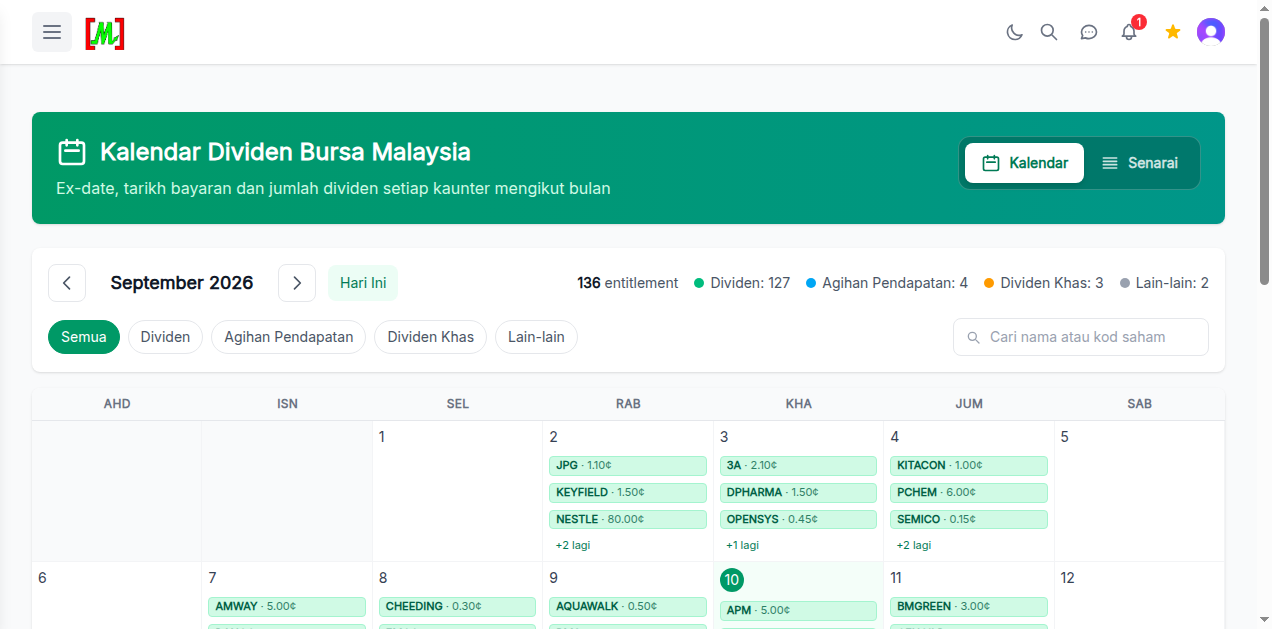
Calendar View - See Dividends by Day
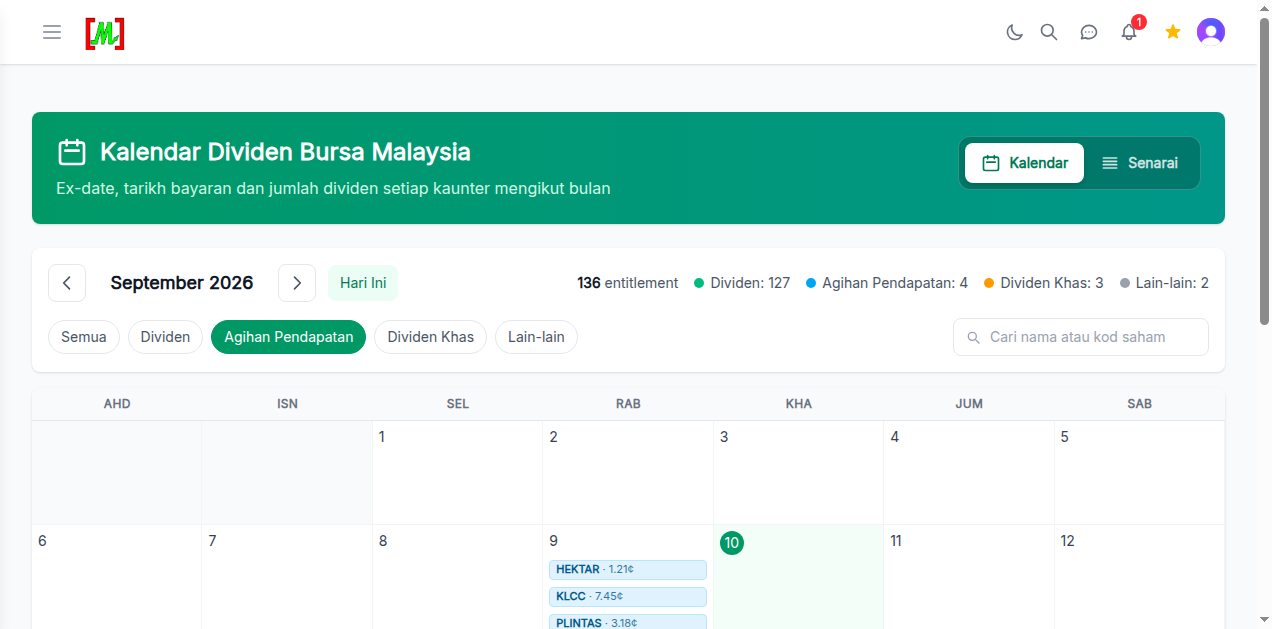
The main view uses a monthly calendar format. Each date with a dividend ex-date displays the stock name and dividend amount. You can navigate between months using the left and right arrows, or click "Hari Ini" (Today) to return to the current month.
At the top of the calendar, you will see a summary for that month. For example, September 2026 has 136 entitlements - meaning 136 dividend events occur throughout the month.
4 Types of Distributions
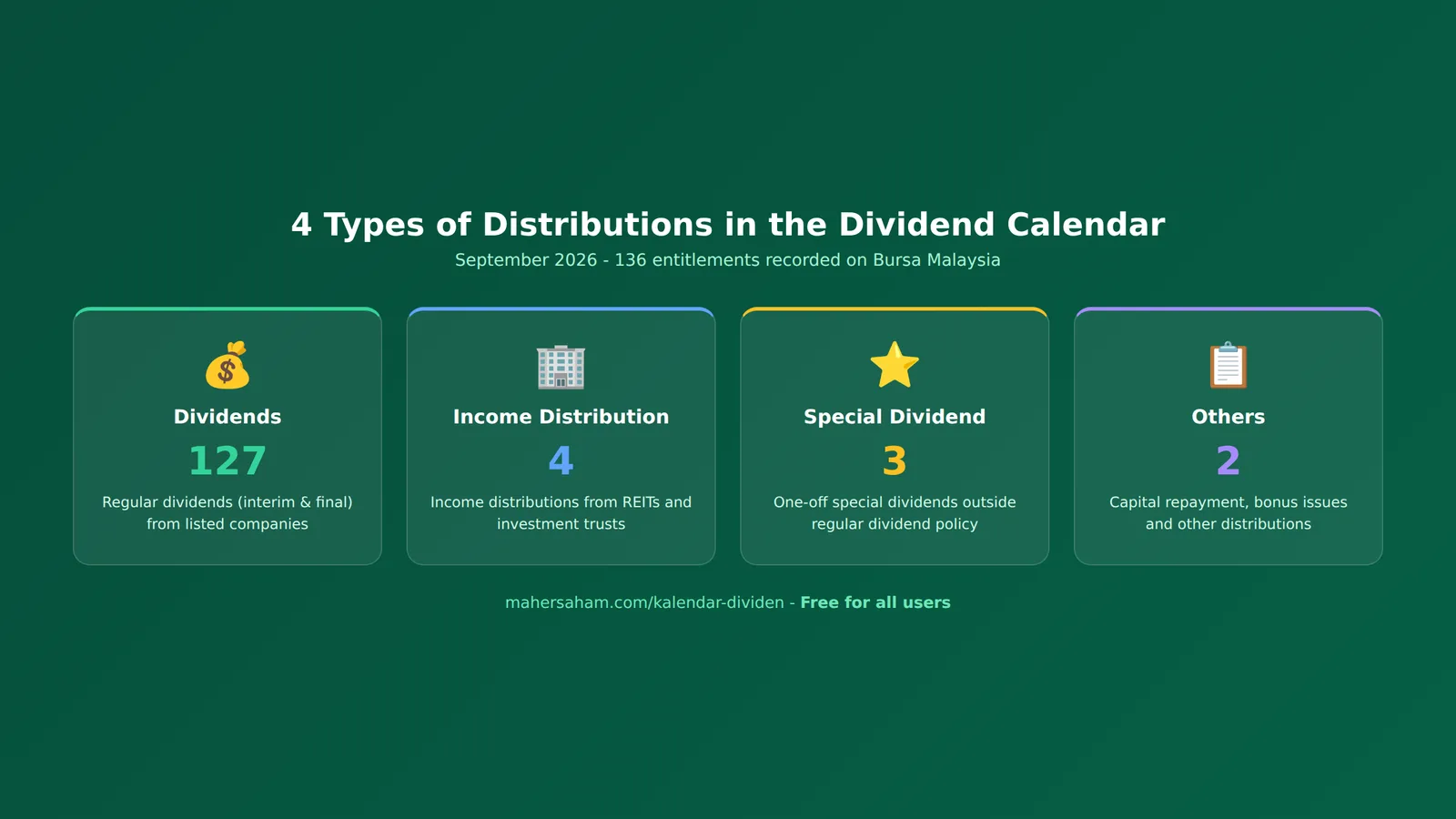
The Dividend Calendar classifies entitlements into 4 categories, filterable via tab buttons:
- Dividends (127) - Regular dividends including interim and final dividends. This is the most common distribution type on Bursa Malaysia.
- Income Distribution (4) - Distributions from REITs (Real Estate Investment Trusts) and investment trusts. REITs must distribute at least 90% of their net income.
- Special Dividends (3) - One-off dividends paid outside a company's regular dividend policy. Usually occurs when a company has extraordinary profits or excess cash.
- Others (2) - Includes capital repayments, bonus issues, and other non-standard cash distributions.
How to View Each Dividend's Details
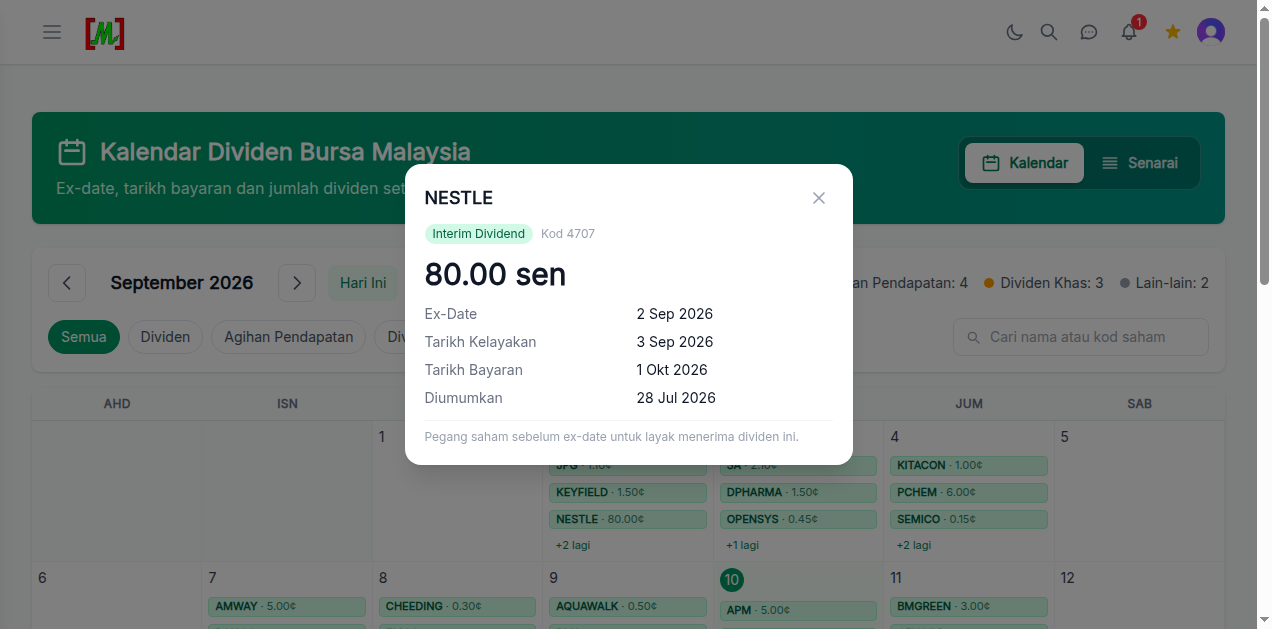
Click any dividend entry in the calendar to see detailed information. The popup displays:
- Stock name and code - e.g. NESTLE, Code 4707
- Dividend type - Interim Dividend, Final Dividend, Special Dividend, etc.
- Dividend amount - In sen per share. e.g. 80.00 sen
- Ex-Date - The cutoff date for dividend eligibility. You must hold the stock BEFORE this date to qualify. Buying on or after the ex-date means you are NOT entitled.
- Entitlement Date - The date shareholders are determined as eligible
- Payment Date - The date dividends are credited to your CDS account
- Announcement Date - When the company announced the dividend
List View - See All Dividends in a Table
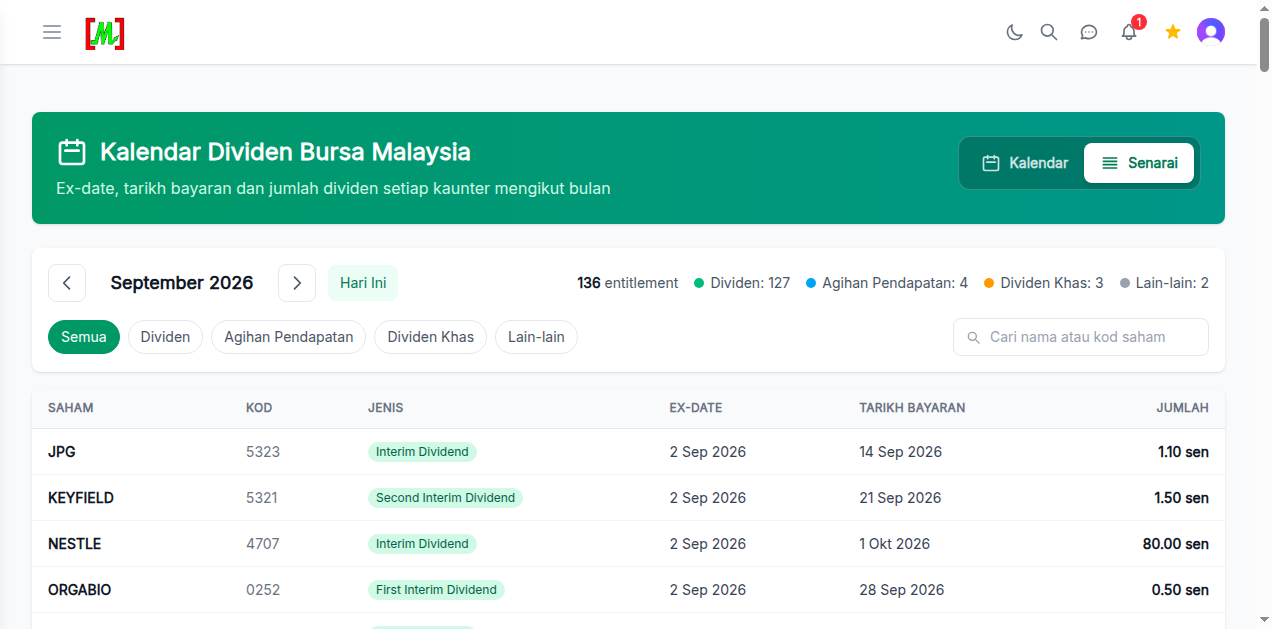
Besides the calendar view, you can switch to List view by clicking the "Senarai" button at the top right. The list view shows all dividends for the month in a table format with columns:
- SAHAM (Stock) - Stock name
- KOD (Code) - Bursa Malaysia stock code
- JENIS (Type) - Dividend type
- EX-DATE - Ex-dividend date
- TARIKH BAYARAN (Payment Date) - Dividend payment date
- JUMLAH (Amount) - Dividend amount in sen
Filter for REIT Income Distributions
The Agihan Pendapatan (Income Distribution) tab filters the calendar to show only REIT distributions. This is useful for investors focused on REIT investments as they typically offer higher dividend yields compared to regular stocks.
Example REITs appearing in September 2026 include HEKTAR (1.21 sen), KLCC (7.45 sen), and PLINTAS (3.18 sen).
How to Use the Dividend Calendar for Your Investment Strategy
- Plan purchases before ex-date - To receive dividends, buy the stock at least 1 trading day before the ex-date. Buying on or after the ex-date does not qualify you.
- Compare dividend yields - Use the dividend amount and current stock price to calculate actual yield: (Dividend / Stock Price) x 100%.
- Watch for dividend patterns - Some companies pay dividends consistently every quarter. Use the calendar across multiple months to spot these patterns.
- Focus on REITs for steady income - Malaysian REITs must distribute 90% of income. Use the Income Distribution tab for steady income opportunities (Investopedia).
- Combine with the Screener - After identifying attractive dividend stocks, use the Screener for deeper fundamental analysis.
Frequently Asked Questions (FAQ)
Is the Dividend Calendar free?
Yes, the Dividend Calendar is free for all mahersaham.com users. No Gold membership required.
What is an ex-date and why does it matter?
The ex-date (ex-dividend date) determines dividend eligibility. You must hold the stock before this date to receive the dividend. Buying on or after the ex-date means you will not receive that particular dividend.
When will dividends be credited to my account?
Dividends are credited to your CDS account on the payment date shown. For example, NESTLE with a payment date of 1 Oct 2026 means dividends will arrive on that date.
Is the calendar data updated automatically?
Yes. Dividend data is updated based on official company announcements to Bursa Malaysia. New dividends are added as they are announced.
Can I search for a specific stock?
Yes. Use the search box "Cari nama atau kod saham" (Search by name or stock code) at the top right to find specific counters.
What is the difference between Interim and Final Dividends?
Interim dividends are paid during the financial year (usually after quarterly results), while final dividends are paid after full-year results are approved at the Annual General Meeting (AGM).
Conclusion
The Dividend Calendar on mahersaham.com is a free tool that helps investors plan their dividend strategy with ease. With calendar and list views, distribution type filters, and detailed dividend information including ex-dates and payment dates, it is an essential reference for income-focused stock investors.
To start investing and receiving dividends, open a CDS trading account to invest on Bursa Malaysia as well as international stocks in the US and Hong Kong through the CDS account registration page.
Download the free stock market basics ebook at the free ebook page.
Open Dividend Calendar now and check ex-dates and payment dates.