Mahersaham Watchlist: How to Monitor Your Stock Picks

What Is the Mahersaham Watchlist?
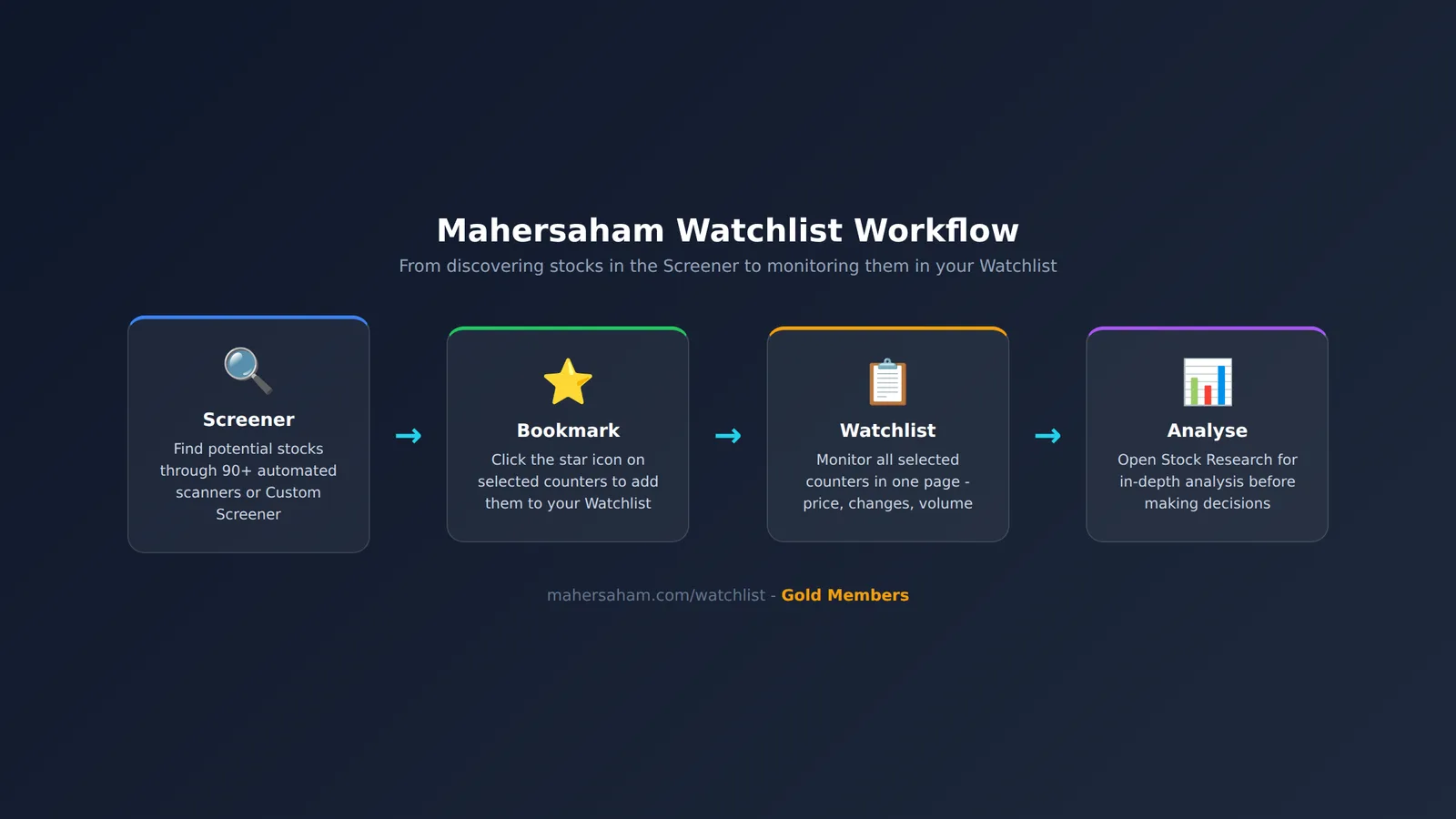
The Watchlist is a feature on mahersaham.com that lets you save a list of selected stocks for continuous monitoring. Think of it as your personal "shortlist" - counters you have identified as potential picks through the Screener, and now want to keep an eye on before making a buy decision.
Unlike the Screener which helps you discover and filter new stocks, the Watchlist serves as a place to store counters you have already selected. You can view current prices, daily changes, and other key data on a single page without having to search for each stock again.
This feature is available exclusively for Gold Members on mahersaham.com.
Where to Find the Watchlist
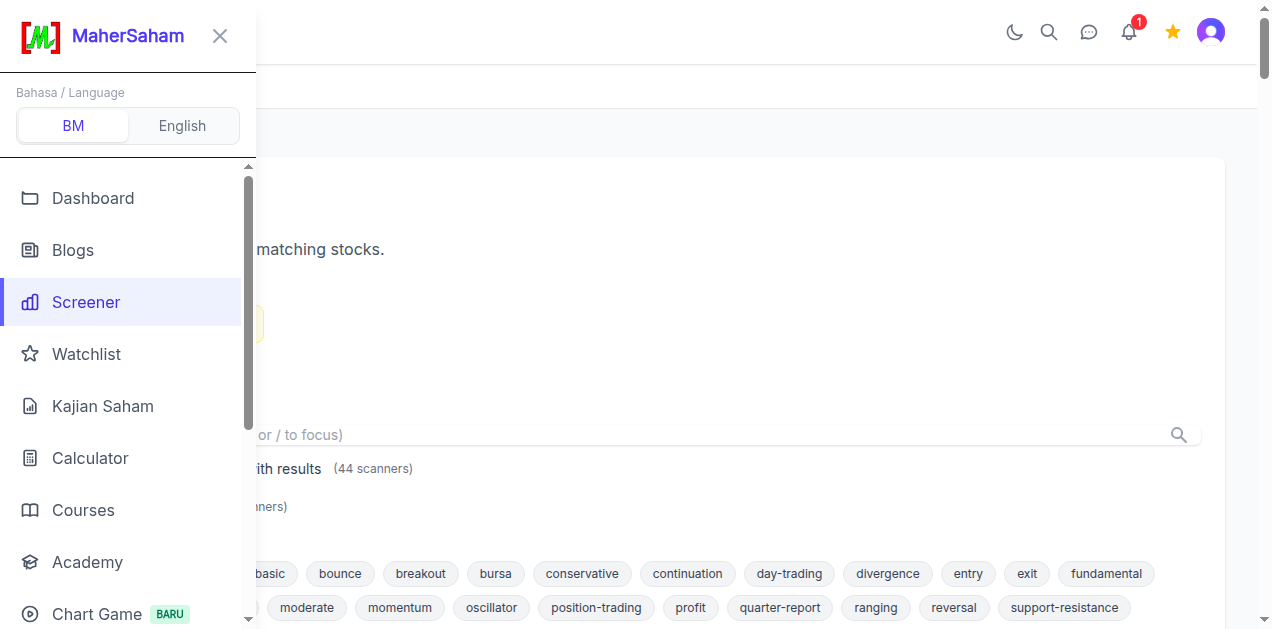
The Watchlist can be accessed easily through the sidebar menu:
- Log in to mahersaham.com with your Gold account
- Click the menu icon (hamburger) on the top left
- Find Watchlist in the menu list - it sits below "Screener" and above "Kajian Saham"
- Click to open your Watchlist page
Your Watchlist Display
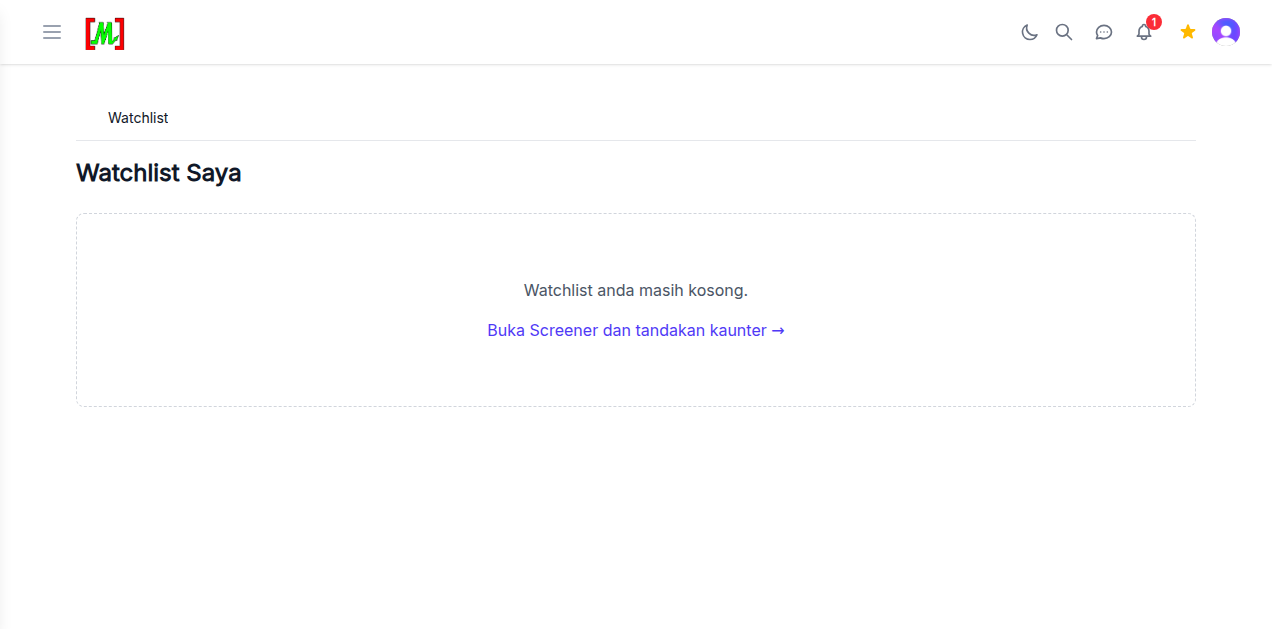
When you first open the Watchlist, you will see the "Watchlist Saya" (My Watchlist) view with the message "Watchlist anda masih kosong" (Your Watchlist is still empty). This is normal for new users - you need to add counters first.
Below the empty message, there is a shortcut link "Buka Screener dan tandakan kaunter" (Open Screener and bookmark counters) that takes you directly to the Screener page to start finding and adding stocks.
How to Add Stocks to Your Watchlist
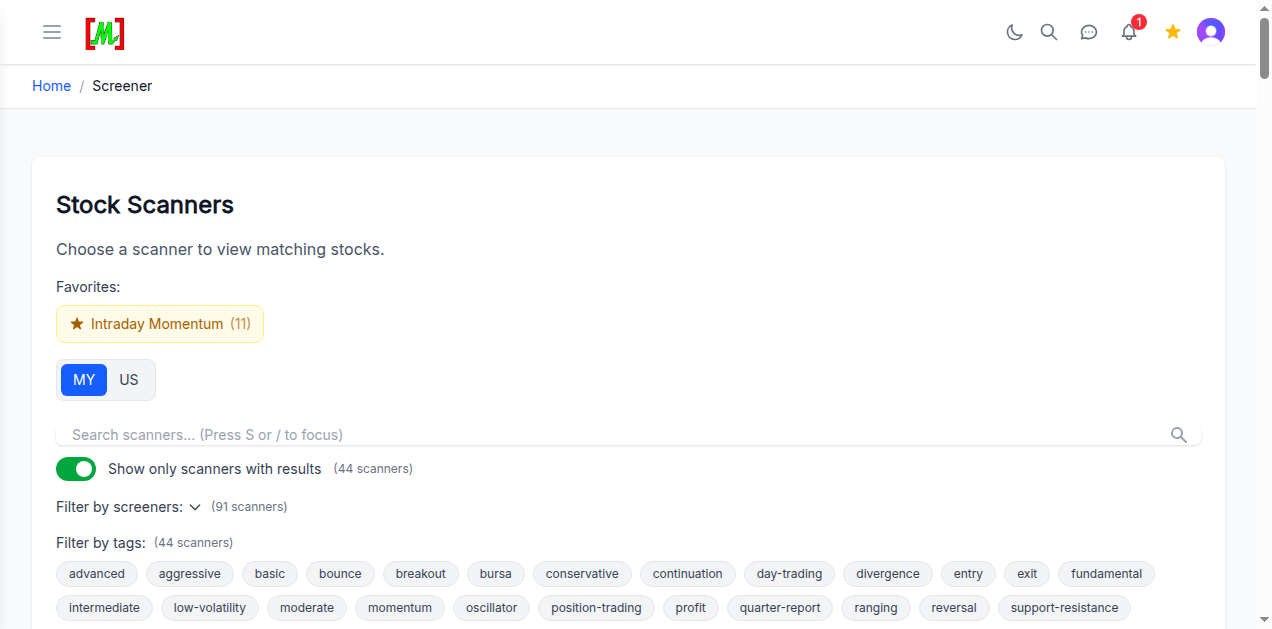
- Open the Screener - Go to the Stock Scanners page with 90+ automated scanners
- Choose a scanner - Select any scanner that fits your strategy. You can also use the Custom Screener to build your own filters
- Bookmark counters - When the stock list appears, click the star icon on the counters you want to monitor
- Check your Watchlist - Return to the Watchlist page to see all bookmarked counters
What You Can Do with the Watchlist
- Monitor current prices - View real-time prices for all your selected counters on one page
- Track daily changes - See how much each stock has moved today (in sen and percentage)
- Check trading volume - Monitor volume to identify counters being actively traded
- Quick access to Stock Research - Click any counter to jump to its detailed Stock Research page
- Remove counters - If a counter is no longer relevant, remove it from your Watchlist with one click
Tips for Using the Watchlist Effectively
- Limit your counters - Do not add too many stocks. Focus on 10-20 counters you are genuinely watching. A Watchlist that is too long is as good as no Watchlist.
- Update regularly - Review your Watchlist weekly and remove counters that are no longer relevant. Replace them with fresh picks from the Screener.
- Combine with Stock Research - After identifying potential counters on your Watchlist, open Stock Research for deeper fundamental and technical analysis before making decisions.
- Use Screener tags as guides - On the Scanners page, use tags like "breakout", "momentum", "reversal" to find specific types of counters to add to your Watchlist (Investopedia).
- Monitor during earnings season - Counters in your Watchlist are especially useful during quarterly earnings season. Prices may move significantly after results are announced.
Frequently Asked Questions (FAQ)
Is the Watchlist free?
The Watchlist is an exclusive feature for Gold Members on mahersaham.com. You need an active Gold membership to use it.
How many stocks can I add to my Watchlist?
There is no hard limit, but we recommend focusing on 10-20 counters for more effective and meaningful monitoring.
Is the data updated automatically?
Yes. Price and volume data is updated automatically every trading day. No manual refresh needed.
Can I access the Watchlist on mobile?
Yes. mahersaham.com is a responsive web platform - the Watchlist can be accessed through the browser on your phone, tablet, or computer.
What is the difference between Watchlist and Screener?
The Screener helps you discover and filter new stocks based on specific criteria. The Watchlist stores stocks you have already picked for continuous monitoring. Screener = discover, Watchlist = monitor.
How do I remove a stock from my Watchlist?
Click the star icon (unstar) on the counter you want to remove, or use the remove button on the Watchlist page.
Conclusion
The Mahersaham Watchlist makes it easy for investors to monitor selected counters without searching again every day. Combine the Watchlist with the Screener and Stock Research for a more systematic and effective investment workflow.
For Watchlist access and other Gold features, learn how to get Gold membership at the Gold access page.
Open a CDS trading account to start investing on Bursa Malaysia as well as international stocks in the US and Hong Kong markets through the CDS account registration page.
Download the free stock market basics ebook at the free ebook page.
Open Watchlist now and start monitoring your stock picks.