Moomoo – Global Stock Broker for Overseas Investing

A stockbroker refers to an organisation or entity that acts as an intermediary connecting individual investors with the stock market.
More and more Malaysians are beginning to explore overseas investments and get involved with global stocks. Mplus Global is one of the brokers in Malaysia that has started offering overseas stock investment services.
However, I have also been receiving questions about overseas brokers that are not yet registered in Malaysia. What brokers are available? Is it safe to use them? What do we need to know? What are the costs involved?
In this article, I will attempt to present my research and what I know about Moomoo. On YouTube, there are also content creators who have covered the Moomoo broker in detail, including Ziet Invest.
Why Moomoo
- Moomoo is a subsidiary of Futu, a company listed on the NASDAQ stock exchange in the US
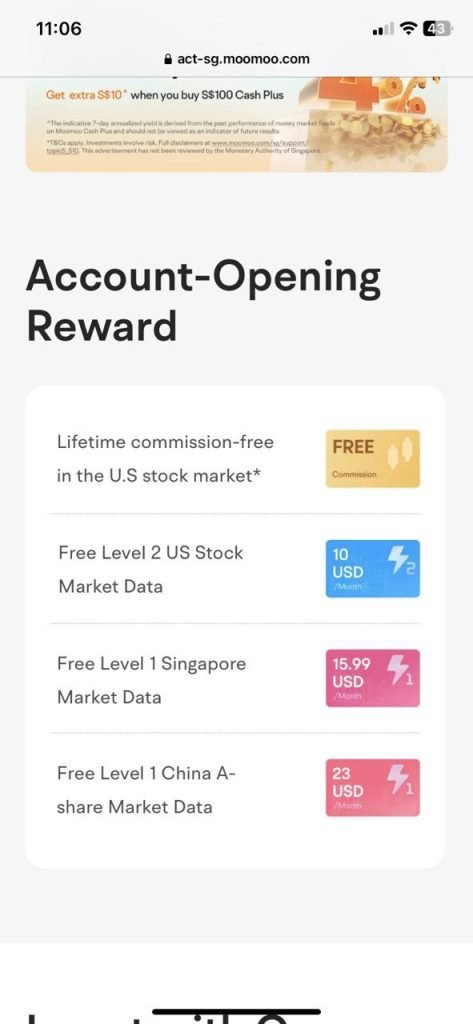
- Zero commission brokerage
- USD 0.99 platform fee per transaction
- Free Level 2 US Stock Market Data (there are 10 levels)
- Realtime US Stock Market Data

Moomoo Promotions
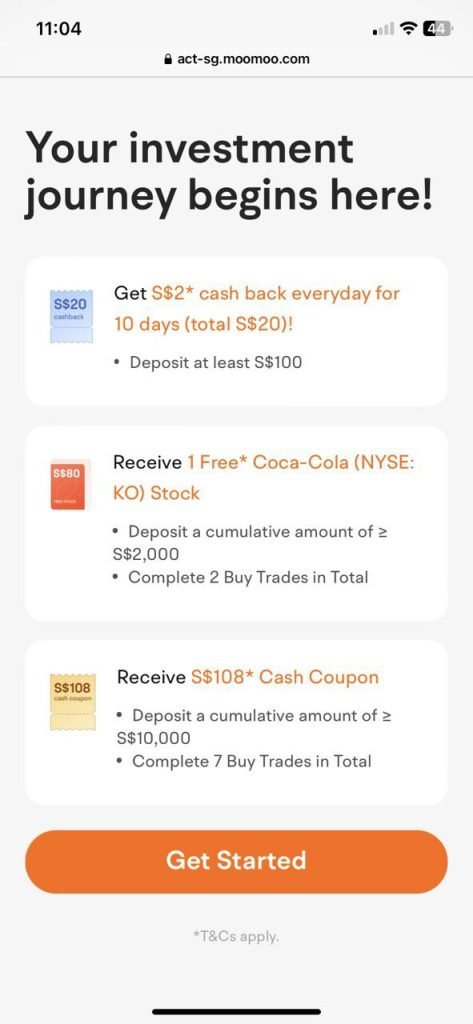
I had the opportunity to speak with one of the representatives from Moomoo, and this is what was shown to me:
How to Register a Moomoo Account
1. Click the link provided below. By registering through the link below, you will be eligible for the Moomoo promotions mentioned above.
2. Look for the Get Your Rewards or Sign Up button. Enter the email address you wish to use. In the password section, enter your desired password.

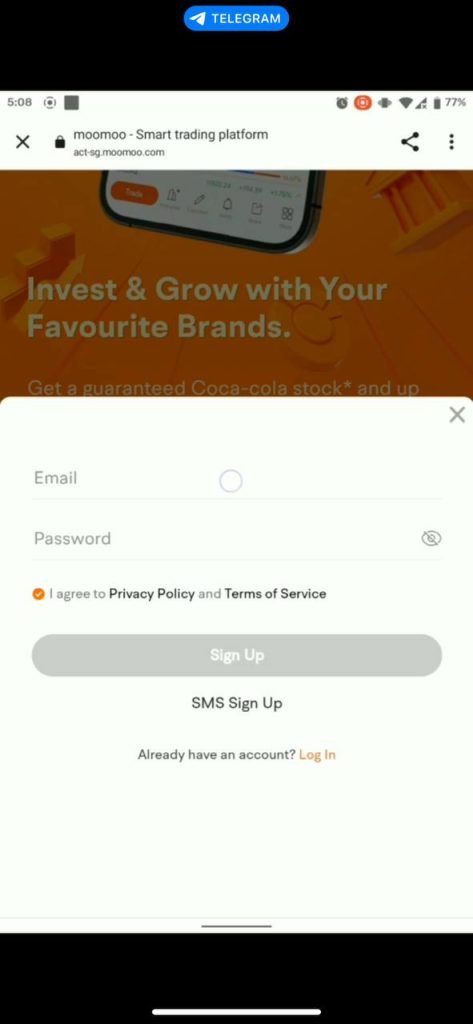
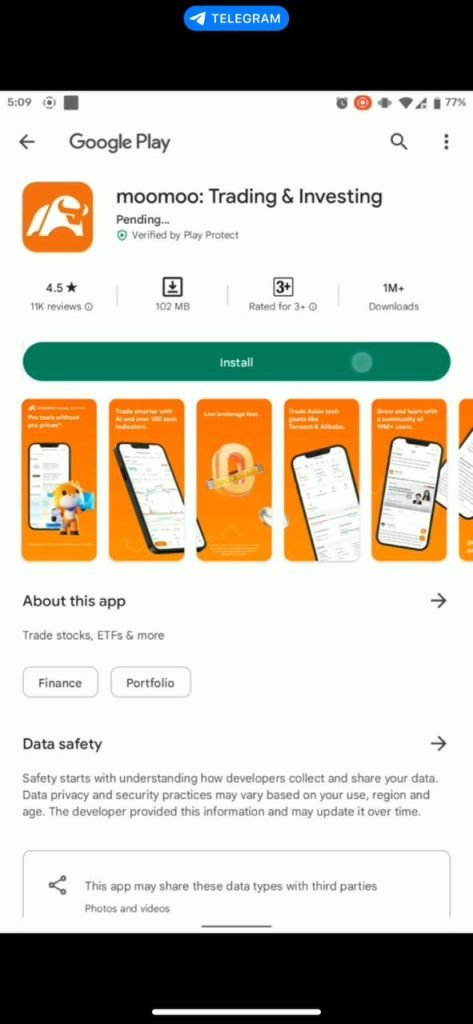
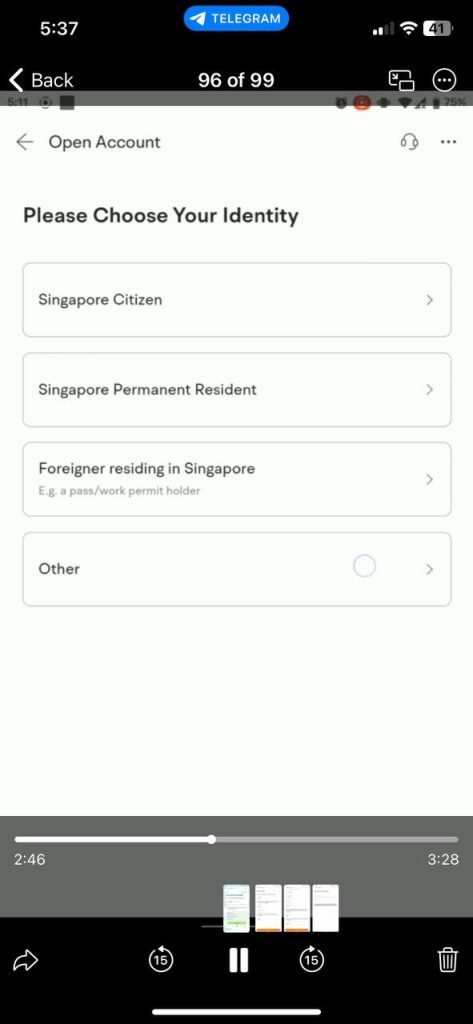
3. After clicking Sign Up, you will see a Welcome screen. Next, select your identity. If you are a Malaysian citizen who does not work in Singapore, click Other. You will then be prompted to download the Moomoo application from the Apple App Store or Google Play Store.
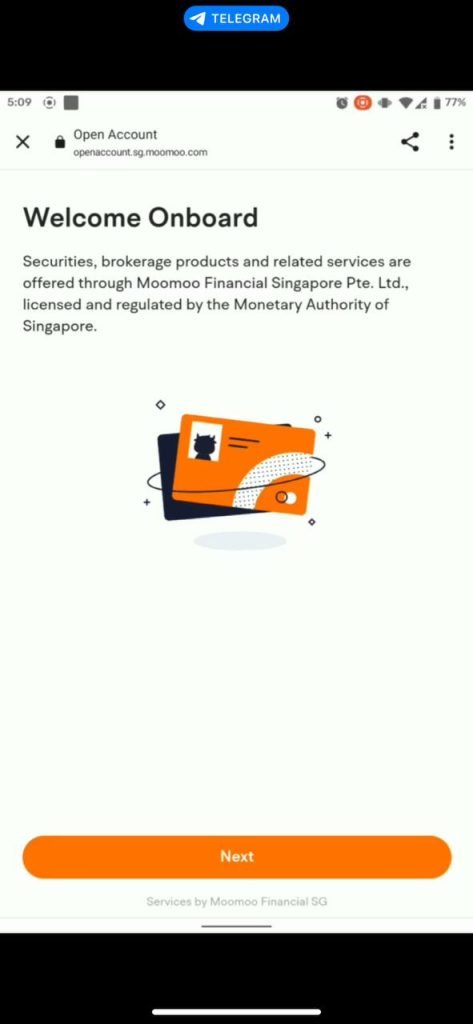
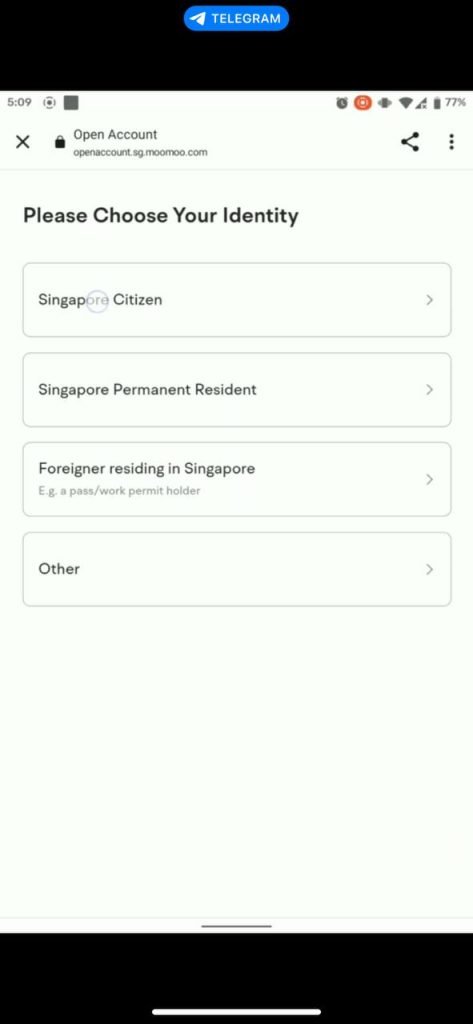
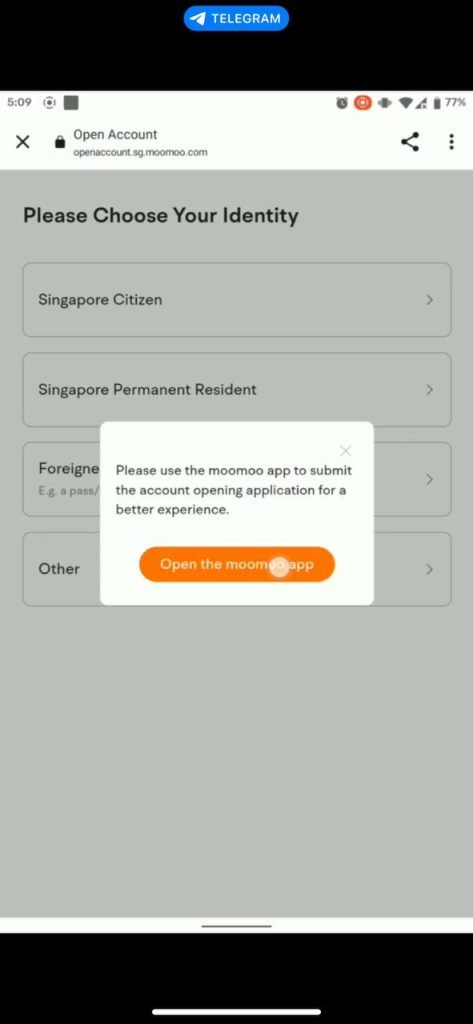
4. Once the installation is complete, tap LOG IN. Enter the email and password you registered in Step 2.
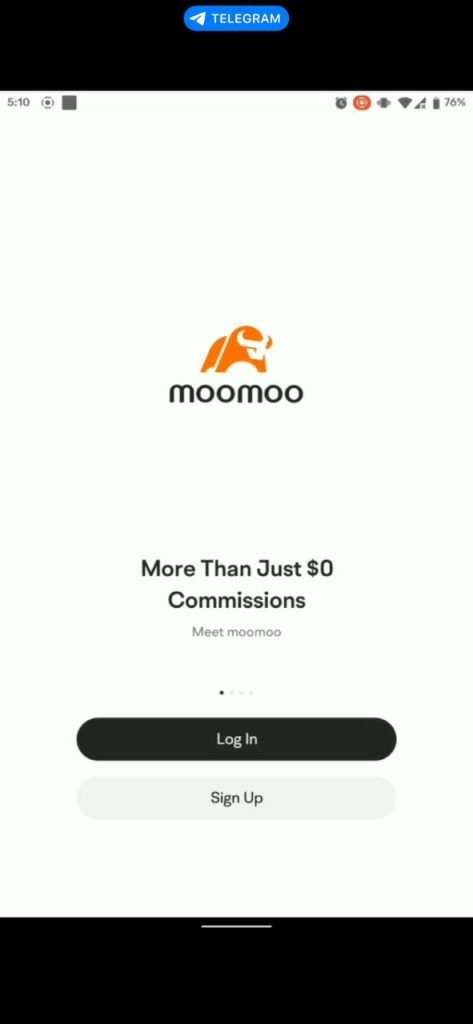
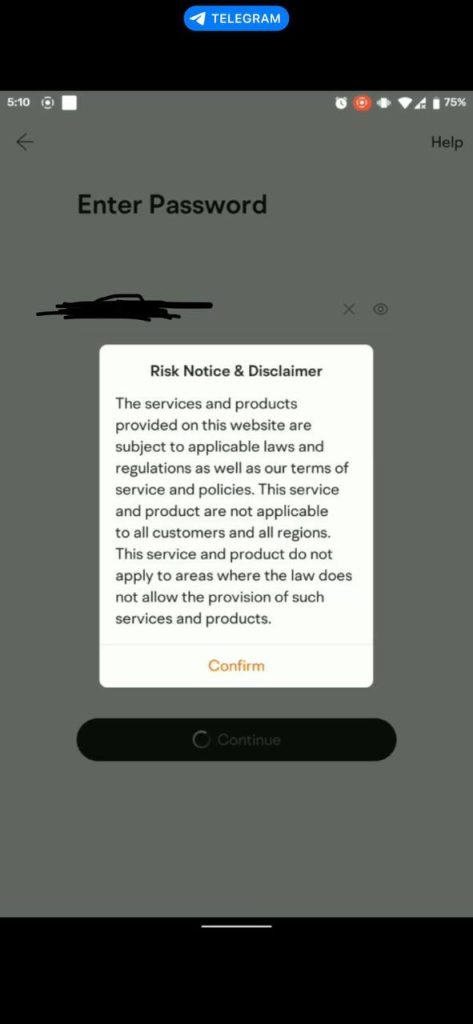
5. Continue the registration process by entering the required information. Click Other. Please have your Identity Card (IC) ready.
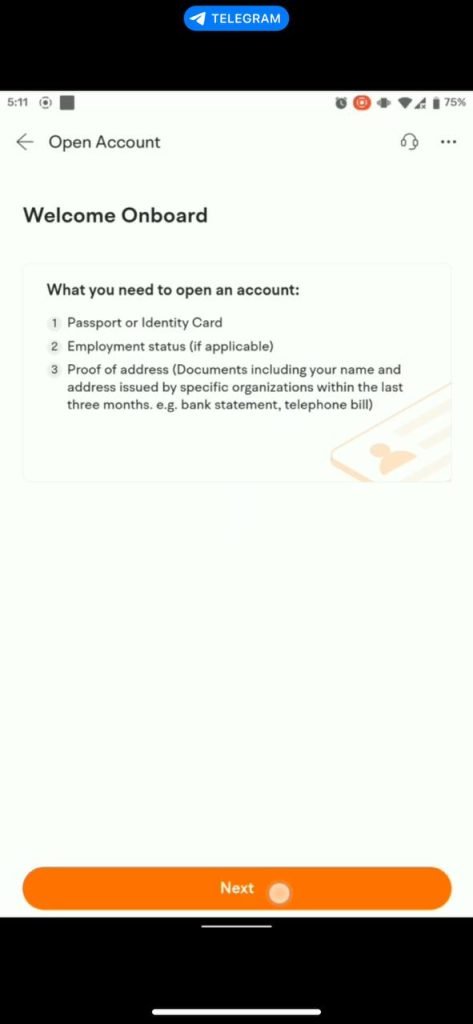
6. IMPORTANT! In the First Name field, enter your given name. For the Last Name field, enter Bin or Binti followed by your father's name as written on your identity card.
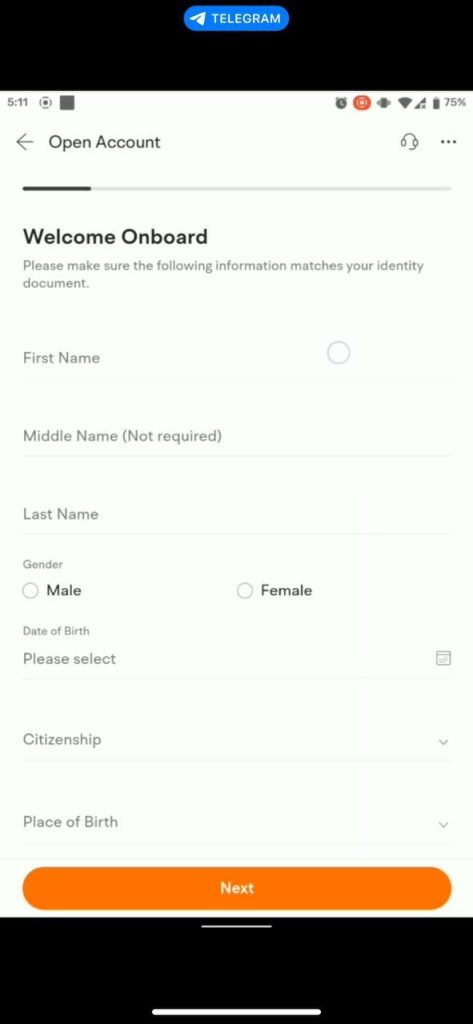
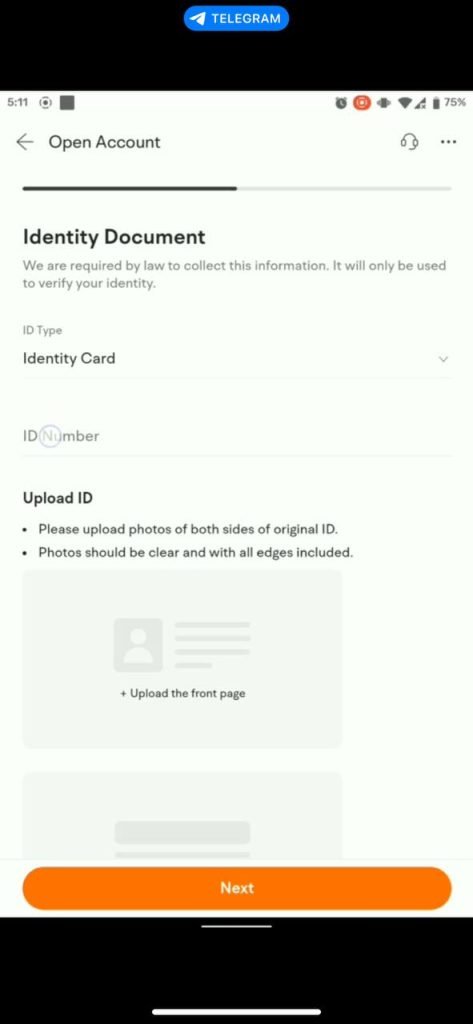
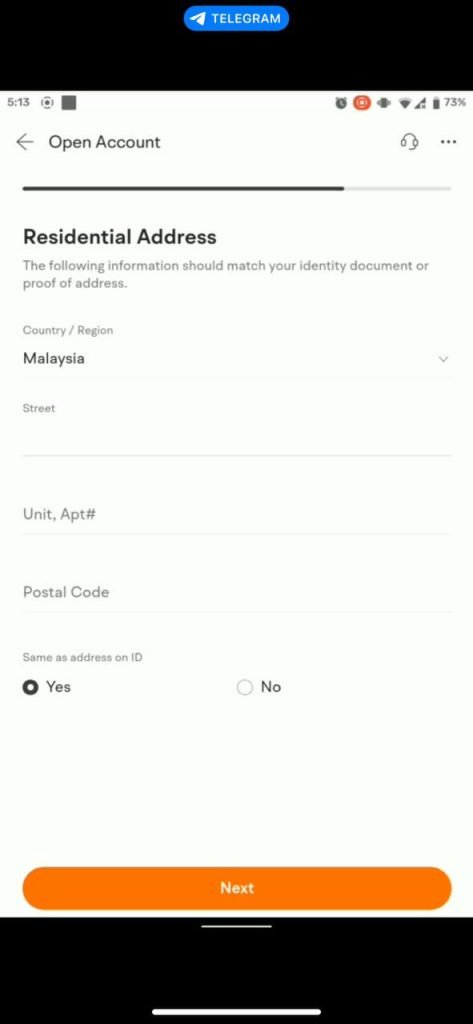
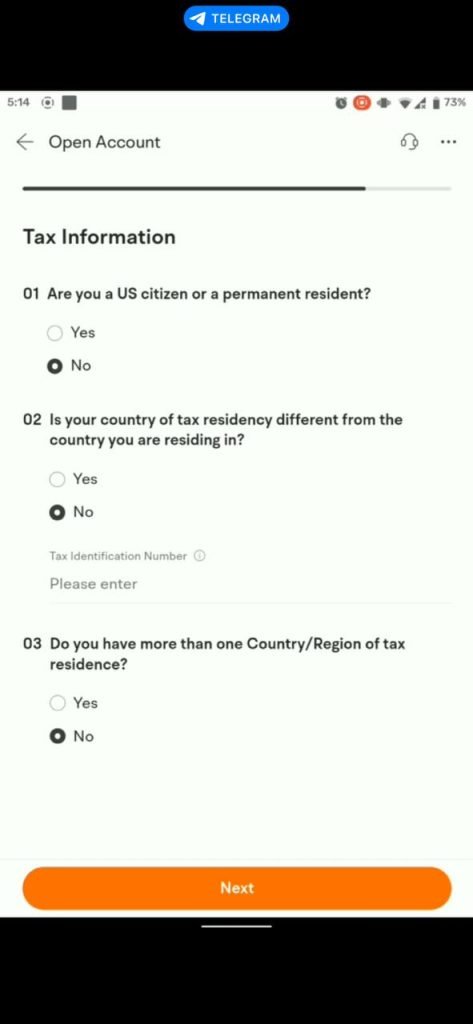
7. You will also be asked to provide your tax number with LHDN (Inland Revenue Board). Fill in the details related to your employment.
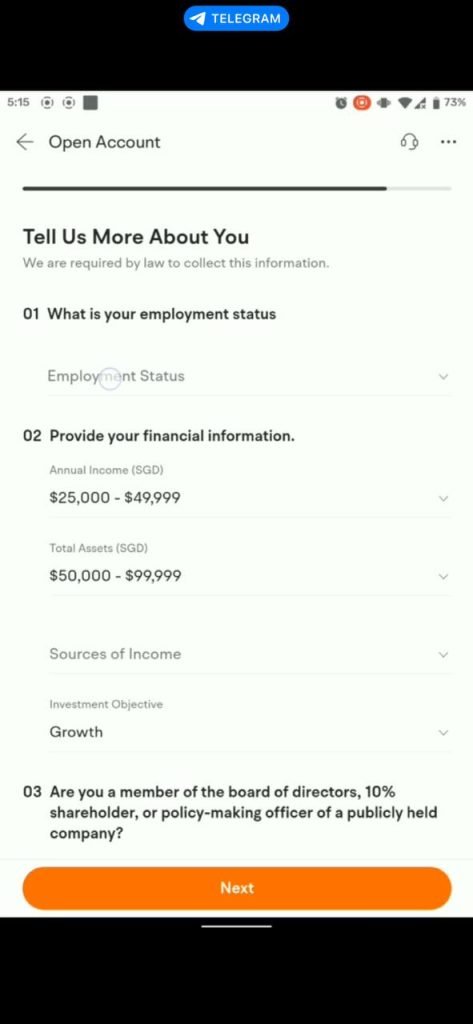
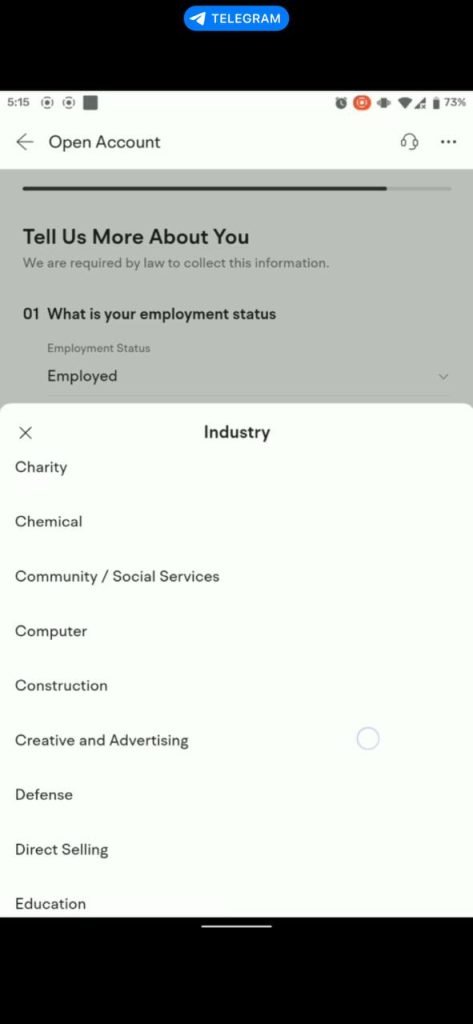
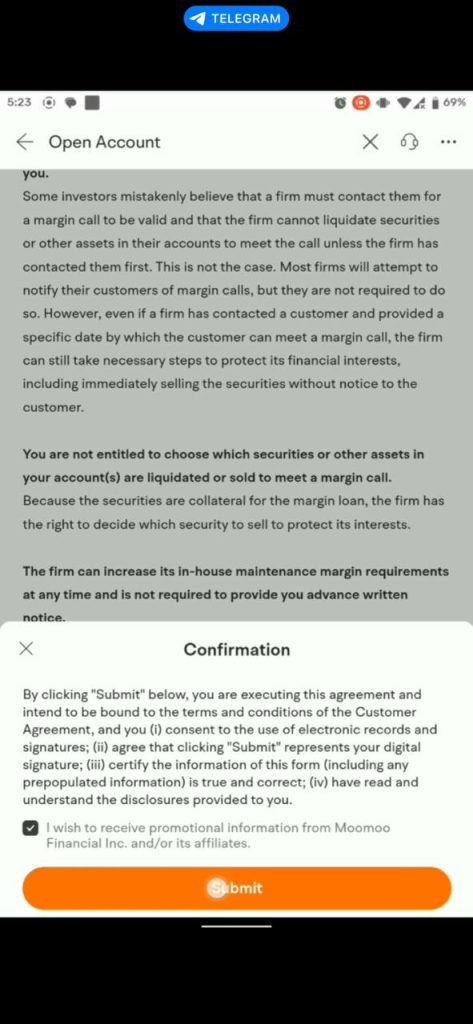
8. Verify your identity. You will also be asked to verify your phone number. Click Next after you have read and understood the Risk Disclosure.
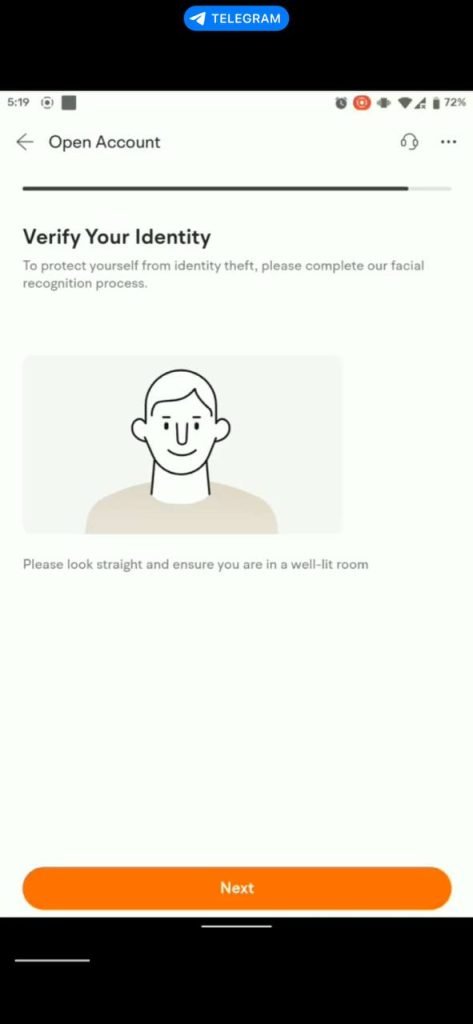
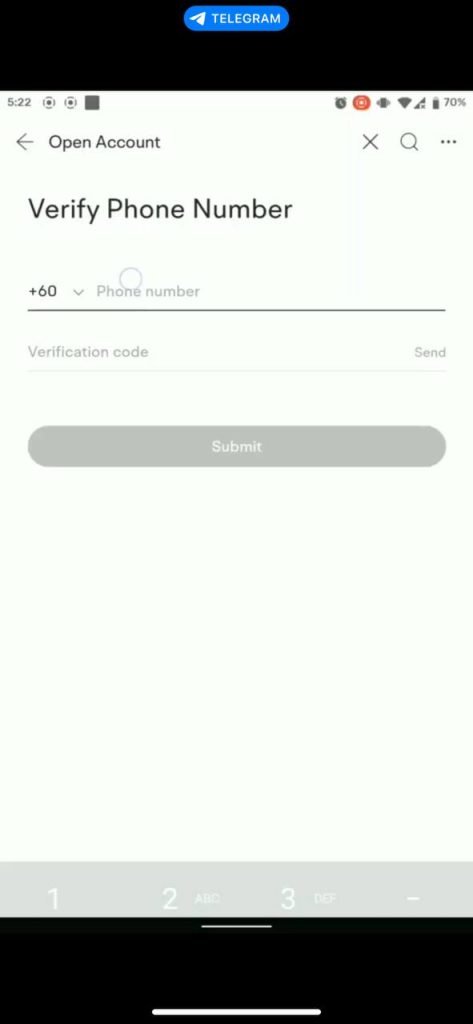
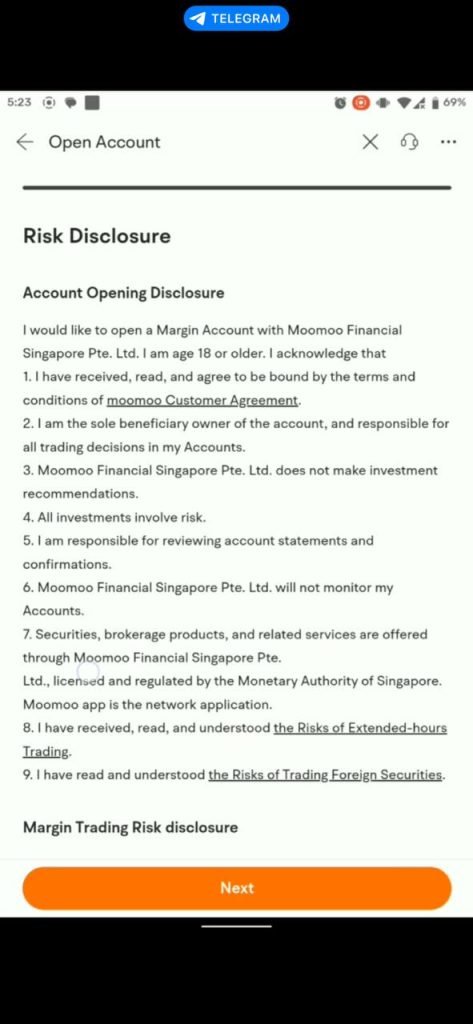
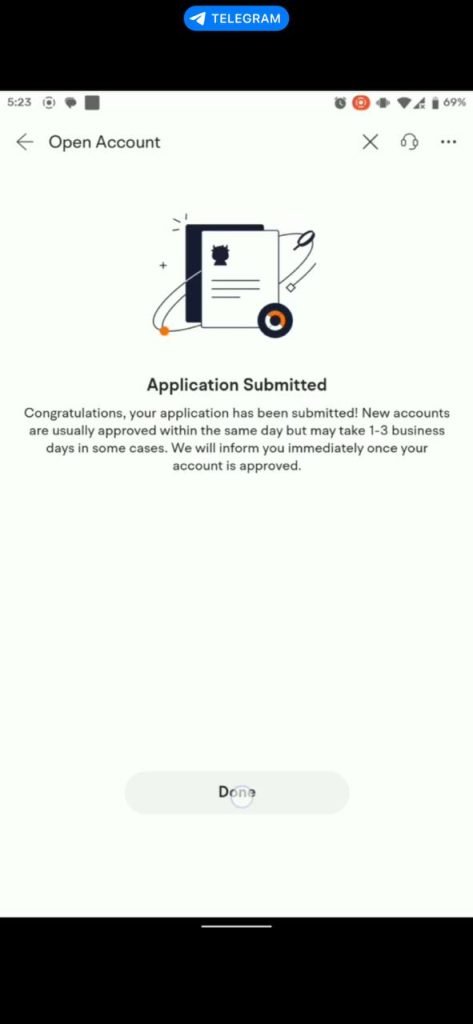
9. Click Submit. Your account will be processed. On working days, your account is typically ready within 1 hour. You will also receive a call from Singapore, or if you do not answer, you will receive a WhatsApp message from Moomoo confirming that your account is ready. Congratulations!

How to Deposit Into Your Moomoo Account
1. Make sure you already have a WISE account. If you do not have one yet, please refer to this article -- How to Use Wise for Halal Forex
2. Open your Moomoo account and navigate to the Accounts menu, then select Deposit.
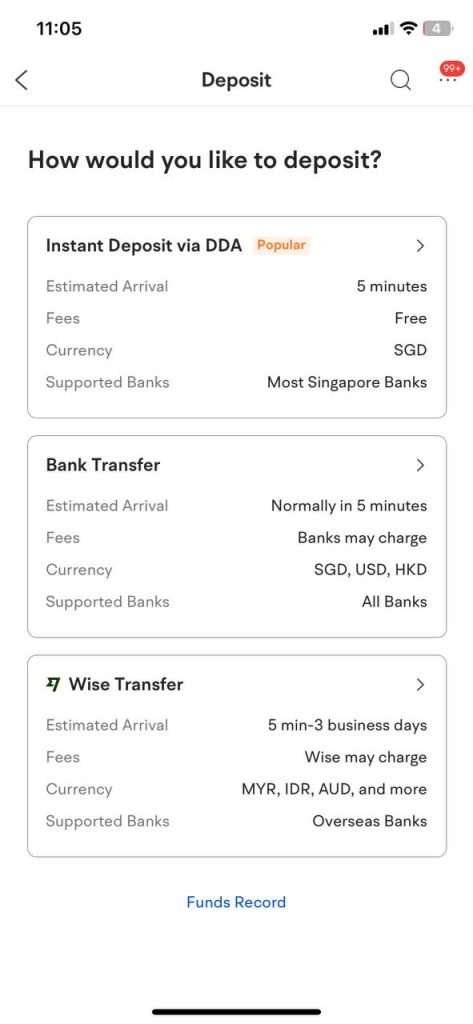
3. When asked "How would you like to deposit?", you will be given 3 options. The third option is Wise Transfer. Select the third option.
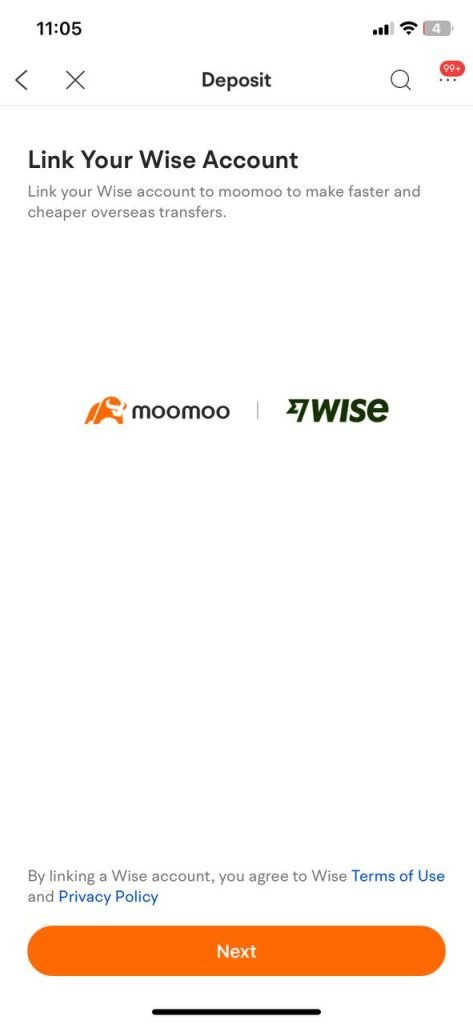
4. If you have not linked your WISE account with Moomoo, you will be prompted to do so. Link your WISE account with your Moomoo account. Click Next.
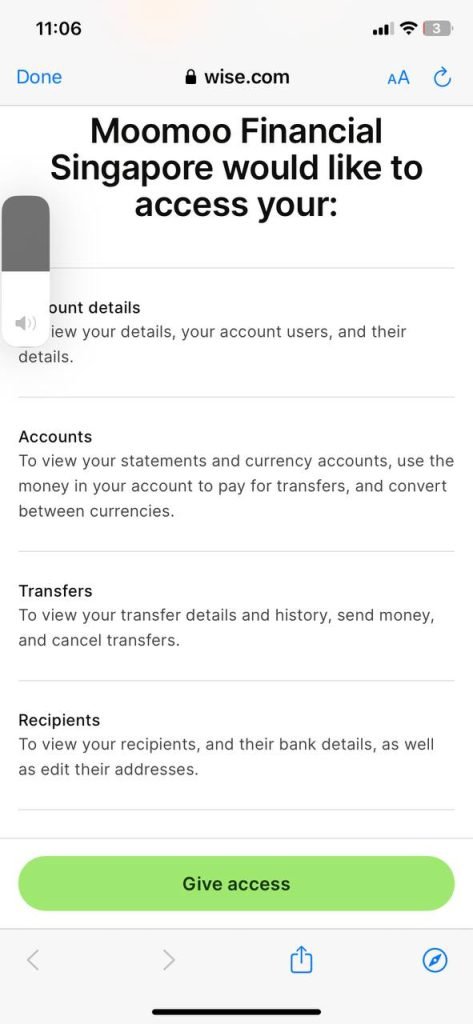
5. If you encounter any issues or bugs on the page, try opening the page in a browser such as Chrome or Safari and logging in there.
6. The linking process will only take a few minutes.
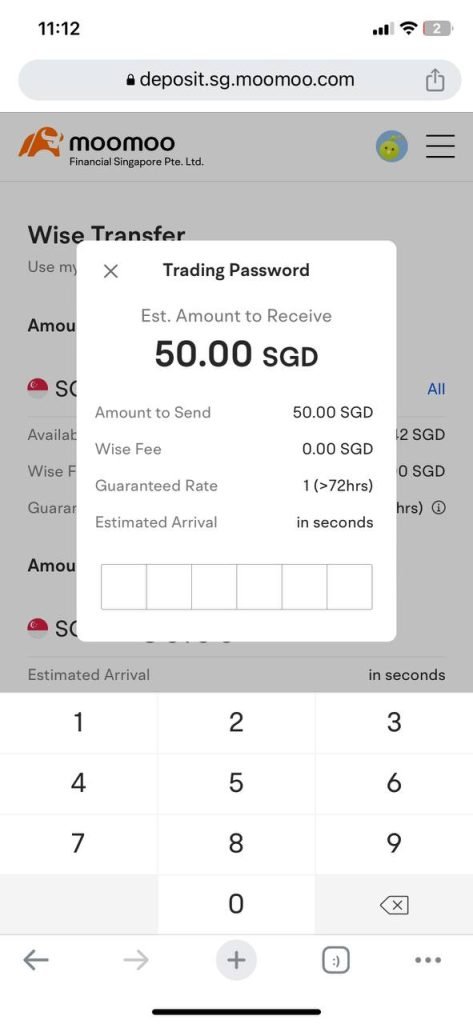
7. For those who have already completed the linking, you just need to click Deposit Now.
8. You will be asked whether you want to deposit using 'Use my Wise balance' or 'Use my bank account'.
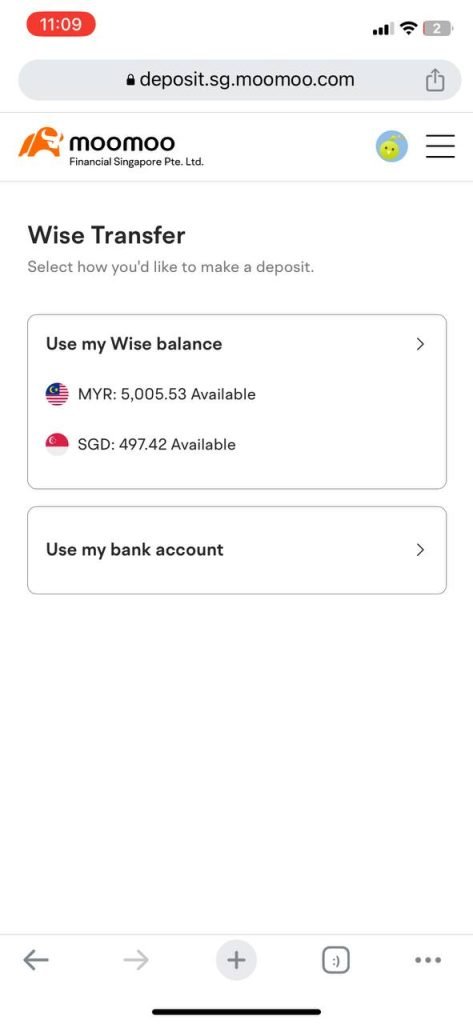
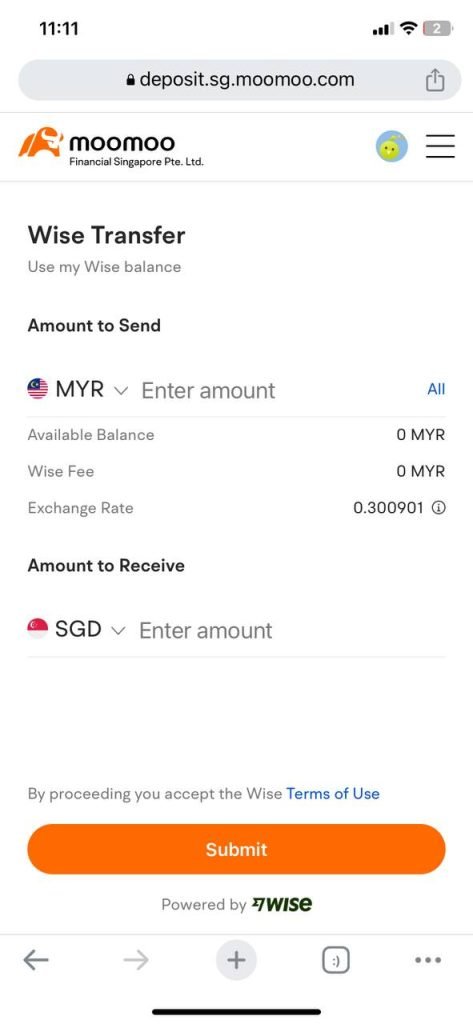
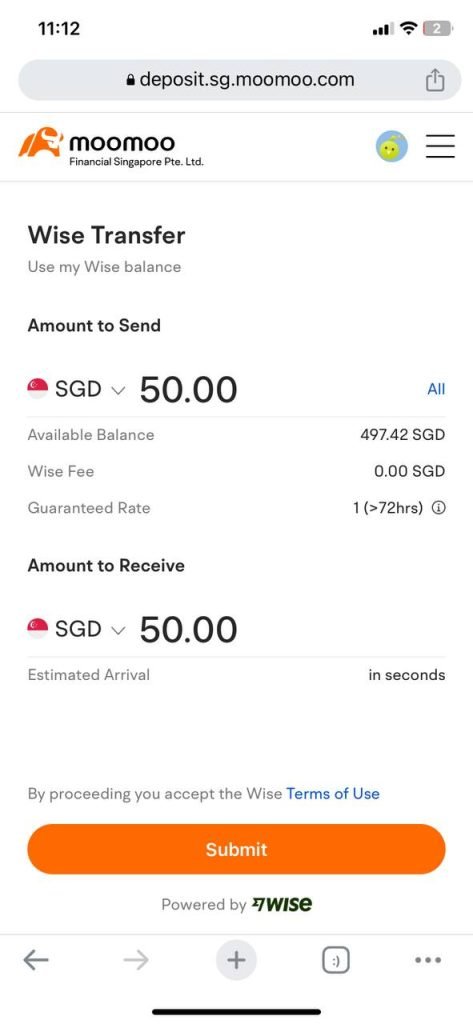
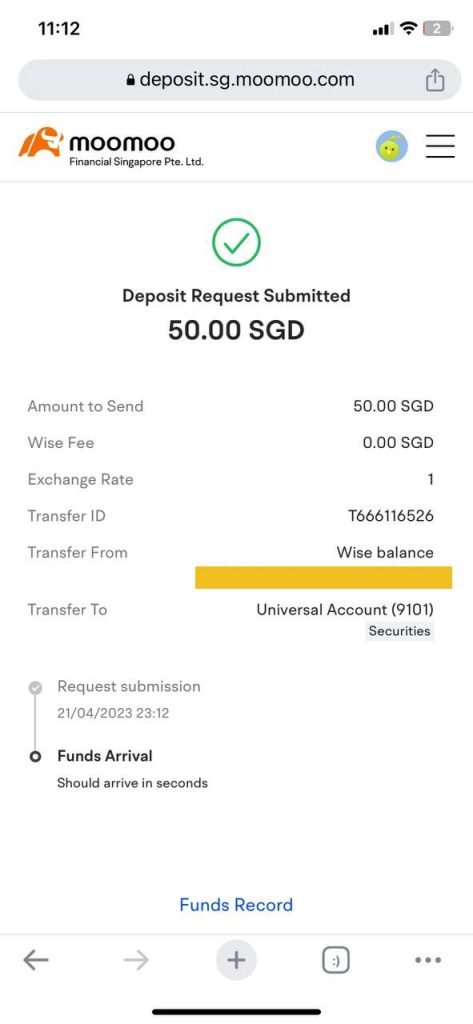
9. Make your selection and enter the amount you wish to transfer.
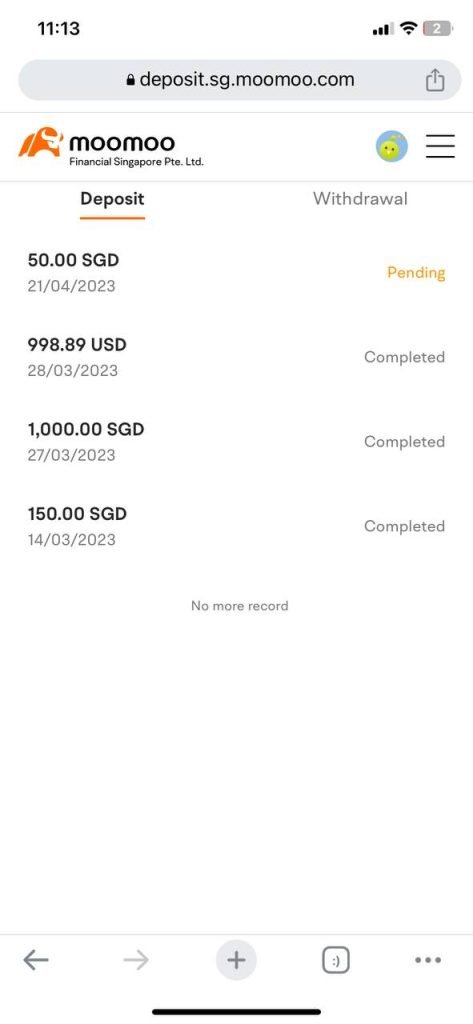
10. You can check the status under the Funds Record section.
Frequently Asked Questions (FAQ)
1. What is Moomoo and is it safe to use?
Moomoo is a global stock broker platform that allows Malaysian investors to buy shares in overseas markets such as the US and Hong Kong. It is regulated by international financial regulatory bodies.
2. How do I deposit money into my Moomoo account?
You can use Wise to transfer funds to your Moomoo account at competitive exchange rates. The process is straightforward and can be done directly from the Wise application.
3. What is the minimum deposit to start trading on Moomoo?
There is no strict minimum deposit to open a Moomoo account. However, you need to have sufficient funds to purchase at least 1 unit of the share you wish to buy.
4. Can I trade Malaysian stocks through Moomoo?
Moomoo focuses on global stock markets such as the US, Hong Kong, and Singapore. To trade Malaysian stocks on Bursa Malaysia, you will need a CDS account through a local broker.
Level Up Your Investment Knowledge
Diversify your portfolio by investing in both local and international markets for more optimal returns.
Open a CDS Trading Account: Want to invest in Bursa Malaysia as well? Open a CDS trading account with Mahersaham for full access to the local market.
Download free Stock Market Basics Ebook: Get our free investment basics ebook to build a solid investment foundation before you begin.