Custom Screener Mahersaham: Build Your Own Stock Filter

What Is the Custom Screener?
The Custom Screener is a tool on mahersaham.com that lets you build your own stock filter from scratch. Unlike the pre-built scanners that come with fixed criteria, Custom Screener gives you full control over every filtering parameter - from financial ratios like P/E and ROE to price ranges and Shariah compliance status.
Imagine you are looking for stocks on Bursa Malaysia with a Net Profit Margin above 10%, ROE greater than 15%, and P/E below 20. Without the Custom Screener, you would need to check each of the 1,000+ counters one by one. With Custom Screener, simply tick the criteria you want, click "Apply Filters", and the list of qualifying stocks appears in seconds.
This feature is available exclusively for Gold Members on mahersaham.com, accessible through the Screener menu.
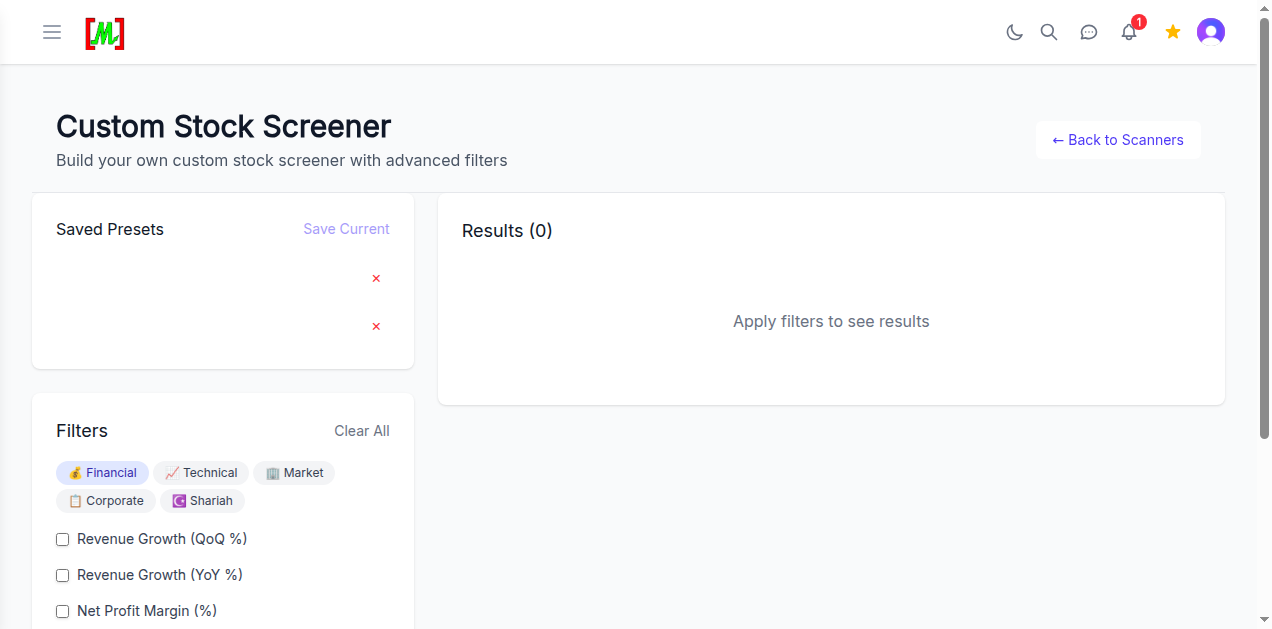
Where to Find the Custom Screener
To access the Custom Screener, follow these steps:
- Log in to mahersaham.com with your Gold account
- Open the sidebar menu (hamburger icon on the top left)
- Click Screener to open the main screener page
- Select Custom Screener or navigate directly to
/screener/custom
You can also click the "Back to Scanners" link at the top right to return to the main screener page listing 90+ pre-built automated scanners.
5 Filter Categories Available
The Custom Screener organises its filters into 5 main tabs. Each tab groups related parameters so you can focus on specific aspects during your screening process. You can combine filters from multiple tabs to build more targeted criteria.
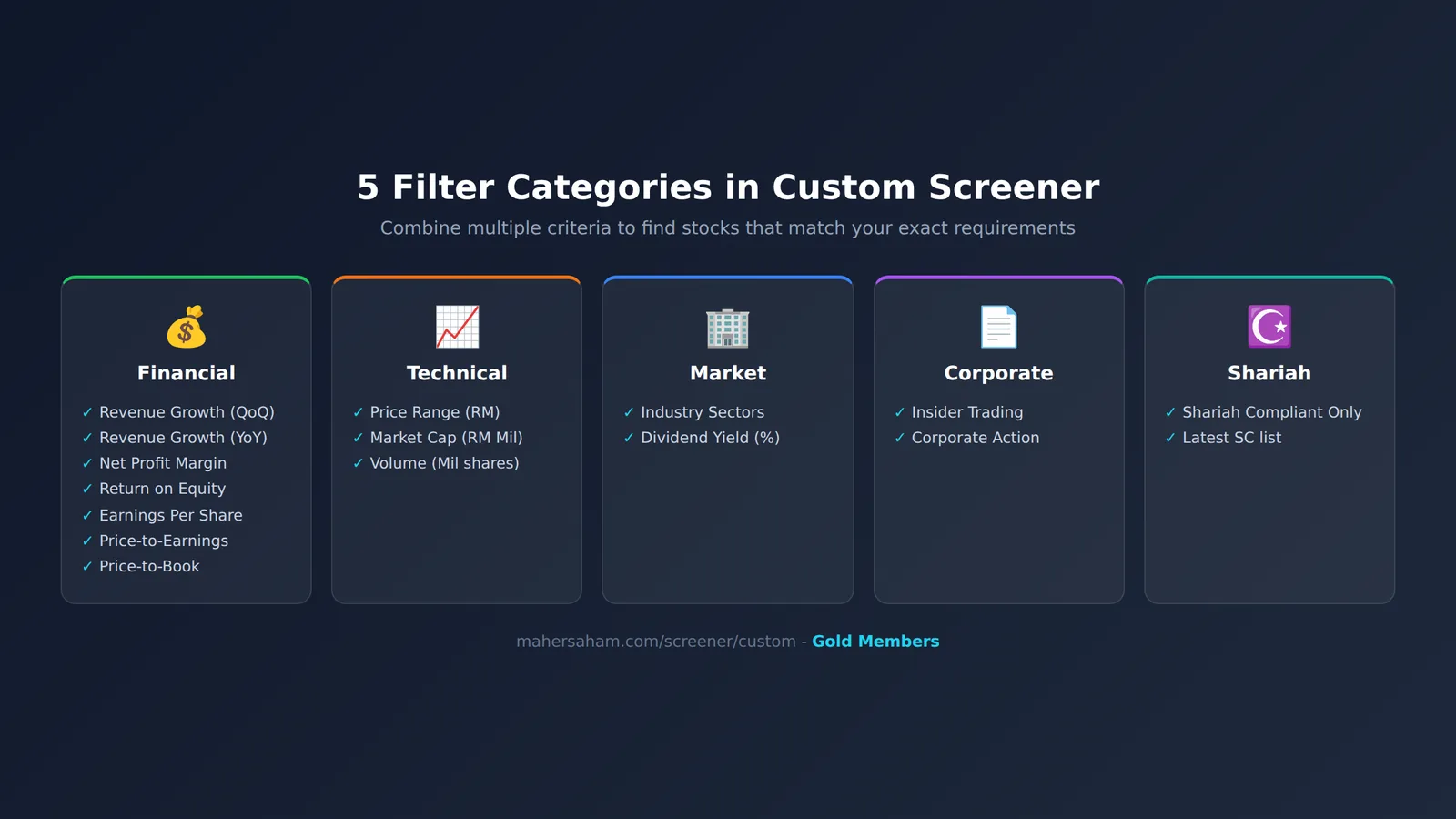
Financial Filters - Screen by Financial Performance
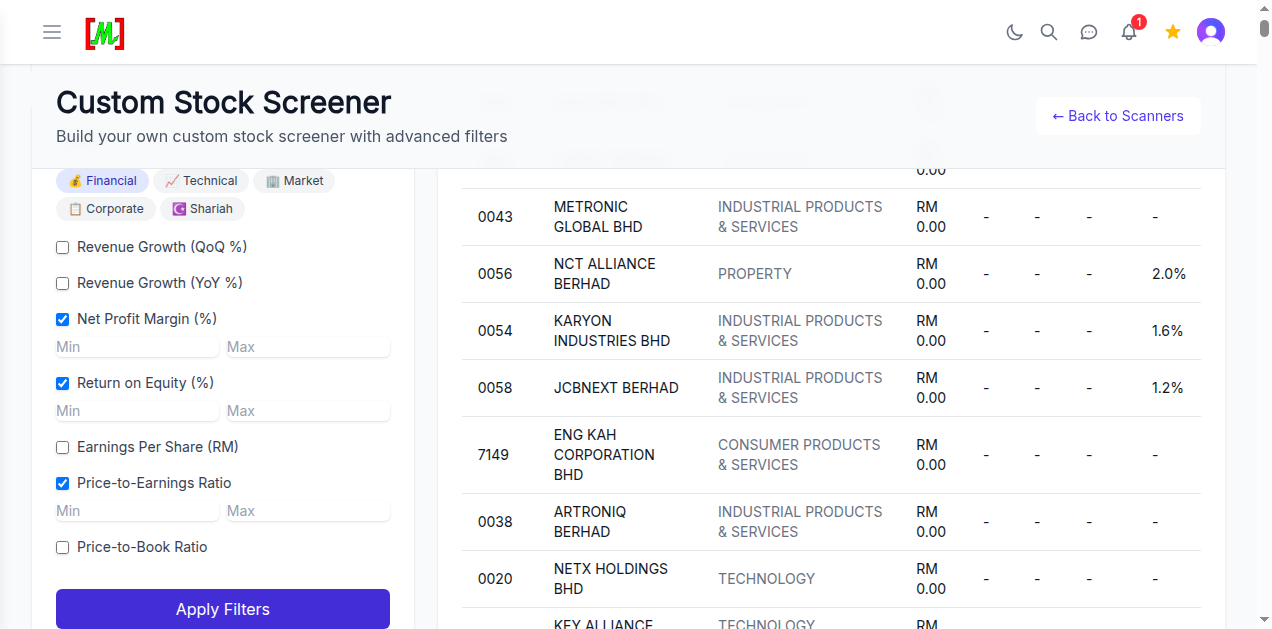
The Financial tab is the first tab and contains the most parameters. This is where you set conditions based on a company's financial performance. Here are the 7 parameters available:
- Revenue Growth (QoQ %) - Quarter-over-quarter revenue growth. Ideal for spotting companies with short-term growth momentum.
- Revenue Growth (YoY %) - Year-over-year revenue growth. More stable than QoQ as it eliminates seasonal effects (Investopedia).
- Net Profit Margin (%) - Percentage of net profit after all costs are deducted from revenue. A high margin indicates the company manages costs efficiently.
- Return on Equity (%) - Return generated on shareholders' equity. High ROE signals a company that excels at generating profit from invested capital.
- Earnings Per Share (RM) - Net profit per share unit. The higher the EPS, the more profitable each share you hold.
- Price-to-Earnings Ratio - Ratio of share price to earnings. A low P/E may indicate an undervalued stock, but should be compared against industry averages.
- Price-to-Book Ratio - Ratio of share price to book value. A P/B below 1.0 means the stock trades below the company's net asset value.
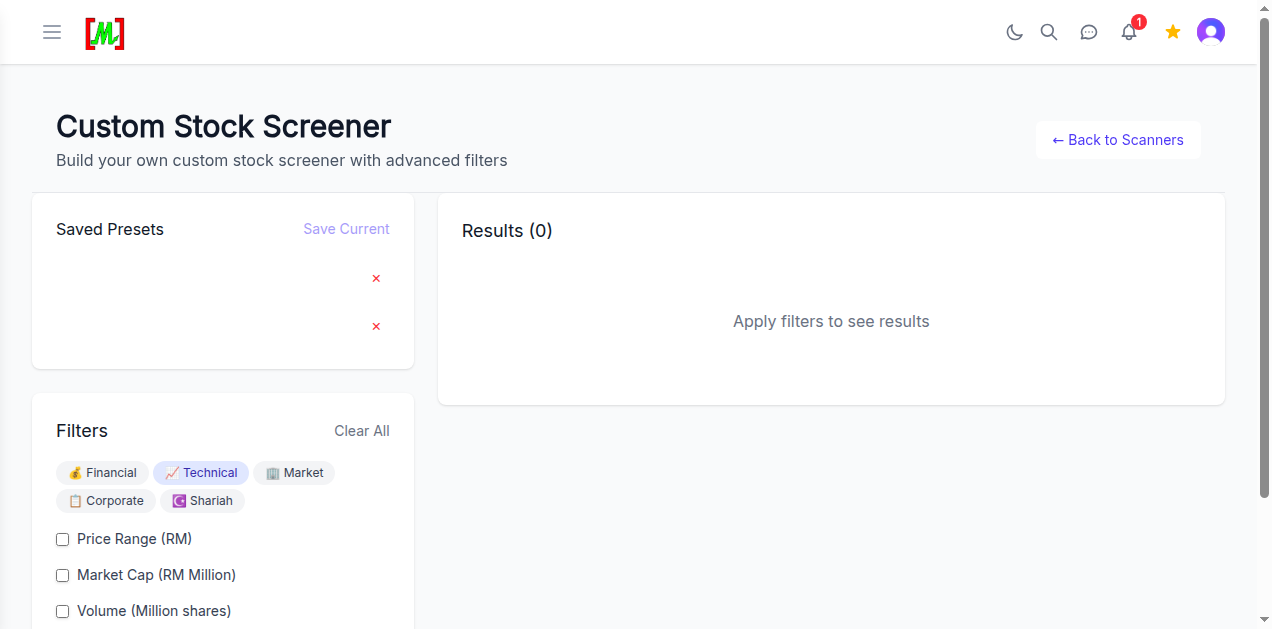
Each parameter has Min and Max fields. You can set just the Min (e.g. ROE minimum 15%), just the Max (e.g. P/E maximum 20), or both for a more specific range.
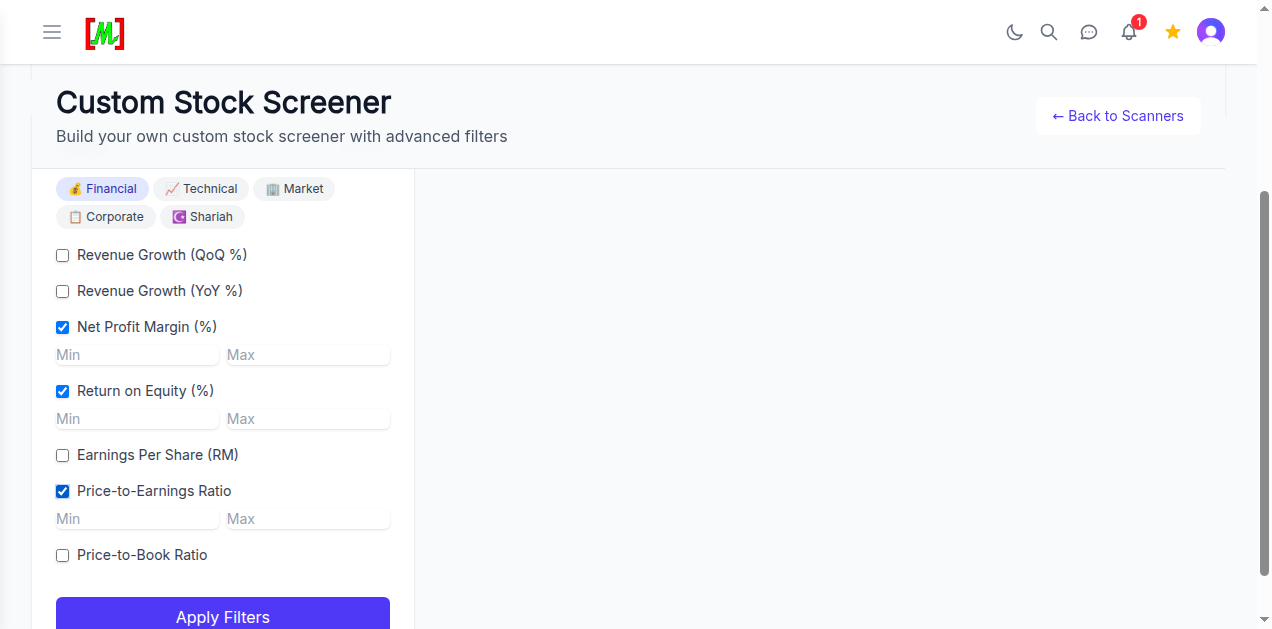
Technical Filters - Screen by Market Data
The Technical tab helps you filter stocks based on market-related technical data. There are 3 main parameters:
- Price Range (RM) - Set the share price range you are looking for. For example, if you only want stocks priced between RM1.00 and RM5.00, enter those values in the Min and Max fields.
- Market Cap (RM Million) - Company market capitalisation. Useful for filtering by company size - small cap (below RM500 million), mid cap (RM500 million - RM2 billion), or large cap (above RM2 billion).
- Volume (Million shares) - Trading volume in millions. High volume indicates good liquidity, making it easier to enter and exit positions without affecting the price.
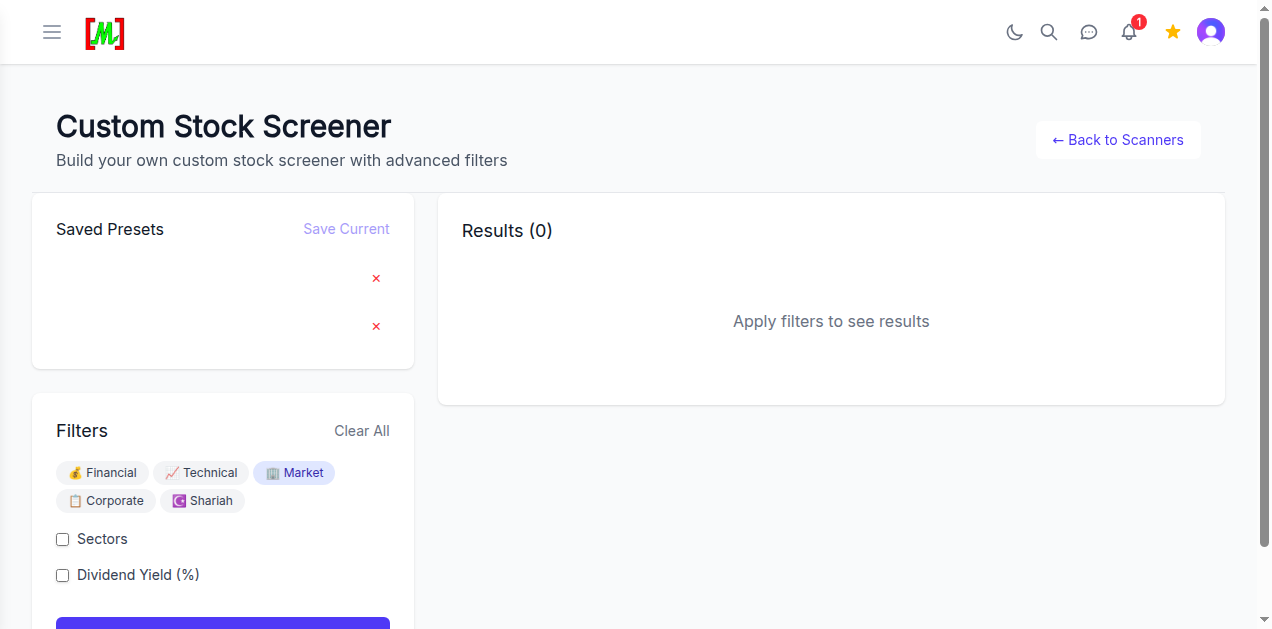
Market Filters - Screen by Sector and Dividends
The Market tab allows you to focus your screening on specific industry sectors or dividend-paying stocks.
- Sectors - Select the industry sectors you are interested in. Bursa Malaysia has 13 main sectors including Technology, Industrial Products, Property, Construction and more. Useful when focusing on specific sectors based on the economic cycle (sector rotation).
- Dividend Yield (%) - Percentage of dividends relative to share price. If you are looking for stocks with attractive dividends, set your desired minimum yield. For example, a Dividend Yield minimum of 4% will filter only stocks offering at least 4% annual dividend returns.
Shariah Filter - Screen Shariah-Compliant Stocks Only
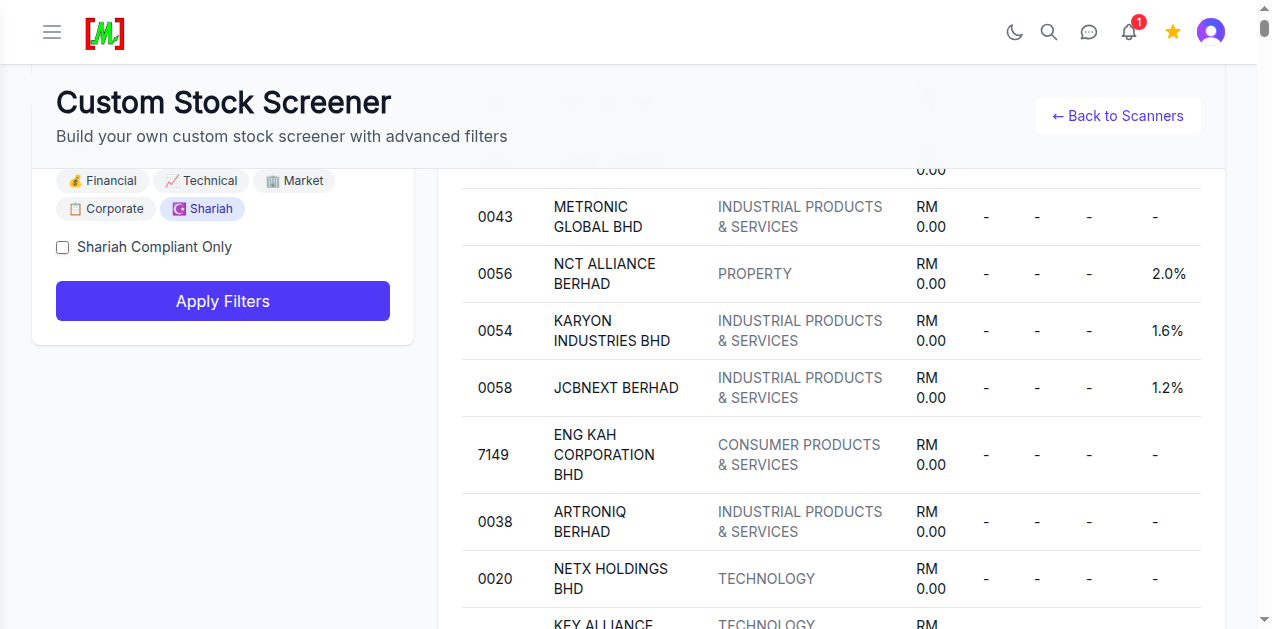
The Shariah tab provides one essential filter for Muslim investors - the Shariah Compliant Only checkbox. When activated, only stocks listed in the List of Shariah-Compliant Securities by the Securities Commission Malaysia (SC) will appear in the results.
This list is updated twice yearly by the SC's Shariah Advisory Council. The Custom Screener uses the latest list to ensure you always get accurate data.
Combine the Shariah filter with other filters for more specific results. For example: Shariah-compliant stocks + ROE above 15% + Technology sector. This helps Muslim investors build portfolios that meet both Shariah and fundamental criteria.
How to Read Screening Results
After selecting your filters and clicking the Apply Filters button (purple button below the filter panel), results appear in the Results panel on the right. The results table displays the following information:
- Code - Stock code on Bursa Malaysia (e.g. 0043, 0056, 7149)
- Name - Full company name (e.g. METRONIC GLOBAL BHD, NCT ALLIANCE BERHAD)
- Sector - Company's industry sector (Industrial Products & Services, Property, Technology, Consumer Products & Services)
- Price - Current share price in Ringgit Malaysia
- Data columns - Additional columns related to the filters you activated (e.g. Dividend Yield if you enabled that filter)
Click any row to view more details about the stock, including price charts and fundamental analysis.
Saved Presets - Save Your Filter Settings
One of the best features of the Custom Screener is the ability to save filter combinations as presets. This means you do not need to reconfigure your filters every time you open Custom Screener.
How to use Saved Presets:
- Save a preset - After setting your preferred filters, click "Save Current" in the Saved Presets section (top left). Give it a memorable name like "High ROE Value Stocks" or "Shariah Dividend Plays".
- Load a preset - Click on the saved preset name to reload all previously configured filters.
- Delete a preset - Click the red X icon next to a preset to remove it.
You can save multiple presets for different strategies. For example, one preset for growth stocks, another for value stocks, and one for dividend stocks. This saves time and ensures consistency in your screening process.
Tips for Using the Custom Screener Effectively
- Start with fewer filters - Do not activate all filters at once. Start with 2-3 key parameters and add more if the list is still too long.
- Combine fundamental + technical - Example effective strategy: ROE > 15% (fundamental) + Volume > 1 million (technical) + Shariah Compliant. This gives you profitable, liquid, Shariah-compliant stocks.
- Use as a first step only - The screener shortens your list, not generate buy signals. After getting your list, refer to Stock Research for deeper analysis of each counter.
- Compare with pre-built scanners - Mahersaham has 90+ automated scanners that are already optimised. Use Custom Screener when the existing scanners do not meet your specific needs.
- Save presets for repetition - If you have a fixed strategy, save it as a preset so you can rerun it weekly without reconfiguring filters.
Frequently Asked Questions (FAQ)
Is the Custom Screener free?
Custom Screener is an exclusive feature for Gold Members on mahersaham.com. You need an active Gold membership to use it.
How many filters can be activated at once?
There is no limit. You can activate all filters from all five categories simultaneously. However, the stricter your filters, the fewer stocks will qualify.
Is the data in Custom Screener up to date?
Yes. Financial data is updated based on the latest quarterly reports filed by companies on Bursa Malaysia. Technical data such as prices and volume is updated every trading day.
Can I save more than one preset?
Yes. You can save multiple presets with different names. Each preset stores all filter combinations you configured, including Min and Max values.
What is the difference between Custom Screener and the pre-built scanners?
Pre-built scanners have criteria set by the Mahersaham team based on specific strategies (e.g. breakout stocks, oversold stocks). Custom Screener gives you full freedom to set every parameter according to your personal strategy.
How do I know the right Min/Max values for each filter?
It depends on your strategy. As a general guide: ROE > 15% is considered good, P/E between 5-20 is reasonable for most sectors, and Net Profit Margin > 10% indicates an efficient company. For deeper understanding, read the 4-Quadrant Matrix guide.
Can I export the generated stock list?
Currently, you can view and analyse the list directly on the platform. For further analysis, you can add selected stocks to your Watchlist for continuous monitoring.
Conclusion
The Custom Screener is a powerful tool for investors who want to build stock filters based on personal criteria. With 5 filter categories, Saved Presets capability, and integrated Shariah filtering, it completes the screener ecosystem on mahersaham.com for serious Bursa Malaysia investors.
Want to start filtering stocks yourself? Custom Screener access requires Gold membership - learn how to get Gold access here.
Open a CDS trading account to start investing on Bursa Malaysia as well as international stocks in the US and Hong Kong markets through the CDS account registration page.
Download the free stock market basics ebook at the free ebook page.
Open Custom Screener now and build your own stock filter.