How to Buy and Sell Shares on the MPLUS (M+) Platform

Buying and selling shares on Bursa Malaysia is one of the newer activities that has successfully attracted widespread interest among Malaysians.
This activity has been on the rise, particularly since the Movement Control Order (MCO) was implemented in early 2020.
However, many people still do not know how to trade in the stock market.
So I felt compelled to explain in greater detail for all of you.
For those who do not yet have a CDS account, you can register here.
How to Buy and Sell Counters on the MPLUS (M+) Platform
For those who have registered a CDS account through Mplus (M+), you can follow this tutorial.
Step One:
Visit the website https://www.mplusonline.com.my
Make sure you are using Edge Browser in Internet Explorer mode so you can access all the available features.
Otherwise, you can still use other popular browsers such as Chrome and Firefox if you prefer those browsers.
Most people nowadays also find it more convenient to buy and sell shares using just their phone. To see the most suitable applications to install on your phone, you can visit the article Best Stock Trading Apps for Investors.
Step Two:
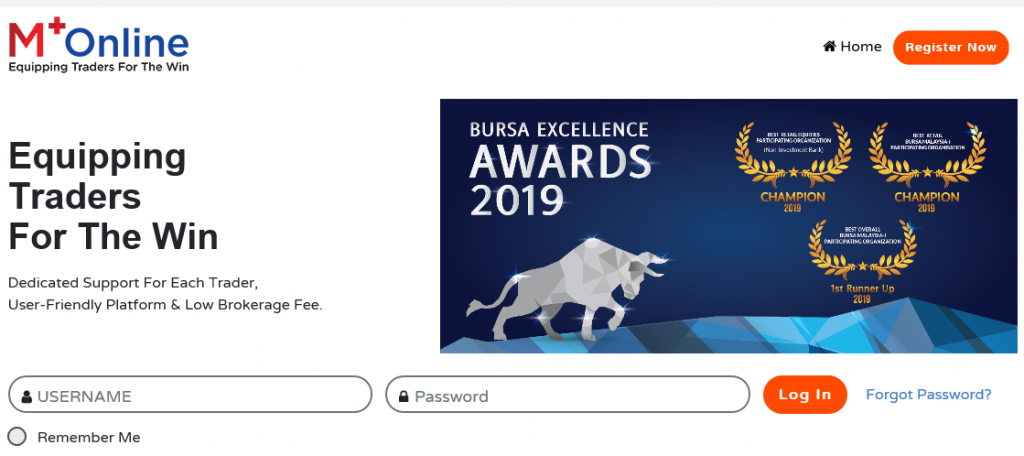
Enter your username and password, then log in.
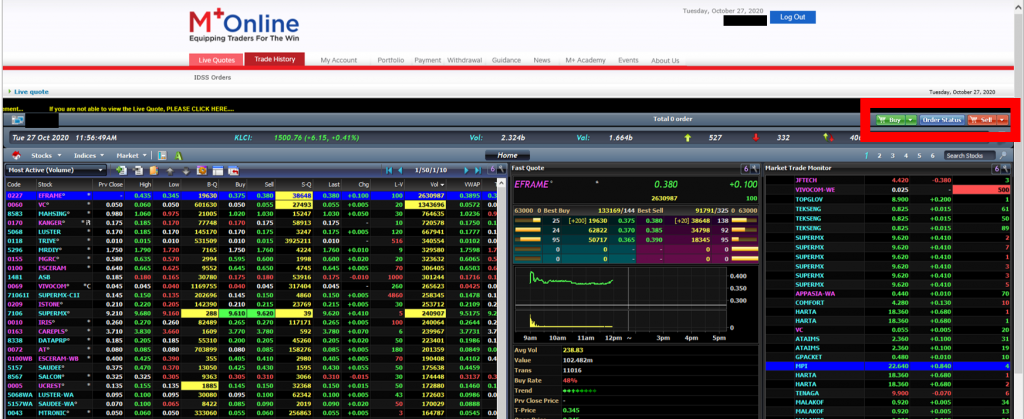
The display shown above will appear after you log in. You can focus on the buy and sell icons in the red box.
Buy
Step One:
Search for the counter you wish to purchase.
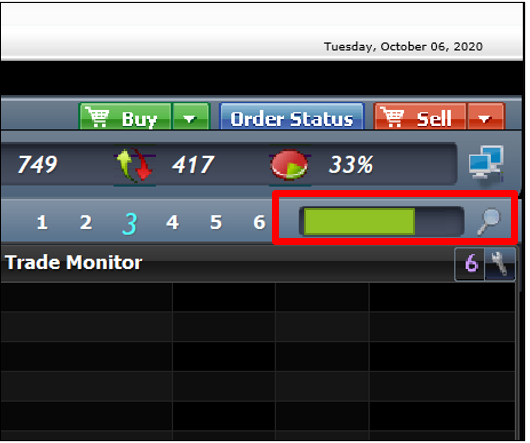
Step Two:
Select the buy button in green
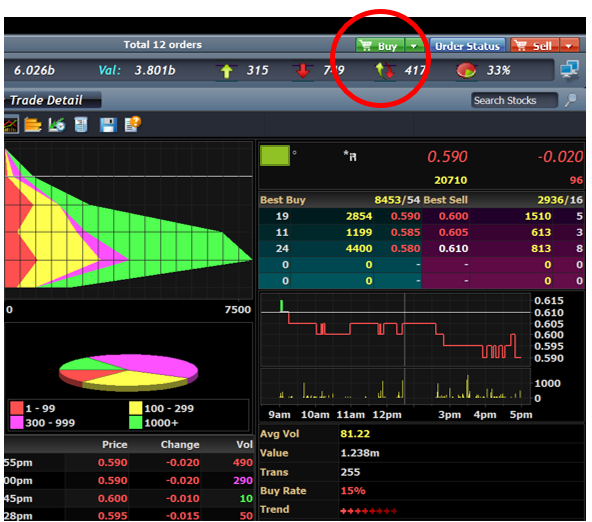
Step Three:
Enter the quantity, price, and validity that you want, then click send now. You can refer to the image below.
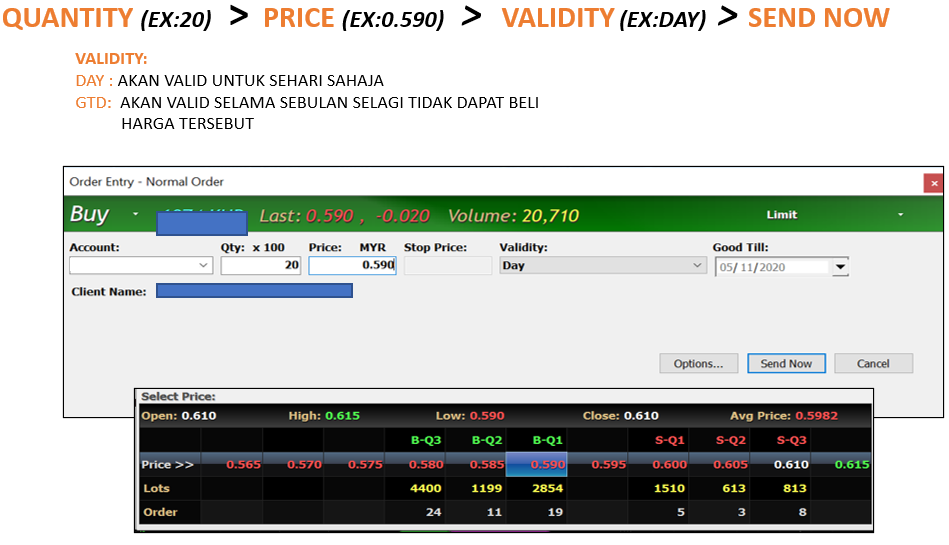
Step Four:
The display shown below will appear. Enter your trading pin, then click OK.
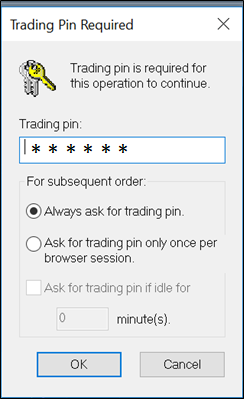
Your trading pin is the same as your trading account password.
Oh, and before you purchase any shares, make sure your CDS account already has funds or that you have deposited money. Otherwise, you definitely will not be able to buy shares.
Sell
Step One:
Select the counter that you have already purchased.
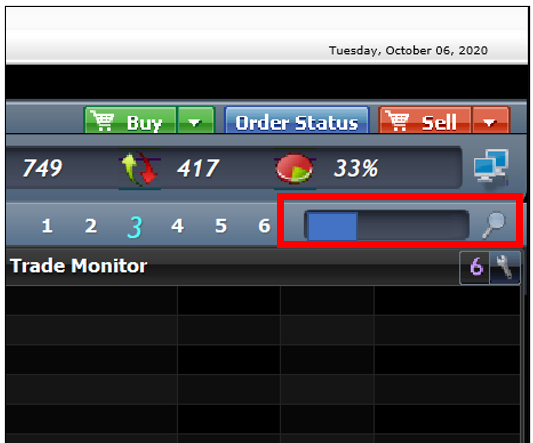
Step Two:
Select the sell button in red
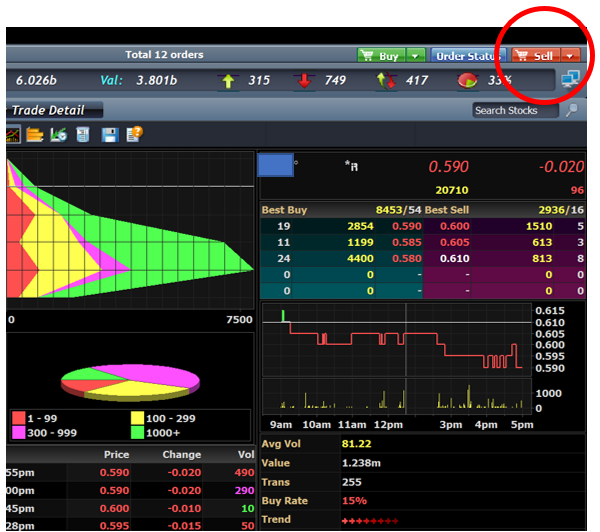
Step Three:
Enter the quantity you have purchased, the price, and the validity that you want, then click send now. You can refer to the image below.
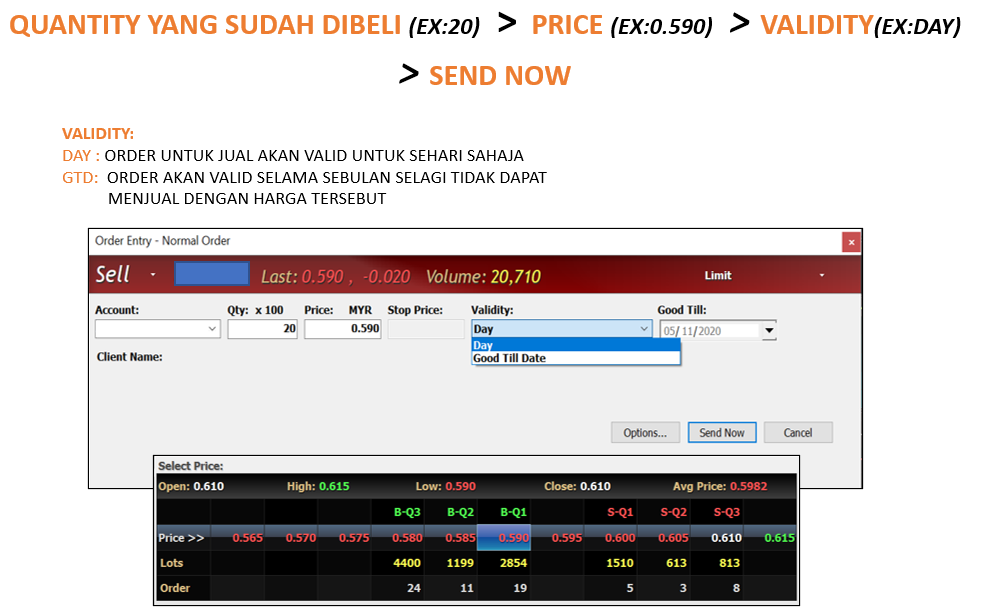
Remember, only those who have already bought shares can sell them. Of course, if you do not own any shares, how would you sell them, right?
Hope this was helpful!
What are you waiting for? Register for a CDS account with Mahersaham and you can join exclusive classes for Mahersaham clients.
If you want to learn the 'copy & trade' technique using the Bursa Marketplace platform, head over here.
Enhance Your Investment Knowledge
Successful investing starts with solid knowledge.
Investment Basics:
Download our free ebook for a complete guide.
Open a CDS Account:
Ready to get started? Open a CDS account now.