How to Register & Check ASB Online via myASNB

Before we look at how to register and check ASB online, let us first understand a little about ASB investments.
ASB Investment
ASB (Amanah Saham Bumiputera) is one of the most popular investment instruments in Malaysia to this day.
Many Malaysians choose ASB as their investment platform because the annual dividends announced each year have been fairly consistent.
ASB income distributions ranged from 7 sen to 9 sen per unit from 2007 to 2018.
It is no wonder that many Malaysians have ASB accounts to receive dividends and bonuses every year.
ASB Online
However, ASB investments no longer use the blue book.
All transactions to check your unit trust can now be done online through the official myASNB portal.
If you are opening an ASB account for the first time, follow these simple steps to register and check ASB online without having to queue at the counter.
Register ASB Online
STEP ONE: Obtain your ASB Member Number (12-digit account number) from any of the 30 branches or ASB agents such as Maybank, CIMB, BSN, or post offices.
Then, update your phone number as any verification will be sent via TAC.
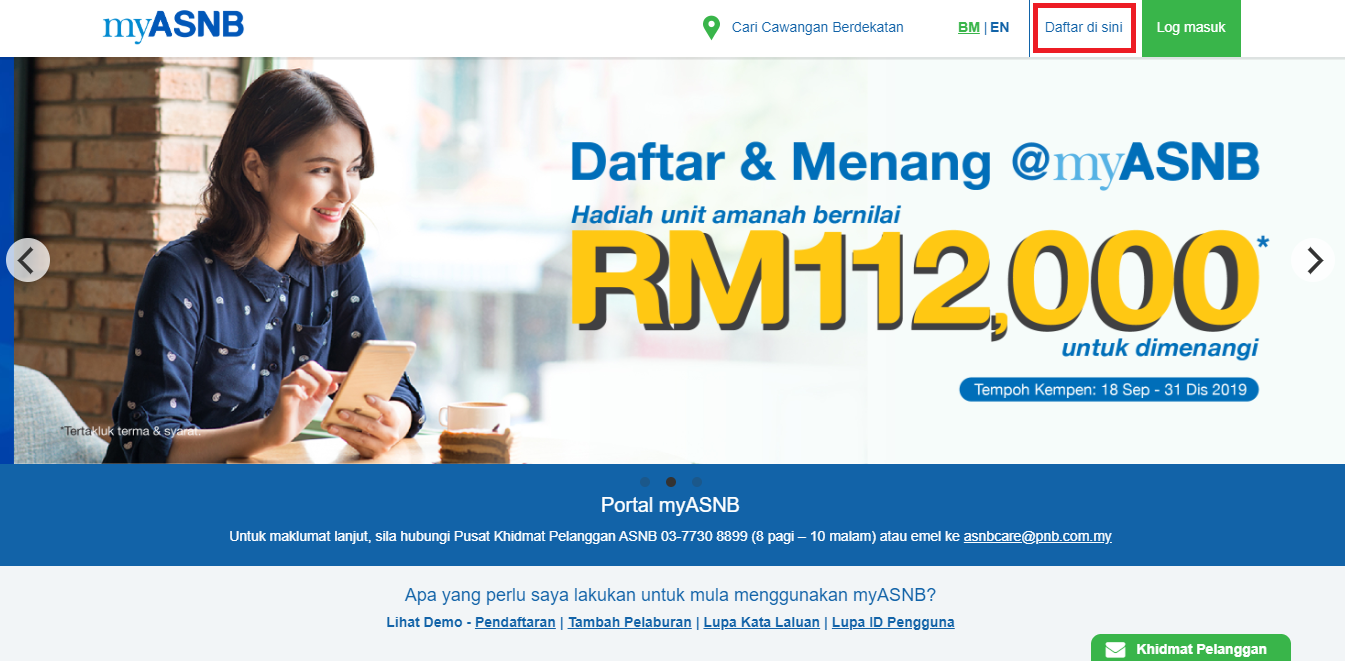
STEP TWO: Visit the myASNB Portal and register your ASB online by clicking 'Register Here'.
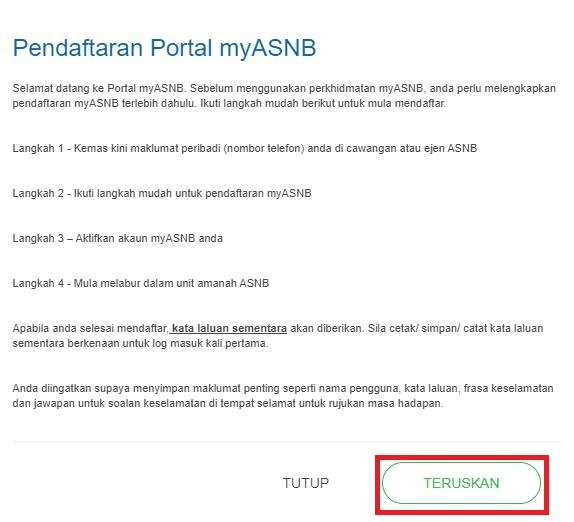
STEP THREE: Click CONTINUE on the pop-up.
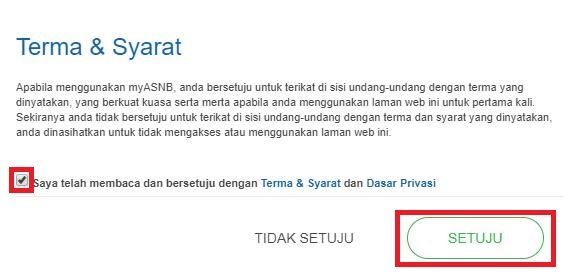
STEP FOUR: Tick the Terms & Conditions checkbox and click AGREE.
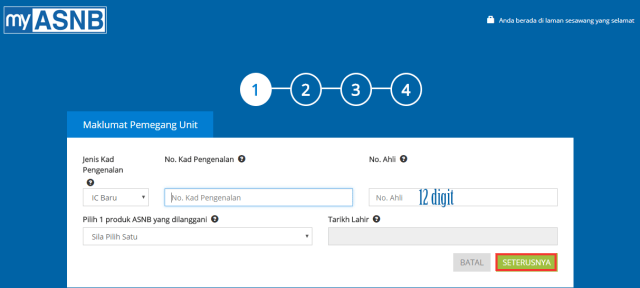
STEP FIVE: Fill in the Unit Holder details as requested, including your IC number and 12-digit member number. Then click NEXT.
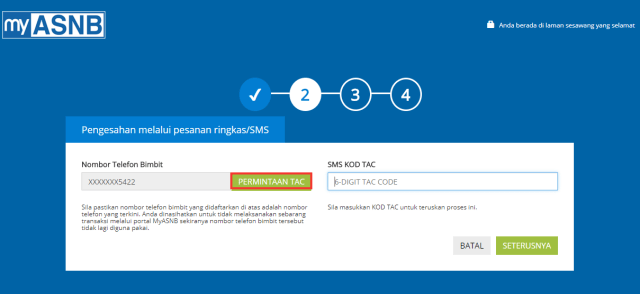
STEP SIX: Enter the phone number you updated in step one and key in the TAC code sent via SMS. Click NEXT.
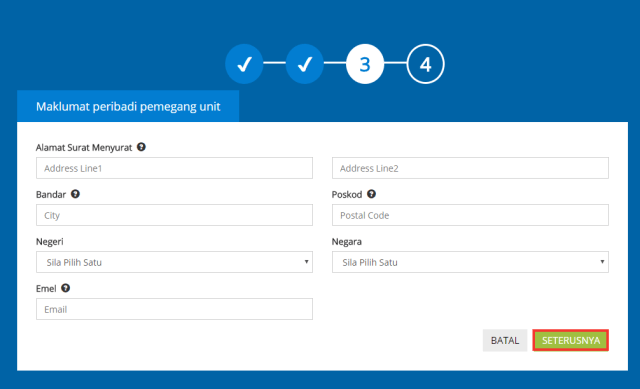
STEP SEVEN: Complete your mailing address in the fields provided. Then click NEXT.
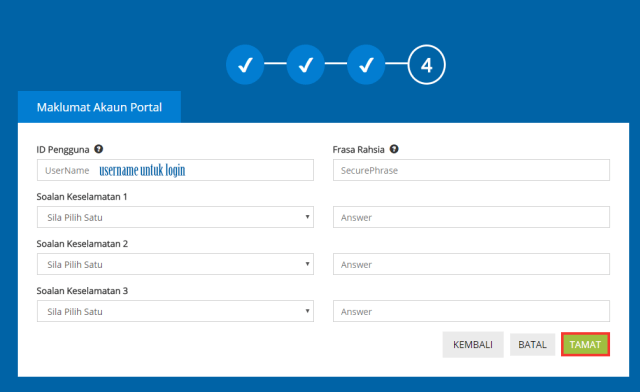
STEP EIGHT: The final step is to create your login ID (username). Choose a security question and provide your answer.
Create a secret phrase as a security measure during login. Then click FINISH.
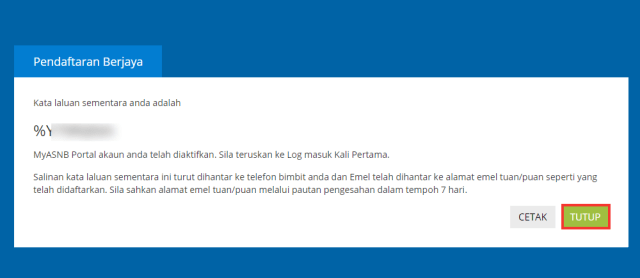
After that, use the temporary password provided to log in for the first time.
Return to the myASNB portal. Enter the username ID you created and press CONTINUE.
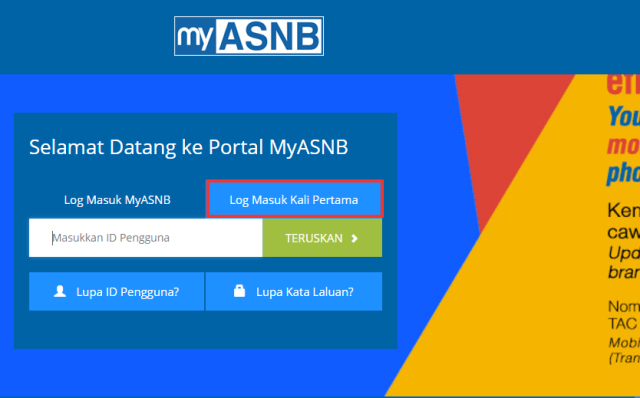
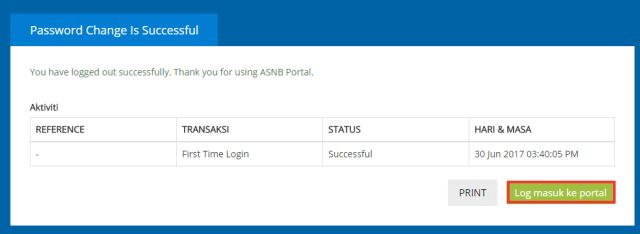
After that, you can change to a new password of your choice.
Your ASB registration is now complete!
Source: Info Pelajar
Once you have an ASB account, you can start investing in ASB.
What are you waiting for? Register for a CDS account with Mahersaham and you can join exclusive classes for Mahersaham clients.
If you want to learn the 'copy & trade' technique using the Bursa Marketplace platform, head over here.
Boost Your Investment Knowledge
Successful investing starts with solid knowledge.
Investment Basics:
Download our free ebook for a complete guide.
Open a CDS Account:
Ready to start? Open a CDS account now.
FAQ About ASB Online Registration
How do I register for ASB online?
First, obtain your 12-digit ASB member number from any ASNB branch or agent (Maybank, CIMB, BSN, post office). Then visit the myASNB portal at myasnb.com.my, click 'Register Here', and follow the 8-step process including identity verification via TAC.
Can I check my ASB balance online?
Yes, once you have registered on the myASNB portal, you can log in anytime to check your ASB balance, view your dividend history, and manage your unit trust transactions — all without needing the old blue book.
What do I need to register for myASNB?
You need your 12-digit ASB member number, your Malaysian IC number, and a registered phone number for TAC verification. Make sure your phone number is updated at the nearest ASNB branch before attempting online registration.