RSI Analysis With Mahersaham Screener

What is RSI
RSI, or its full name Relative Strength Index, is a technical indicator that measures price changes over a specific period to analyse whether the market has reached oversold or overbought conditions.
The default setting is 14, which refers to a calculation over 14 days.
A reading below 30 indicates that the price has reached Oversold territory. Too much selling has caused the price to become too cheap or underpriced.
A reading above 70 indicates that the price has reached Overbought territory. Too much buying has caused the price to become too high or overpriced.
Mahersaham Screener
First:
Visit the Mahersaham web app at https://app.mahersaham.com/
The display shown below will appear. Log in using your email and password if you already have an account.
For those who do not have an account, you can use the free account provided. Make sure you sign up first.
Second:
After logging in, you will be on the home page. Click on the screener and you will see the display shown below.
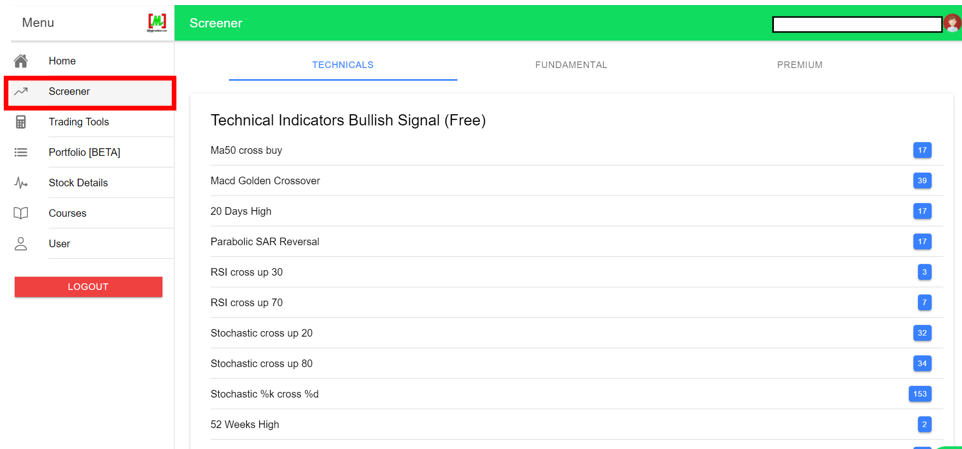
There are various indicators available for you. It is up to you which indicator you would like to use when performing your analysis.
However, this time we will focus on the RSI indicator.
RSI Cross Up 30
First:
Click on the RSI cross up 30 indicator.
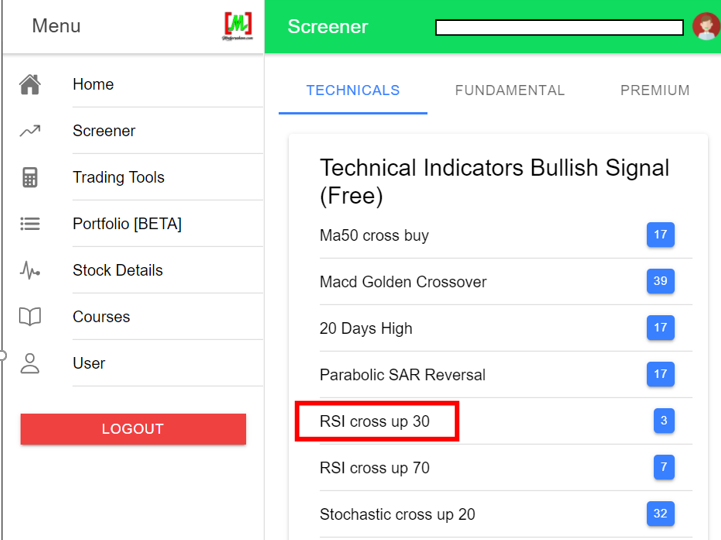
After that, the display shown below will appear.
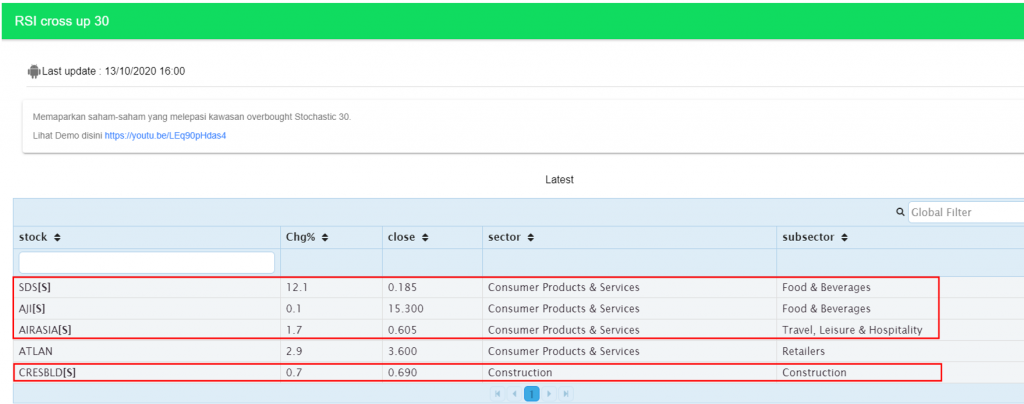
The list above shows the counters associated with the RSI cross up 30 indicator at the stated time.
If you notice, the counters within the red box have the [S] symbol.
This symbol indicates that the counter is Shariah-compliant.
For counters without the [S] symbol, it means the counter is not Shariah-compliant.
Second:
Open a new tab and visit https://www.tradingview.com/.
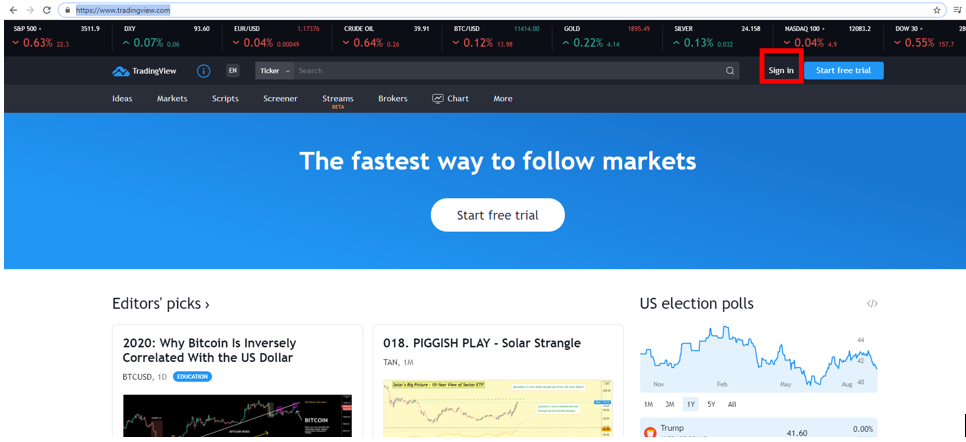
The display shown above will appear. Click sign in if you already have an account.
For those who do not have an account, you can register for free, although there are some limitations.
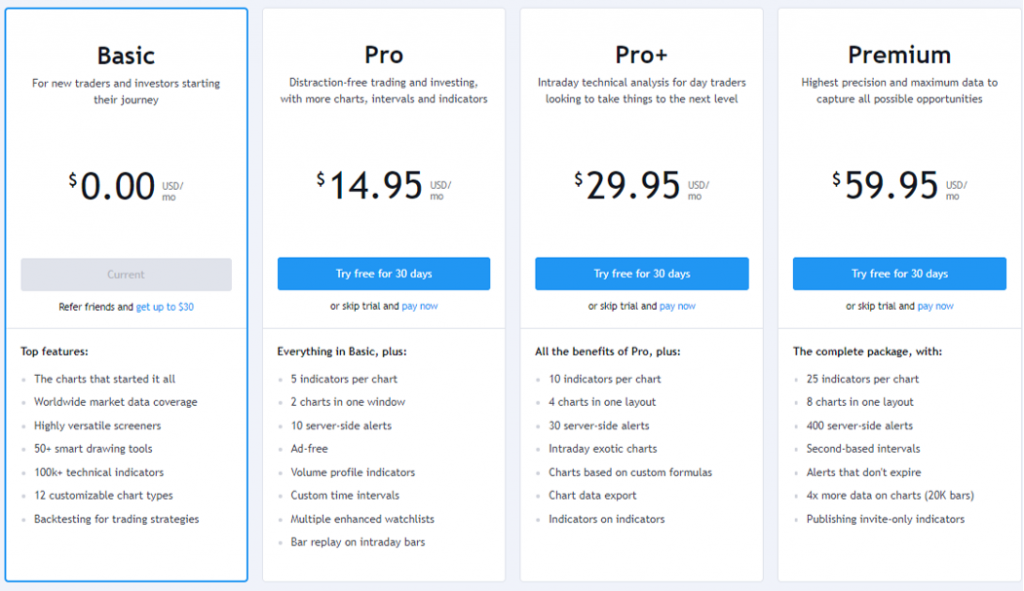
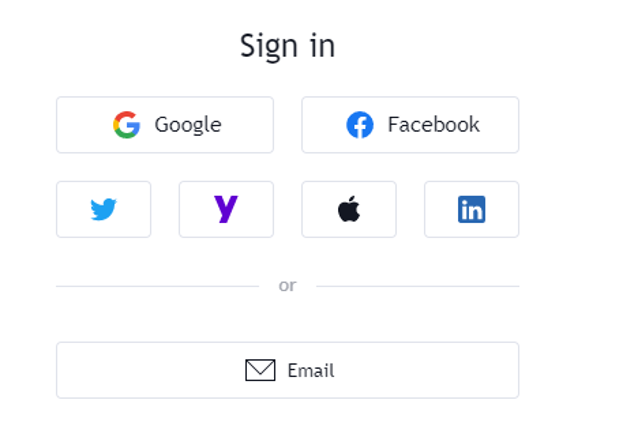
It is up to you which platform you would like to use to sign in, whether it is Google, Facebook, Twitter, or any of the options listed in the diagram above.
After signing in, you will be on the home page. Click on chart.
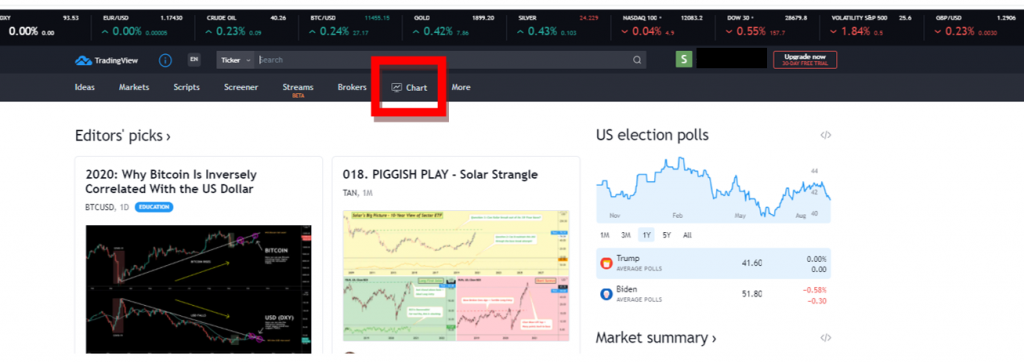
The display shown below will appear.
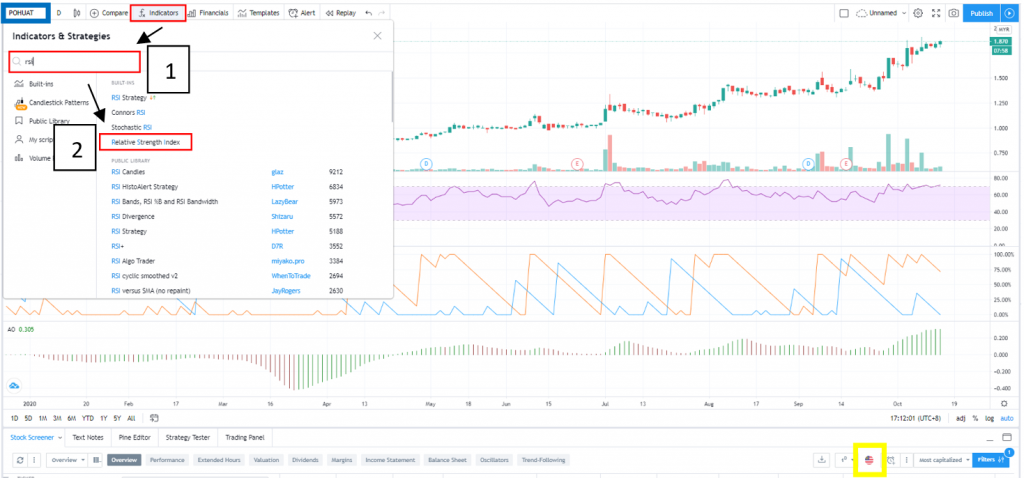
There are a few things that need to be changed. Refer to the diagram above.
Red Box
Click the fx indicator icon, then in the search bar type RSI, and select Relative Strength Index.
Blue Box
Click on the blue box, then type the name of the counter you want to search for based on the RSI cross up 30 indicator from the Mahersaham screener in the first step.
In this article, we have selected the AirAsia counter based on the counter names from the first step.
Yellow Box
Click the icon in the yellow box, then change it to Malaysia (MYX).
After making the changes, the display will change as shown below.
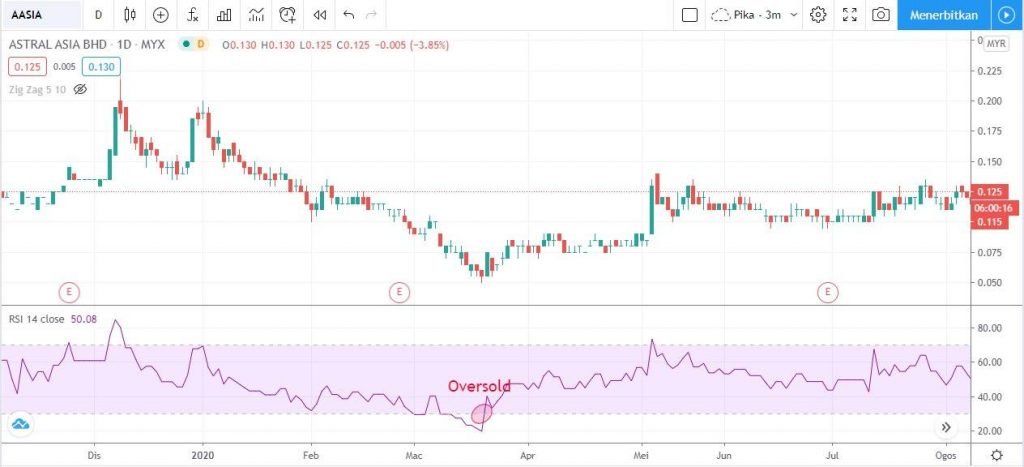
Based on the diagram, the red circle is what is meant by RSI cross 30.
You may refer to the video we have prepared to gain a deeper understanding.
RSI Cross Up 70
First:
Click on the RSI cross up 70 indicator.
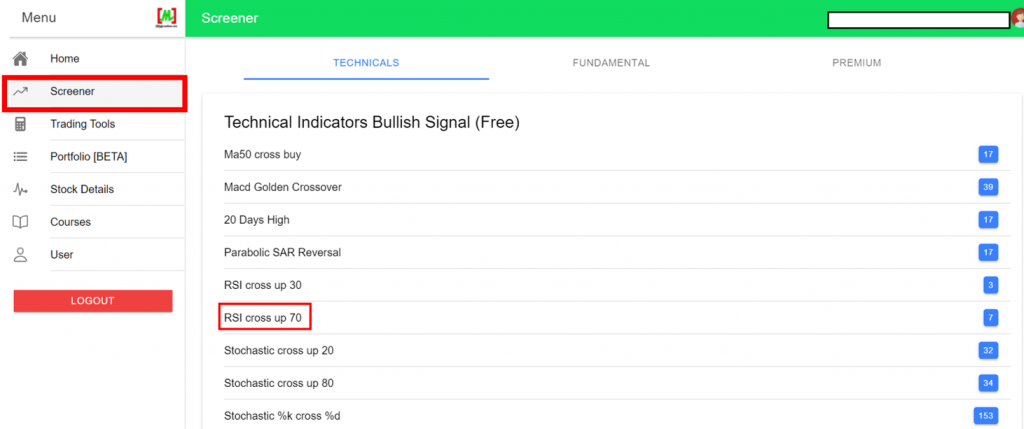
After that, the display shown below will appear.
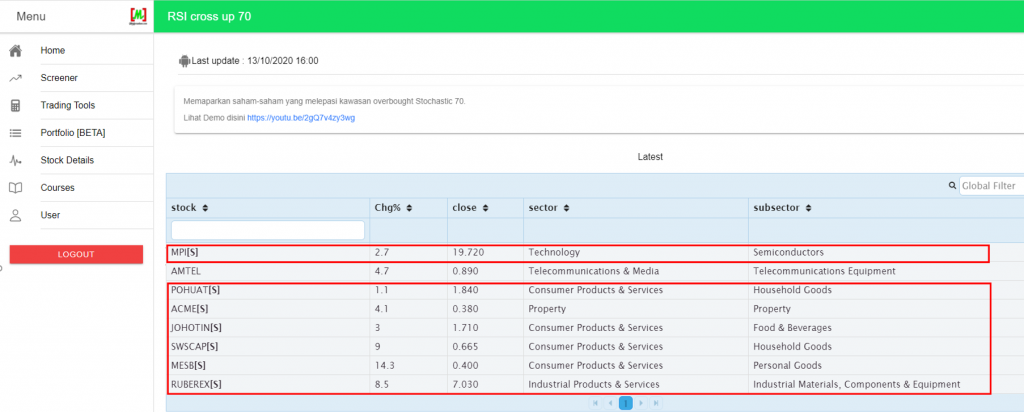
The list above shows the counters associated with the RSI cross up 70 indicator at the stated time.
Then follow step 2 from RSI cross up 30. This time, the counter selected is POHUAT.
The display shown below will appear.
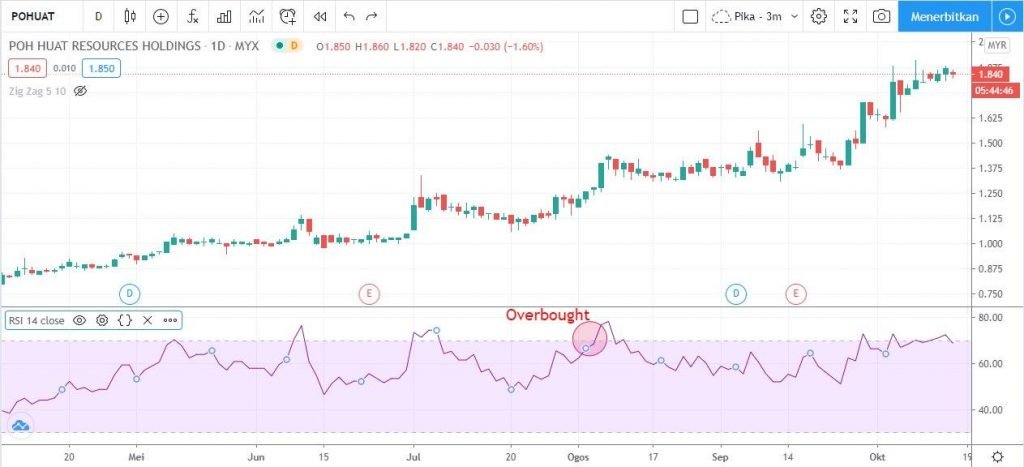
Based on the diagram, the red circle is what is meant by RSI cross 70.
You may refer to the video we have prepared to gain a deeper understanding.
We hope this has been helpful!
New to Stocks?
Want to learn about stocks? Want to know more?
But not sure where to start?
Download the free Mahersaham ebook now!
FAQ - RSI Analysis With Mahersaham Screener
What is the RSI indicator and how does it work?
The Relative Strength Index (RSI) is a technical indicator that measures price changes over a specific period (default 14 days) to determine whether a stock is oversold (below 30) or overbought (above 70). It helps traders identify potential buying and selling opportunities.
How do I use the Mahersaham screener to find RSI signals?
Log in to the Mahersaham web app at app.mahersaham.com, navigate to the screener section, and select either the RSI cross up 30 (oversold reversal) or RSI cross up 70 (overbought) indicator. The screener will display a list of counters matching that criteria, with Shariah-compliant stocks marked with an [S] symbol.
What does the [S] symbol mean next to a counter in the Mahersaham screener?
The [S] symbol indicates that the stock counter is Shariah-compliant, meaning it adheres to Islamic finance principles. Counters without the [S] symbol are not Shariah-compliant.
Can I use TradingView together with the Mahersaham screener?
Yes, after identifying counters using the Mahersaham screener, you can open TradingView to analyse the chart in more detail. Add the RSI indicator via the fx icon, search for the counter name, and set the exchange to Malaysia (MYX) to view the full technical chart.