eRights Bursa Anywhere – How to Subscribe Right Issue Online

The Bursa Anywhere app has introduced a new eRights service that allows depositors to apply and make payment for Right Issue shares electronically.
With eRights, there is no need to send physical subscription forms to the post office or bank for processing.
Datuk Muhamad Umar Swift, Bursa's Chief Executive Officer said this new eRights feature on Bursa Anywhere helps reduce the risk of lost forms or delayed postal deliveries.
How to Apply for eRights on Bursa Anywhere
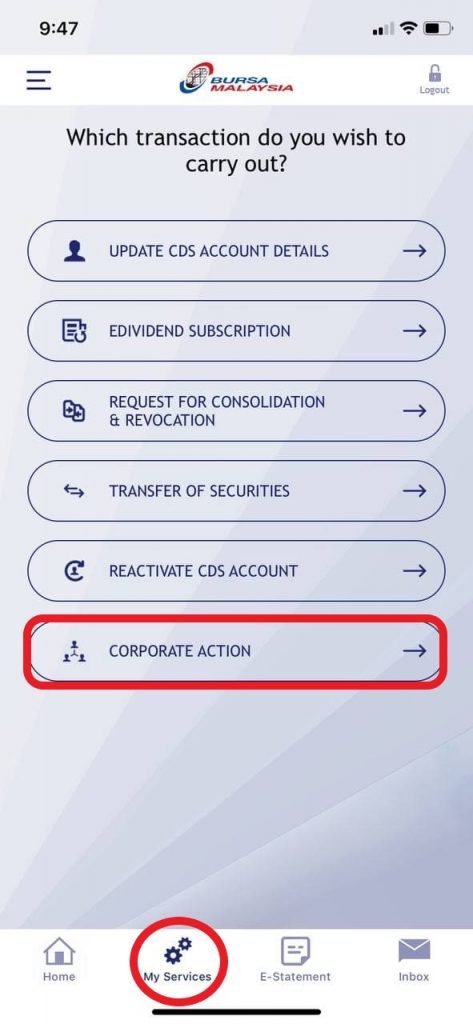
First, log in to the Bursa Anywhere app. Click on >> My Service >> Select Corporate Action
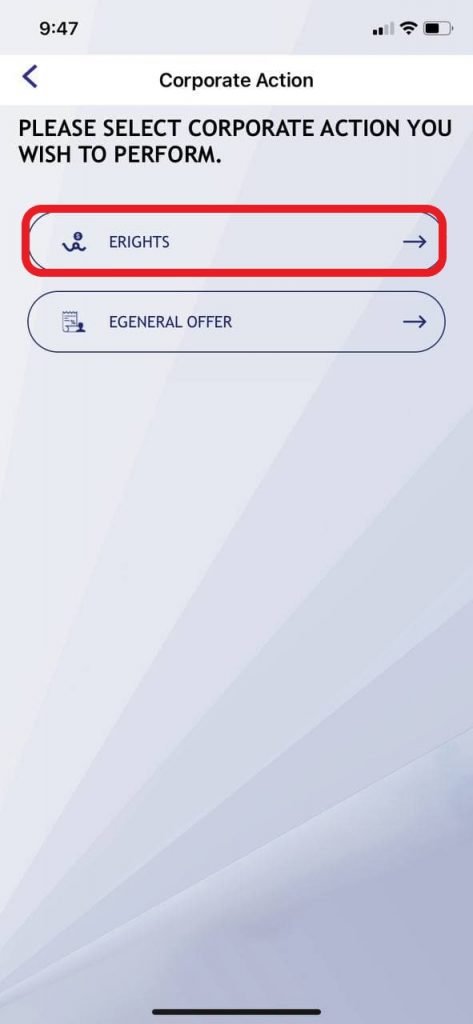
Select Corporate Action >> eRights
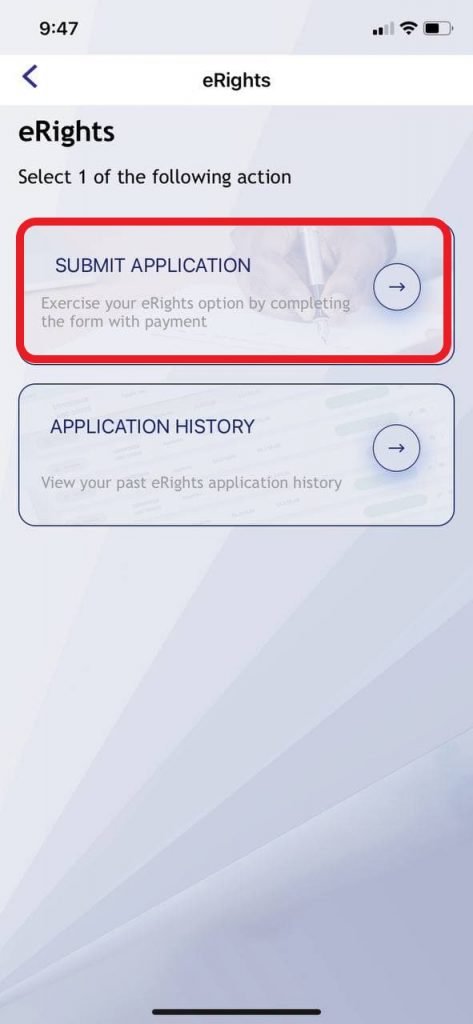
Select Submit Application
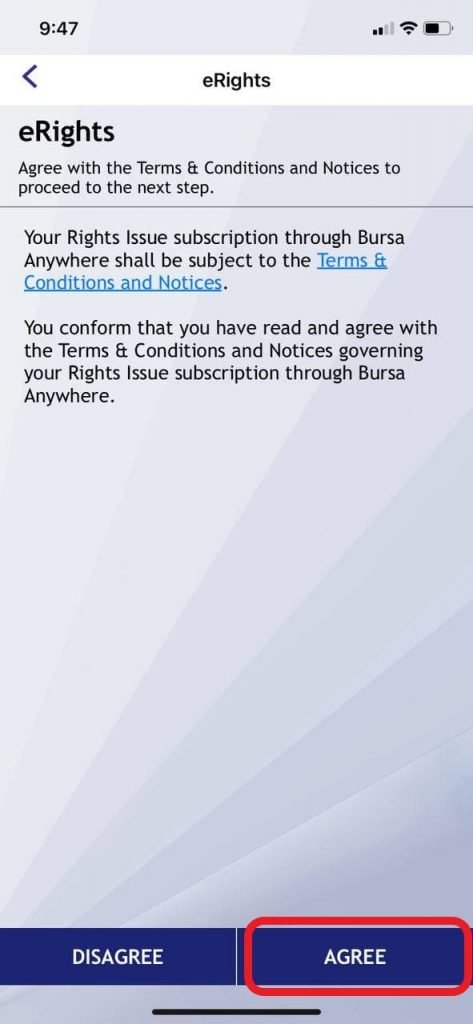
Click Agree on the Terms & Conditions
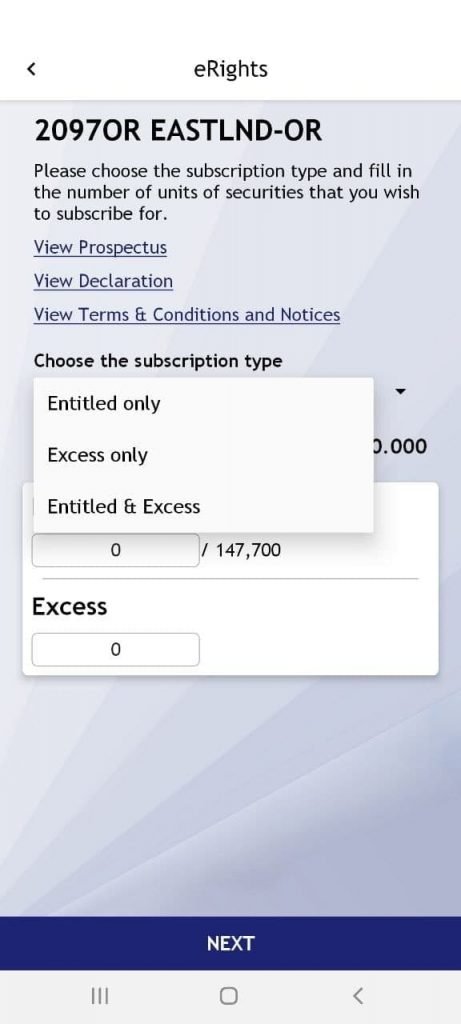
As an example, EASTLND is offering a Right Issue (EASTLND-OR). So select the type of subscription and the number of OR share units you wish to subscribe.
How to Know Your eRights Application Was Successfully Submitted
Your eRights subscription has been successfully submitted through the Bursa Anywhere app when:
- You have successfully made full subscription payment via FPX – from the bank account registered in your CDS
- You receive an email confirming that the subscription application has been sent to the Issuer or Share Registrar.
Why Was My eRights Application Rejected Even Though My FPX Payment Was Successful?
Besides technical or system issues, your subscription may be rejected if you did not make payment from the bank account registered in your CDS (eDividen Bursa Depository).
Can I Cancel or Check My Subscription After Applying for eRights?
If you wish to check or cancel your subscription after successfully applying through Bursa Anywhere, you need to contact the Share Registrar directly.
Who Should I Contact for a Right Issue Refund?
You may contact the Issuer or Share Registrar for any payment requests related to Right Issue allocations.
My Prospectus Copy Is Lost – How to Get Right Issue Information?
You can request a new printed copy from the Issuer or Share Registrar. Alternatively, you can view it on the Bursa Malaysia website under the Corporate Announcements section.
Frequently Asked Questions (FAQ)
1. What is eRights on Bursa Anywhere?
eRights is a service within the Bursa Anywhere app that allows investors to apply and pay for Right Issue shares electronically without having to submit physical forms.
2. What are the requirements to use eRights?
You need to have an active CDS account and have registered for the Bursa Anywhere app. Make sure your account is updated with the latest information.
3. Can I subscribe to Right Issue without Bursa Anywhere?
Yes, you can still use the physical form method through the post office or bank, but the process is slower compared to applying online through eRights.
4. How long is the subscription period for Right Issue via eRights?
The subscription period depends on the company's announcement. Typically you are given several working days to apply. Check the deadline under Corporate Announcements on the Bursa Malaysia website.
Conclusion
If you hold shares that offer a Right Issue, you can subscribe easily through Bursa Anywhere without having to send physical documents. The online process is far quicker and more convenient.
If you don't have a CDS account yet, open a CDS account now to start investing. To learn stock market basics, get the free ebook from Mahersaham.