How to Register a SahamOnline MITI Account (Individual, Company & Cooperative)

Before you can apply for Bumiputera Special Shares (MITI IPO), you need to register as a MITI investor on the SahamOnline portal. Registration is free, fully online, and only needs to be done once — but there are a few things you should prepare in advance so your registration application does not get stuck.
This article walks you through it step by step: eligibility requirements, documents to prepare, how to fill in the registration form, and what happens after you submit.
Eligibility Requirements
Registration is open to four types of investors:
- Individuals — Malaysian citizens of Bumiputera status, aged 18 and above, with sufficient financial resources. Students are not eligible to apply.
- Companies — Sdn. Bhd. registered with SSM, minimum paid-up capital of RM100,000, 100% Bumiputera shareholders, Board of Directors ≥51% Bumiputera, staff ≥51% Bumiputera, minimum of 2 employees.
- Cooperatives — registered with SKM, members ≥95% Bumiputera.
- Foundations — Board of Directors ≥95% Bumiputera.
Prepare These Before Registering
- An active CDS account — allotted shares will be credited to this account, and your CDS number is required in your profile. Don't have one yet? Open a CDS account through Mahersaham. Forgotten your number? See How to Find Your CDS Account Number.
- Photos of your NRIC (individuals) — front and back, in colour and clear, in png/jpeg/jpg format.
- A colour copy of the registration certificate (companies/cooperatives/foundations) — in png/jpeg/jpg format.
- An active email address — your ID and temporary password will be sent here.
Registration Steps
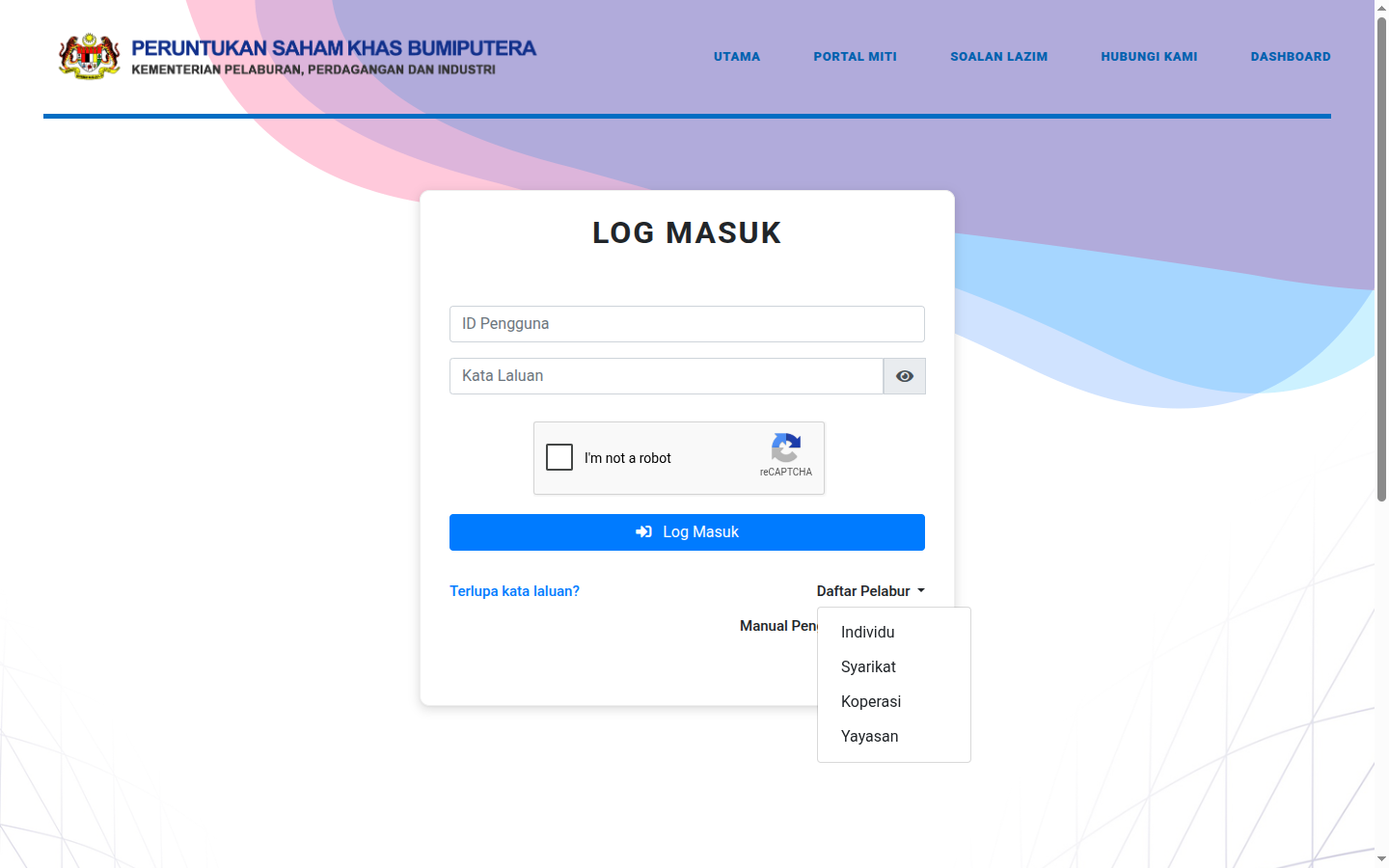
- Step 1: Go to sahamonline.miti.gov.my/portal/login.
- Step 2: Click Daftar Pelabur (Register Investor) and choose your type — Individual, Company or Cooperative.
- Step 3: Fill in the Investor Registration Form. Sections marked * are compulsory — starting with Personal Information (title, name, NRIC number, date of birth) through to contact details.
- Step 4: Upload your documents — for individuals, clear colour photos of the front and back of your NRIC.
- Step 5: Tick ✓ the Declaration Box, double-check all your details, then press Submit.
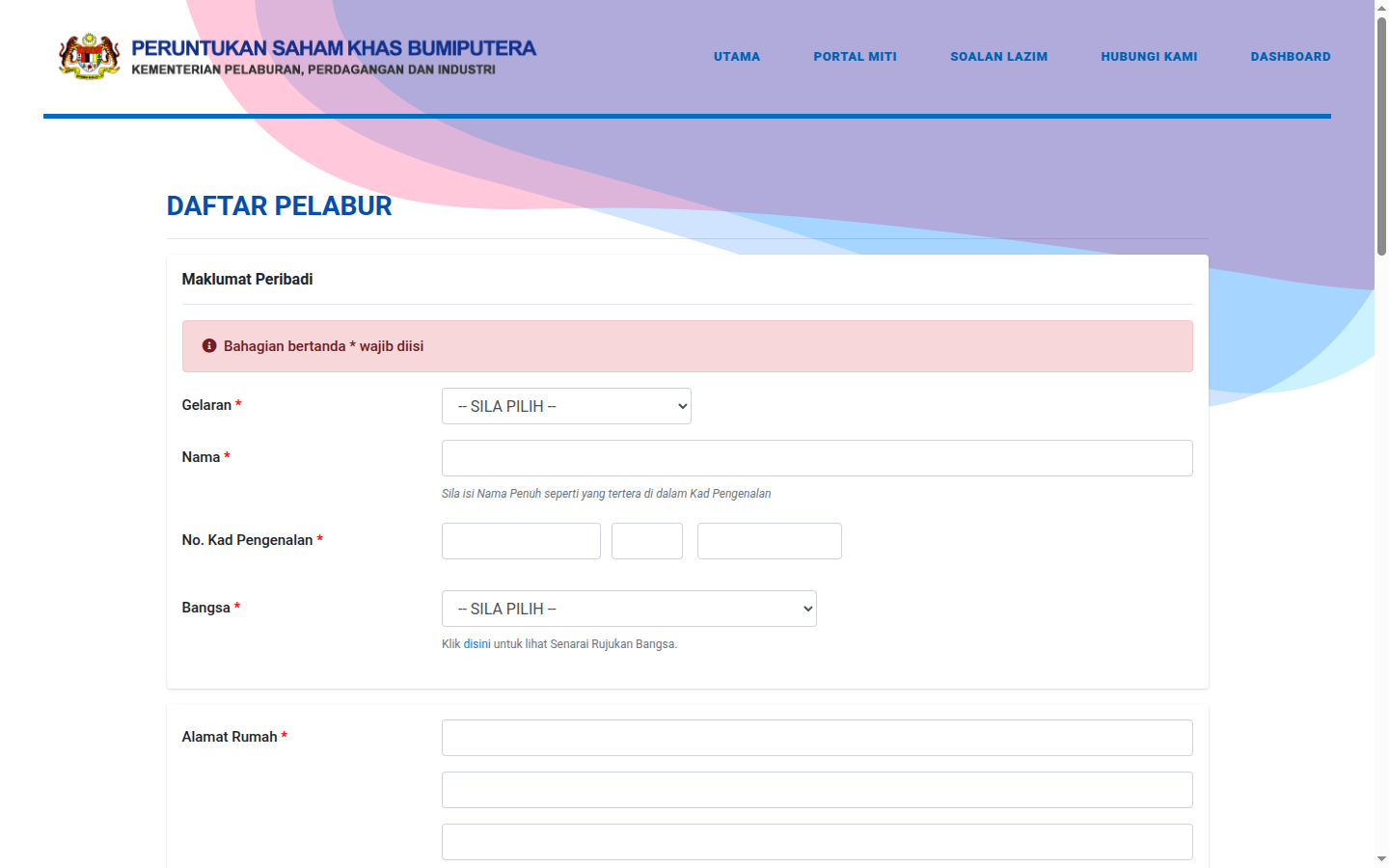
Important warning: check everything carefully before submitting. Basic details such as your name, NRIC number and date of birth cannot be amended once the account is approved — a mistake could affect your share applications later on.
After Submitting: What Happens?
- A "registration being processed" notification is sent to your email.
- The review process takes 5 working days.
- Once approved, you will receive a User ID and Temporary Password by email. For individuals, the User ID is your NRIC number.
- Log in for the first time and change your password via the Tukar Kata Laluan (Change Password) menu.
MITI also provides an official registration manual video on MITI's YouTube channel if you would like an additional visual reference.
Don't Forget: Complete Your Profile
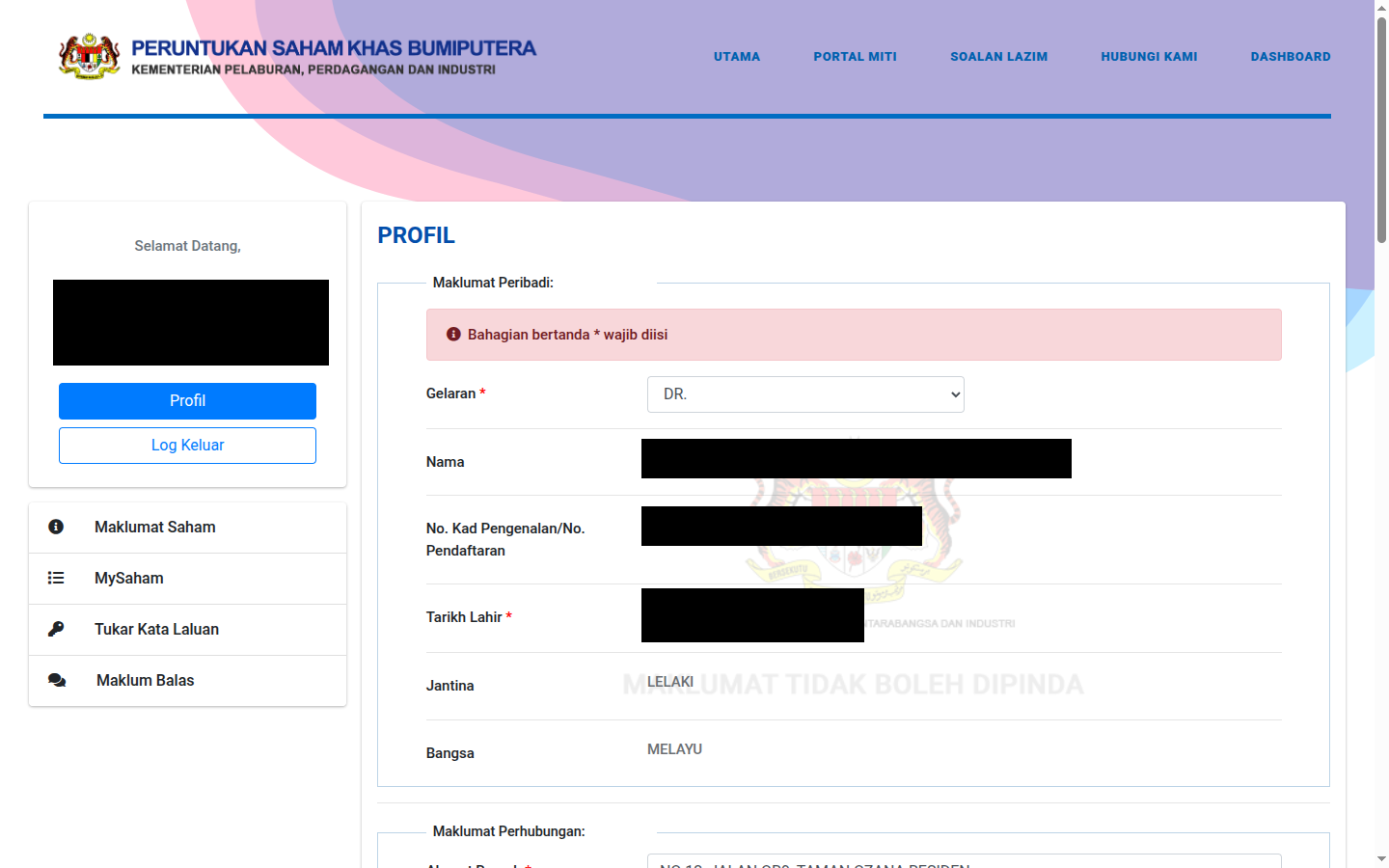
After logging in successfully, open Profile and make sure every section is complete: home and office addresses, phone number, email, occupation, CDS account number, marital status and spouse details. The portal itself reminds you: "Make sure the required information is updated and accurate to avoid your application being rejected."
Frequently Asked Questions (FAQ)
How long does registration approval take?
The review takes 5 working days. Once approved, your ID and temporary password are sent to your registered email.
What is my User ID for logging in?
For individuals — your NRIC number. For companies/cooperatives/foundations — your organisation's registration number.
My NRIC photo was rejected — why?
Make sure the photo is in colour, clear and not blurry, in png/jpeg/jpg format, and includes both the front and back of the card.
I'm a government employee — are there extra requirements?
Registration is exactly the same, but when you later apply for shares you will need to upload a Head of Department approval letter (dated no more than 6 months before the shares are offered).
Conclusion
MITI investor registration is straightforward if you prepare your documents in advance: a CDS account, colour NRIC photos and an active email. Submit, wait 5 working days, change your password, and complete your profile. After that you are ready to apply for the next Bumiputera Special Share offering — refer to How to Apply for a MITI IPO for the application steps, and How to Check Your Status & Results after applying.
Don't have a CDS account to get started? Open a CDS trading account through Mahersaham to invest in Bursa Malaysia shares as well as overseas markets such as the US and Hong Kong.
New to the stock market? Download the free Stock Investing Basics Ebook to master the fundamentals before you start trading.
Note: This article is for educational purposes only and is not investment advice or a recommendation to buy or sell any shares. Requirements and procedures are subject to change by MITI; please refer to the official portal for the latest information. Always do your own research before making any investment decisions.
Further Reading
- Get to Know the SahamOnline MITI Portal: A Complete Guide
- How to Apply for a MITI IPO as a Bumiputera
- How to Check Your MITI IPO Application Status & Results
- How to Find Your CDS Account Number