SahamOnline MITI Portal Guide: Bumiputera Special Share Allocation Explained (2026)

Every time a new company lists on Bursa Malaysia, a portion of the IPO shares is set aside specifically for Bumiputera investors — and the official channel to apply for them is the SahamOnline MITI portal at sahamonline.miti.gov.my. Unfortunately, many Bumiputera investors do not know the portal exists, or are confused about what it does.
This article is a complete guide to the SahamOnline portal — what the Bumiputera Special Share Allocation is, who is eligible, and what every menu in the portal does, complete with real screenshots (2026). Treat this as your reference "hub"; step-by-step guides for each task are linked throughout the article.
What Is the Bumiputera Special Share Allocation (SKB)?
When a company launches an IPO on Bursa Malaysia, a portion of the shares is allocated specifically to Bumiputera investors under the supervision of the Ministry of Investment, Trade and Industry (MITI). This allocation is separate from the regular public IPO application you make through your broker or the M+ Global app.
Since December 2021, the entire process — investor registration, applications, results checking and payment instructions — is done fully online through SahamOnline. There is no more sending physical forms to Menara MITI.
Who Is Eligible to Apply?
Four categories of investors can register, each with its own conditions:
- Individuals — Malaysian citizens of Bumiputera status, aged 18 and above, with sufficient financial resources. Note: students are not eligible to apply.
- Companies — Sdn. Bhd. registered with SSM, minimum paid-up capital of RM100,000, 100% Bumiputera shareholders, Board of Directors and staff at least 51% Bumiputera, minimum of 2 employees.
- Co-operatives — registered with the Malaysia Co-operative Societies Commission (SKM), membership at least 95% Bumiputera.
- Foundations — incorporated under the Trustees Act 1952 or the Companies Act, Board of Directors at least 95% Bumiputera.
MITI's definition of "Bumiputera" covers Malays, Orang Asli, and the natives of Sabah and Sarawak. Those of Portuguese, Thai, Malacca Baba, Indian Muslim and Eurasian descent are not considered Bumiputera under MITI's definition.
The Portal's Public Pages
Without logging in, you can access:
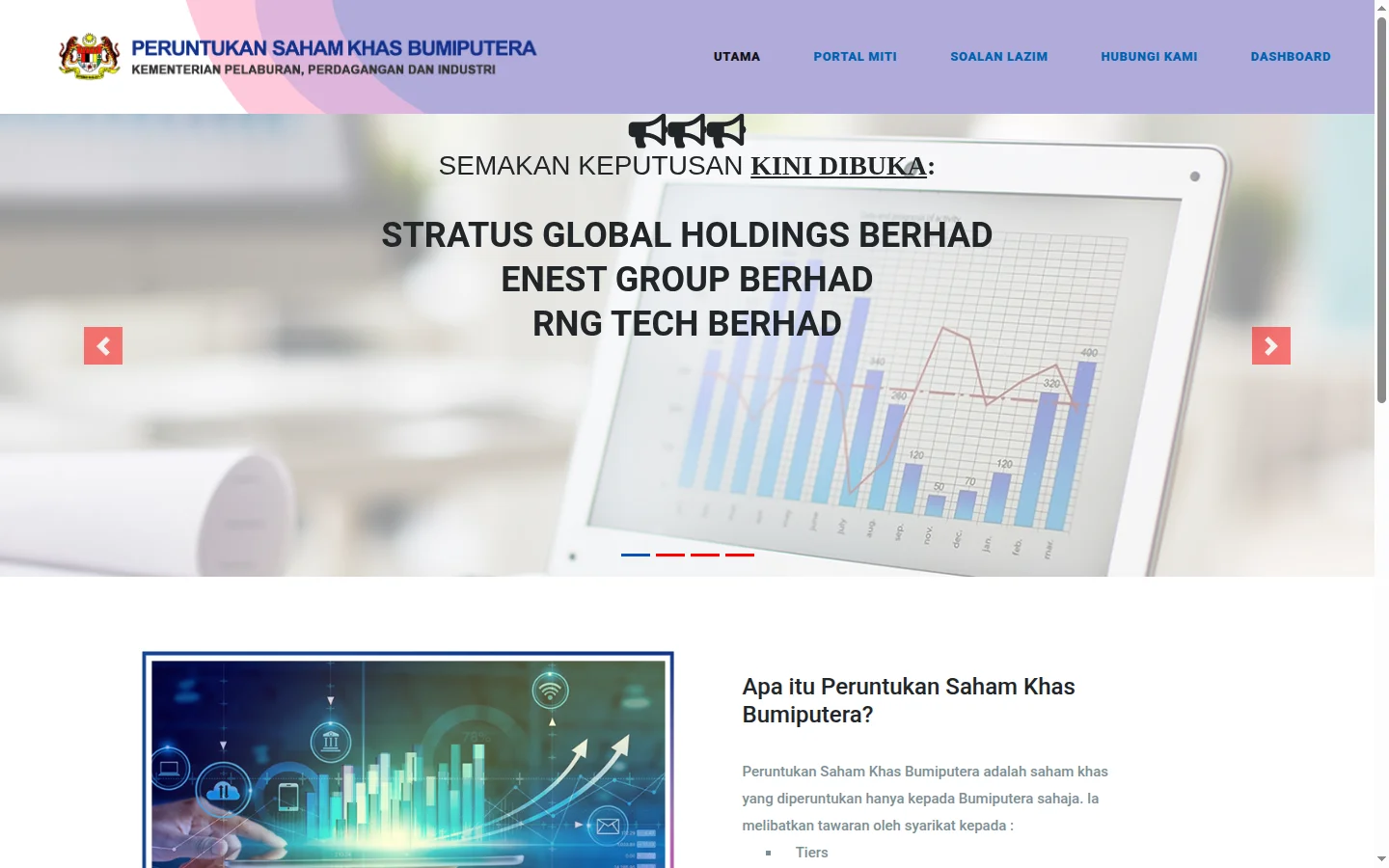
- Utama (Home) — an announcements carousel: share offers currently open (with application periods) and results-checking notices. This is the page you should check from time to time.
- Soalan Lazim (FAQ) — the official FAQ, which is fairly detailed (eligibility, documents, moratorium).
- Hubungi Kami (Contact Us) — MITI's enquiry channels.
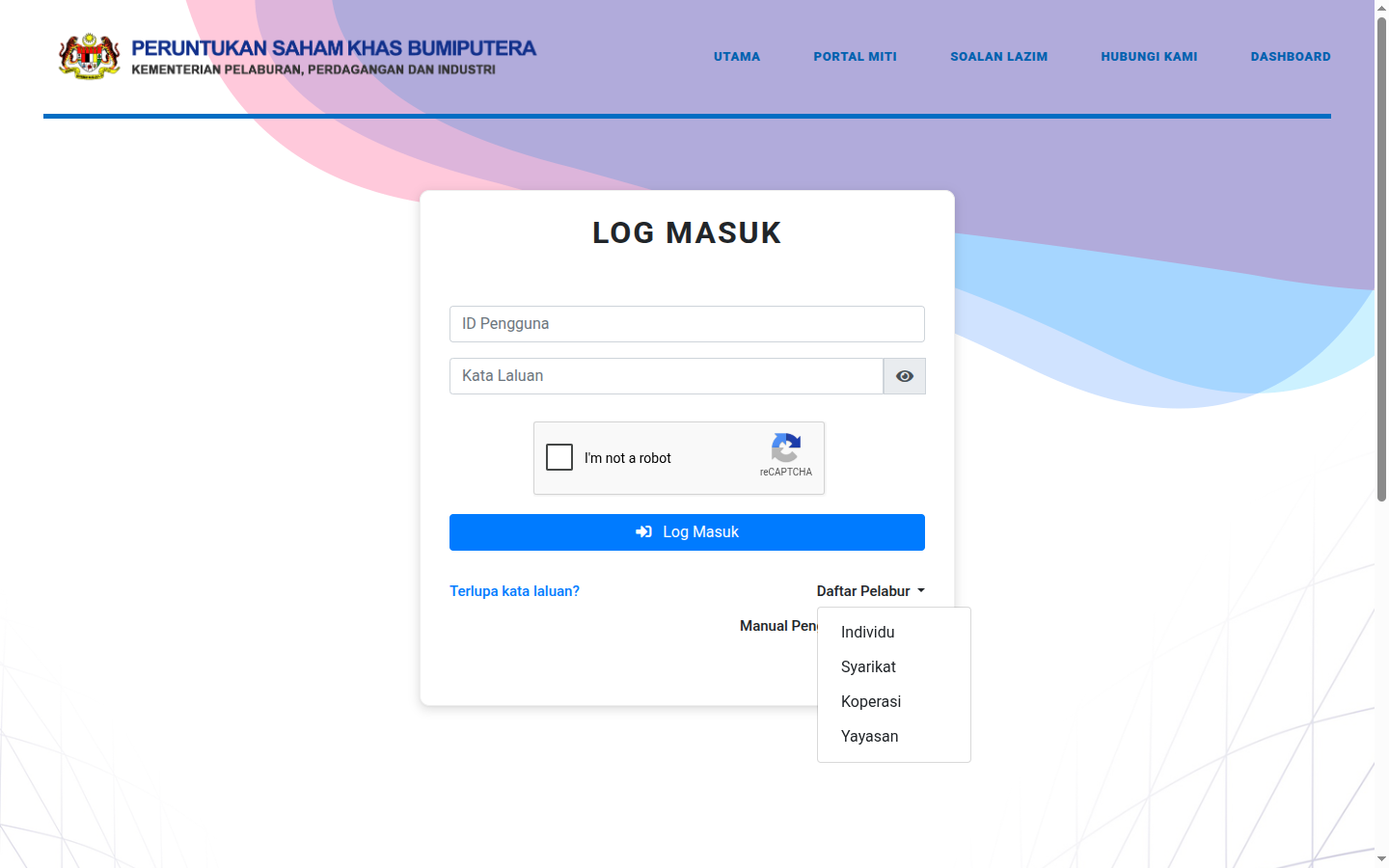
- Log Masuk (Login) — a login form with User ID (identity card number for individuals), password and reCAPTCHA, plus a Daftar Pelabur (Register Investor) menu for new registrations. Full guide: How to Register a SahamOnline MITI Account.
The 4 Main Menus After Logging In
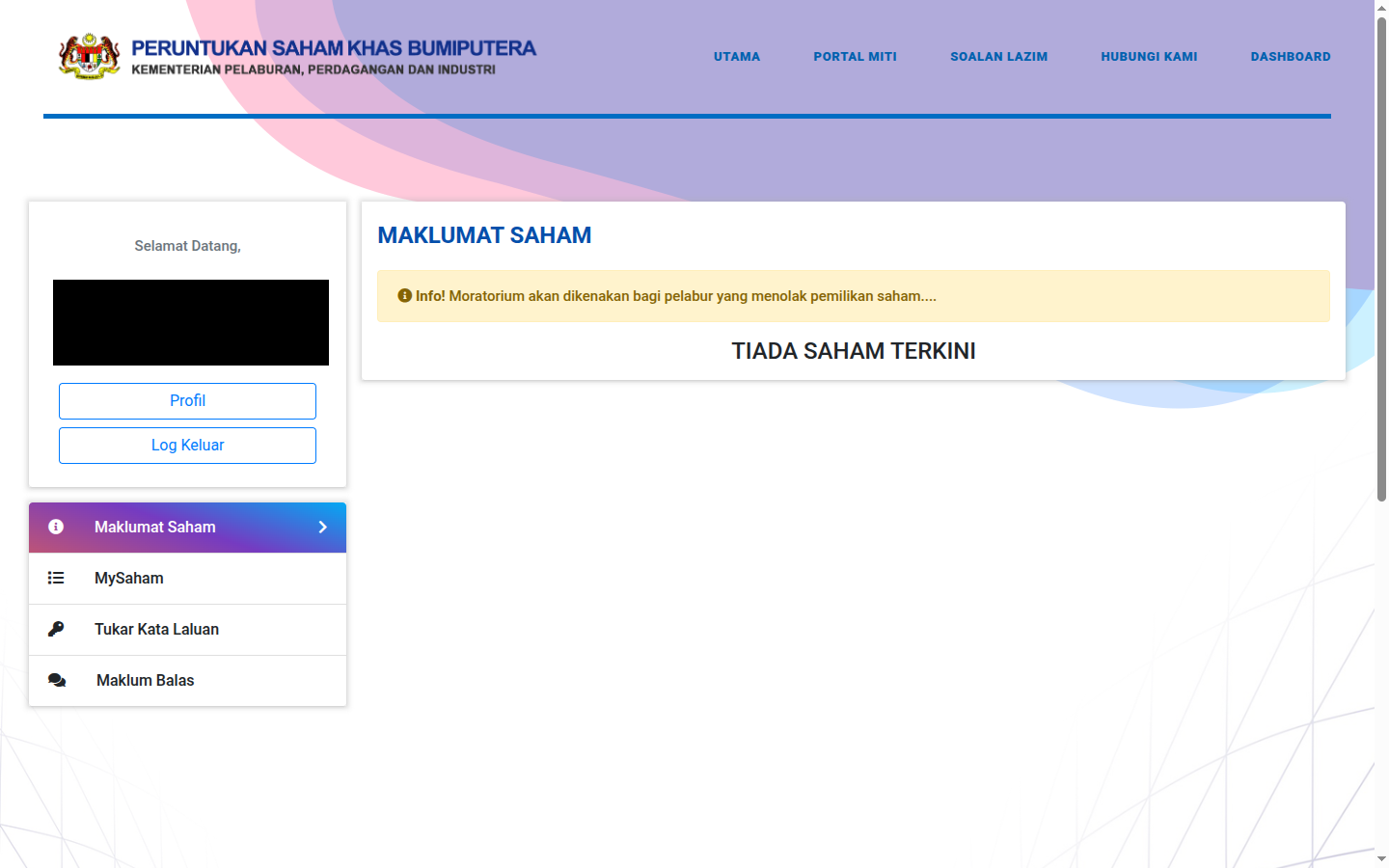
- Maklumat Saham (Share Information) — the list of Bumiputera Special Share offers currently open. If there is an active IPO, the MOHON (Apply) button will be available here. If there is none, a "TIADA SAHAM TERKINI" (no current shares) message is shown.
- MySaham — a record of all your applications with their status (In Progress / Successful / Unsuccessful), plus units applied for, approved and accepted. Full guide: How to Check Your MITI IPO Application Status & Results.
- Tukar Kata Laluan (Change Password) — account security settings.
- Maklum Balas (Feedback) — submit and track feedback to MITI.
On the left there is also a Profil (Profile) button — this is where your personal details, address, CDS account and spouse information are stored. Your name, identity card number and date of birth cannot be amended after registration, so make sure they are accurate from the start.
Key Facts You Must Know
- Minimum application: 3,000 units. There is no maximum limit — but the maximum you can apply for depends on the capital (financial statement balance) you declare.
- Results in ~40 working days after the application closing date, announced through the portal. Decisions are final — there is no appeal.
- 180-day moratorium — if your application is successful but you do not take up the full number of approved units (or fail to pay in full), you are barred from applying for SKB offers for 180 days. Details in the status & results article.
- Applications can be amended/cancelled as long as the application period is still open.
Prerequisite: A CDS Account
Before registering as a MITI investor, you must have a CDS account (Central Depository System) — because the allocated shares will be credited into that account, and a CDS statement is a mandatory application document. Don't have one yet? Open a CDS account through Mahersaham. Already have one but forgot the number? See How to Find Your CDS Account Number or Check Your Existing CDS Accounts.
Frequently Asked Questions (FAQ)
Is the SahamOnline portal the same as a regular IPO application through a broker?
No. SahamOnline is specifically for the Bumiputera special allocation under MITI. Regular public IPOs are applied for through your broker's platform. Bumiputera investors can apply for both.
Can my spouse and children apply as well?
Yes — every eligible individual can register and apply separately, subject to MITI's approval.
Do I need to pay upfront when applying?
No. You declare your financial capacity when applying; payment is only made after your application is successful, following the Payment Instruction generated from the portal.
How do I know when a new IPO opens at MITI?
Check the portal's home page or the Maklumat Saham (Share Information) menu regularly. We also share Bursa IPO announcements on mahersaham.com from time to time.
Conclusion
SahamOnline MITI is the official gateway for Bumiputera investors to the special IPO share allocation — fully online, from registration to payment instructions. Start by registering as an investor, complete your profile, and monitor the Maklumat Saham (Share Information) menu for the next offer. For detailed application steps, see How to Apply for a MITI IPO as a Bumiputera.
Don't have a CDS account to get started? Open a CDS trading account through Mahersaham to invest in Bursa Malaysia shares as well as overseas markets such as the US and Hong Kong.
New to the stock market? Download the free Stock Investing Basics Ebook to master the fundamentals before you start trading.
Note: This article is for educational purposes only and is not investment advice or a recommendation to buy or sell any shares. Requirements and procedures are subject to change by MITI; please refer to the official portal for the latest information. Always do your own research before making any investment decision.
Further Reading
- How to Register a SahamOnline MITI Account
- How to Check Your MITI IPO Application Status & Results
- How to Apply for a MITI IPO as a Bumiputera
- Direct CDS Account vs Nominee Account
- Get to Know the Bursa Anywhere App