New to Mahersaham? How to Sign Up & Upgrade to Gold Member

Just found mahersaham.com and wondering how to get started? The most common question we receive from new users is: "Do I need to register? What is the difference between a regular member and a Gold Member?"
Short answer: registration is free and takes less than 2 minutes. With a free account, you get access to a personal dashboard, the basic courses and the member tools. Gold Member unlocks all premium content - full stock research, thematic reports and advanced courses.
In this tutorial we show you step by step how to register, log in, get to know your dashboard and upgrade to Gold - complete with real screenshots. This is the second part of the Mahersaham tutorial series; for an overview of the whole platform, first read the tour of every Mahersaham menu.
Step 1: Click the Login Button
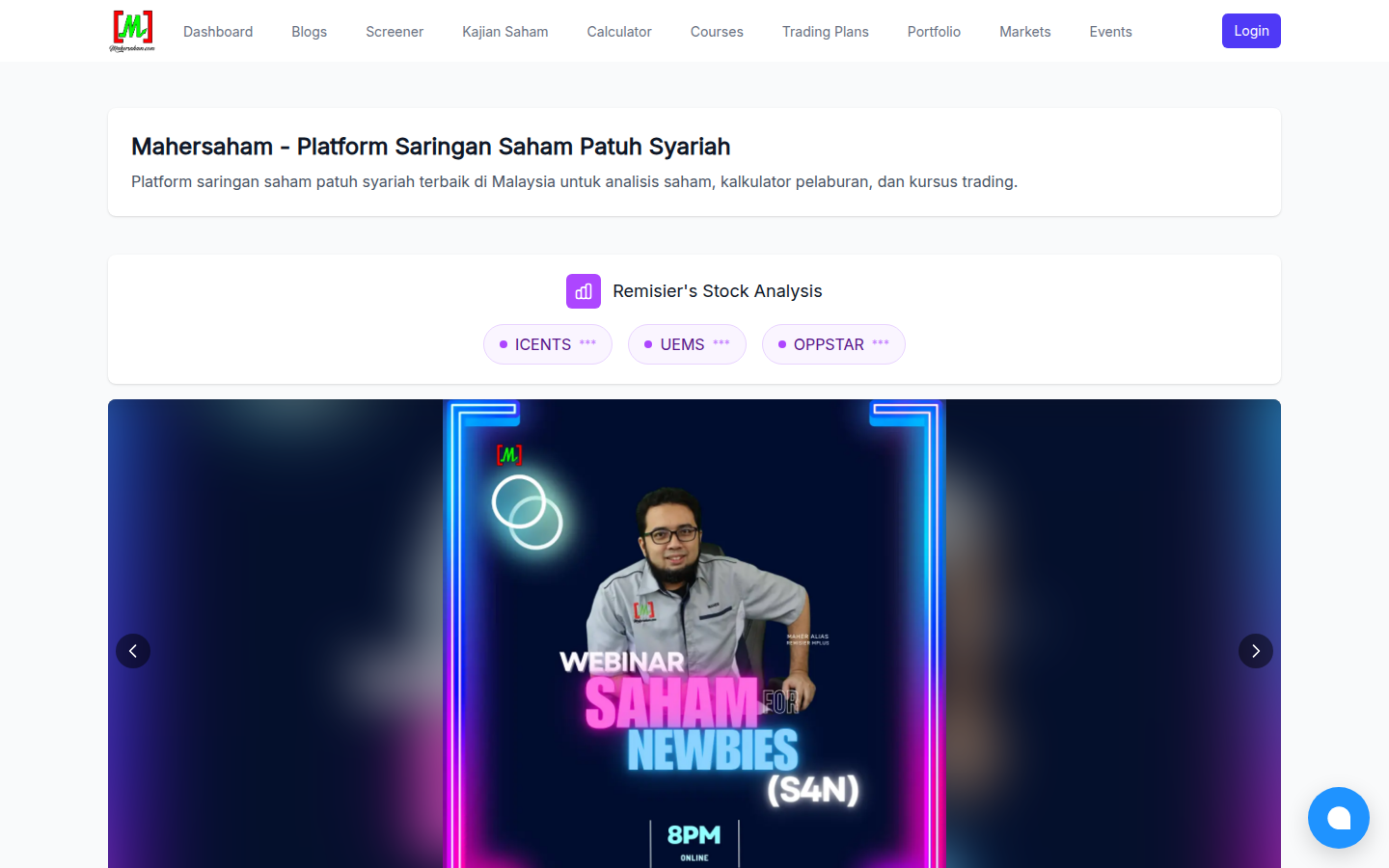
Open mahersaham.com and click the purple Login button at the top-right corner. A sign-in window will appear.
Step 2: Choose How to Register
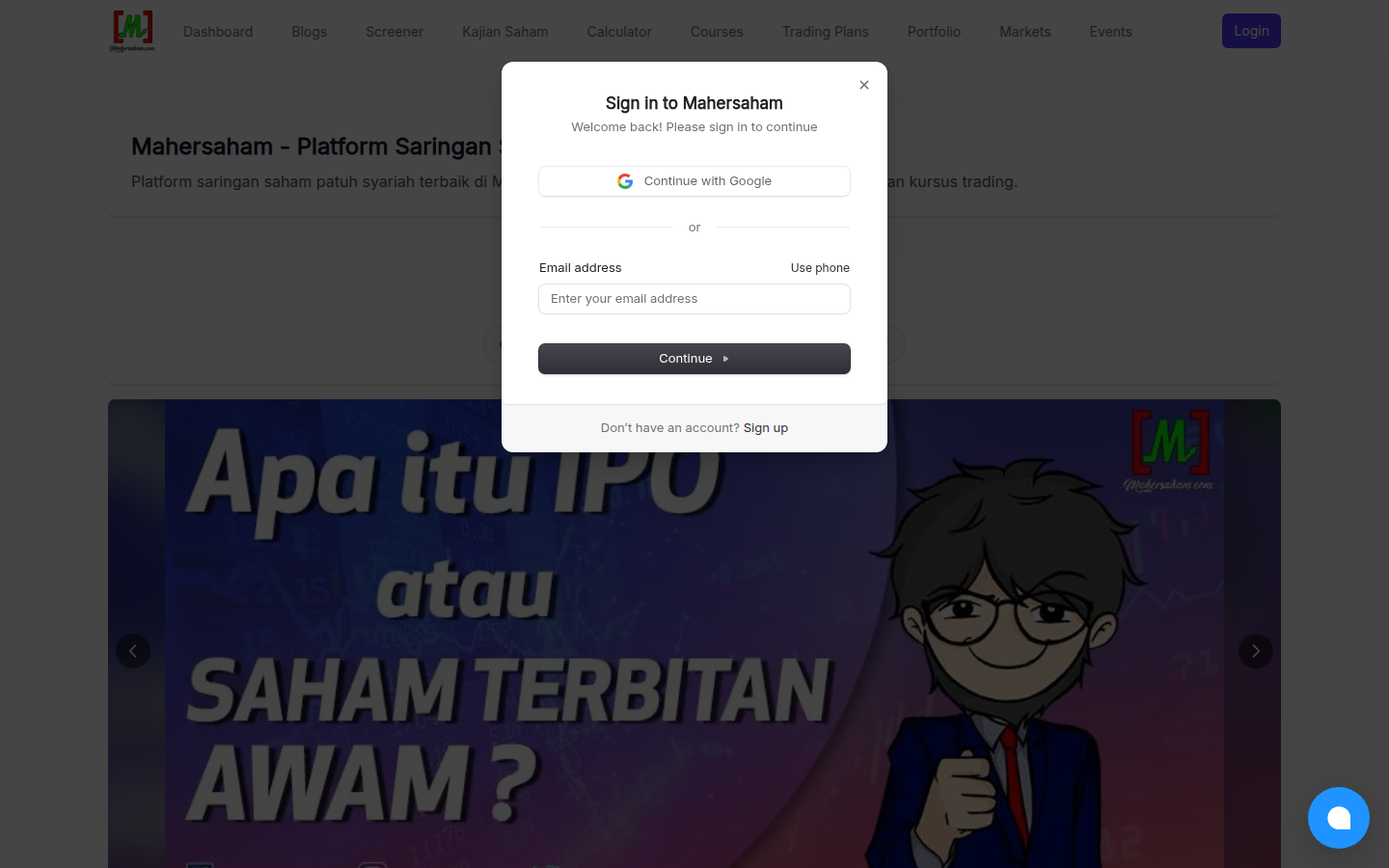
This window is for users who already have an account. As a new user, click the Sign up link at the bottom of the window. You will be taken to the registration form.
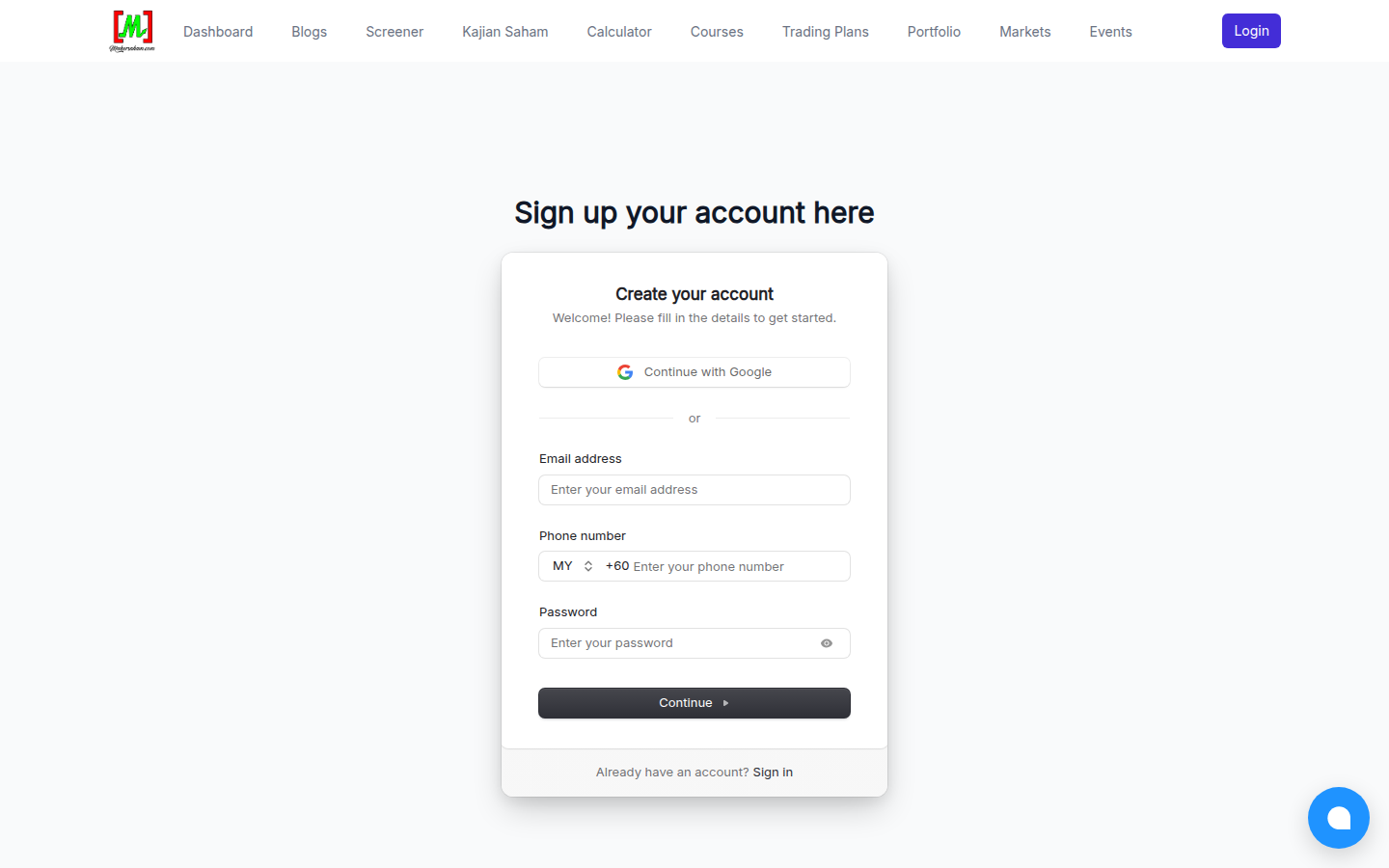
There are two ways to register:
- Continue with Google - the fastest way. One click, choose your Google account, done.
- Email + phone + password - fill in your email address, Malaysian phone number (+60) and create a password, then click Continue. A verification code will be sent to your email.
After verification, you will be logged in automatically and taken straight to the Dashboard.
Step 3: Get to Know Your Dashboard
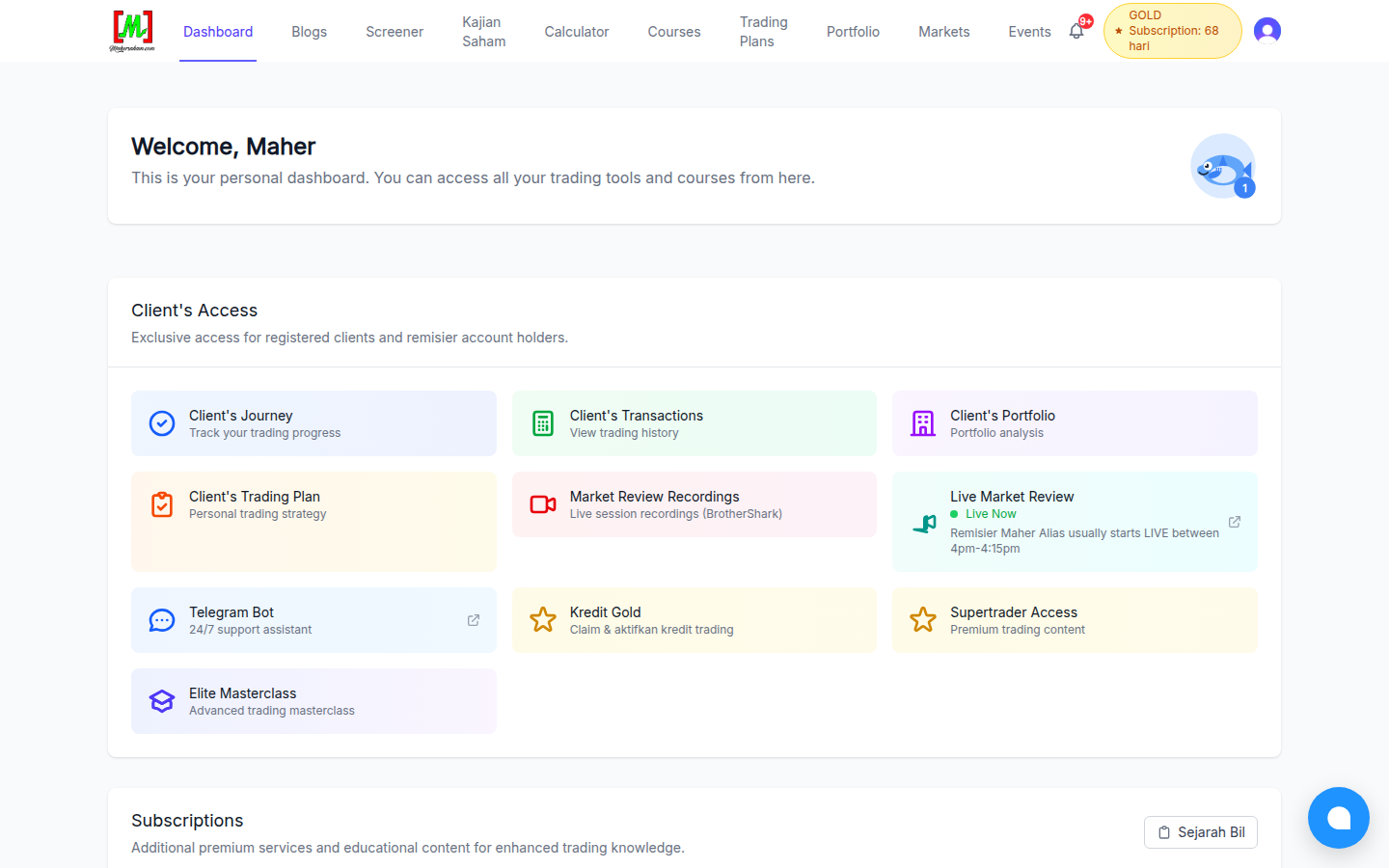
The Dashboard is your personal control centre. It is divided into two main sections:
Client's Access - exclusive access for registered remisier clients:
- Client's Journey - track your trading progress
- Client's Transactions - your stock transaction history
- Client's Portfolio - current portfolio analysis
- Client's Trading Plan - your personal trading strategy
- Market Review Recordings - live session recordings (BrotherShark)
- Live Market Review - live sessions every weekday afternoon
- Telegram Bot - 24/7 support assistant
- Gold Credit - claim Gold credits from your transactions
Subscriptions - additional premium services such as monthly Webinars, the offline-learning Pendrive and Workshops.
Step 4: Upgrade to Gold Member
Gold Member is Mahersaham's premium subscription. With Gold, you get access to:
- Full stock research (CANSLIM, financial, valuation and scorecard analysis)
- Thematic reports and IPO research
- Gold Members exclusive video courses
- Structured learning content from basics to advanced
To subscribe, go to the Gold Package page and choose the plan that suits you. Payments are processed securely through Stripe.
A nice bonus: every stock transaction you make as a client (buy or sell) earns you 1 Gold credit, and each credit unlocks 48 hours of full Gold Members access. Activate it under Gold Credit in your Dashboard.
Step 5: Check Your Subscription & Billing
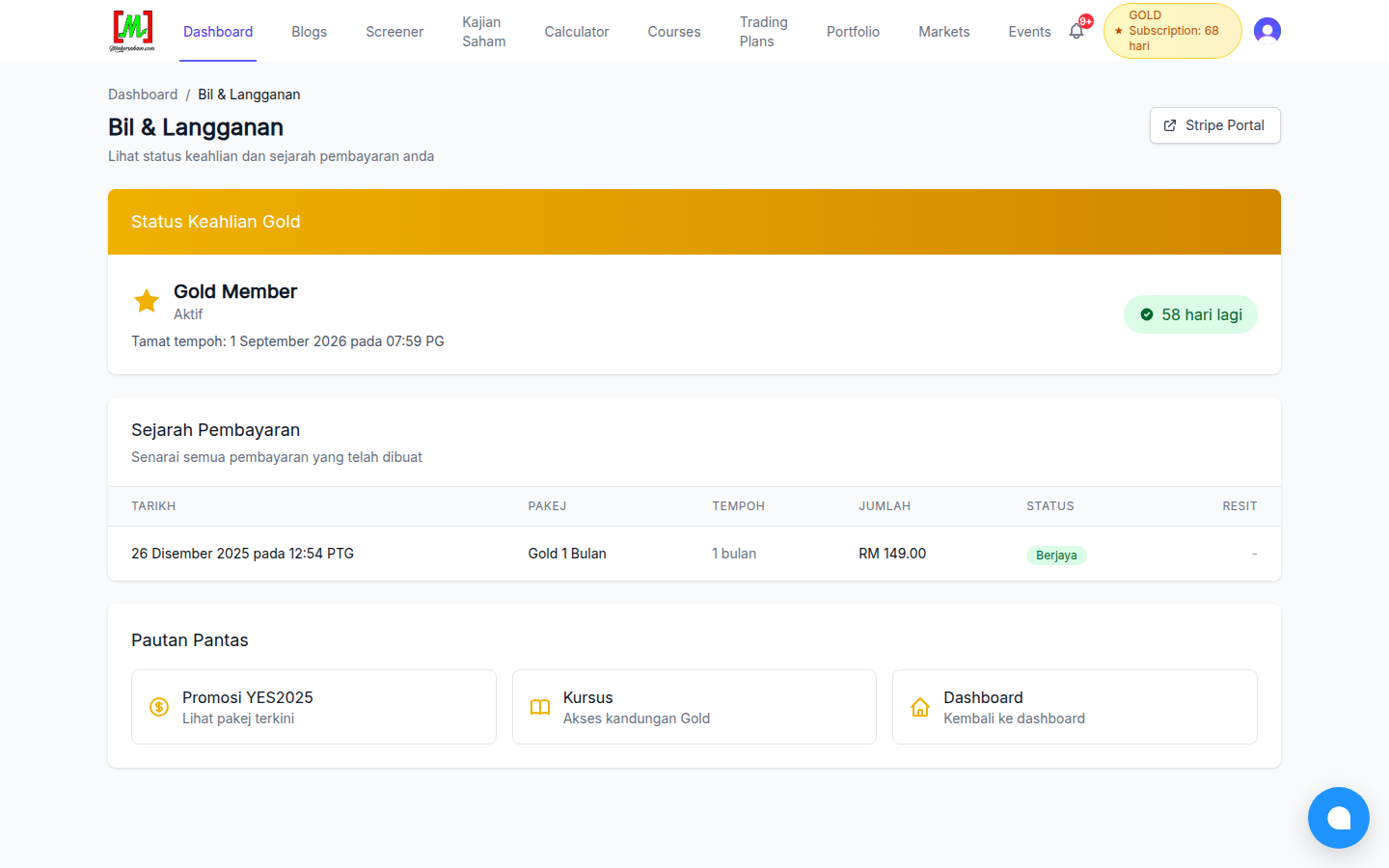
After subscribing, you can check your membership status at any time. From the Dashboard, click the Billing History button in the Subscriptions section. This page shows:
- Your Gold membership status and remaining subscription days
- Your full payment history
- The Stripe Portal button to manage payment methods or cancel your subscription
Bonus: Portfolio & Transactions for Remisier Clients
If you are a client under Remisier Maher Alias (Malacca Securities), your Mahersaham account will be linked to your client code. These two tools become very useful:
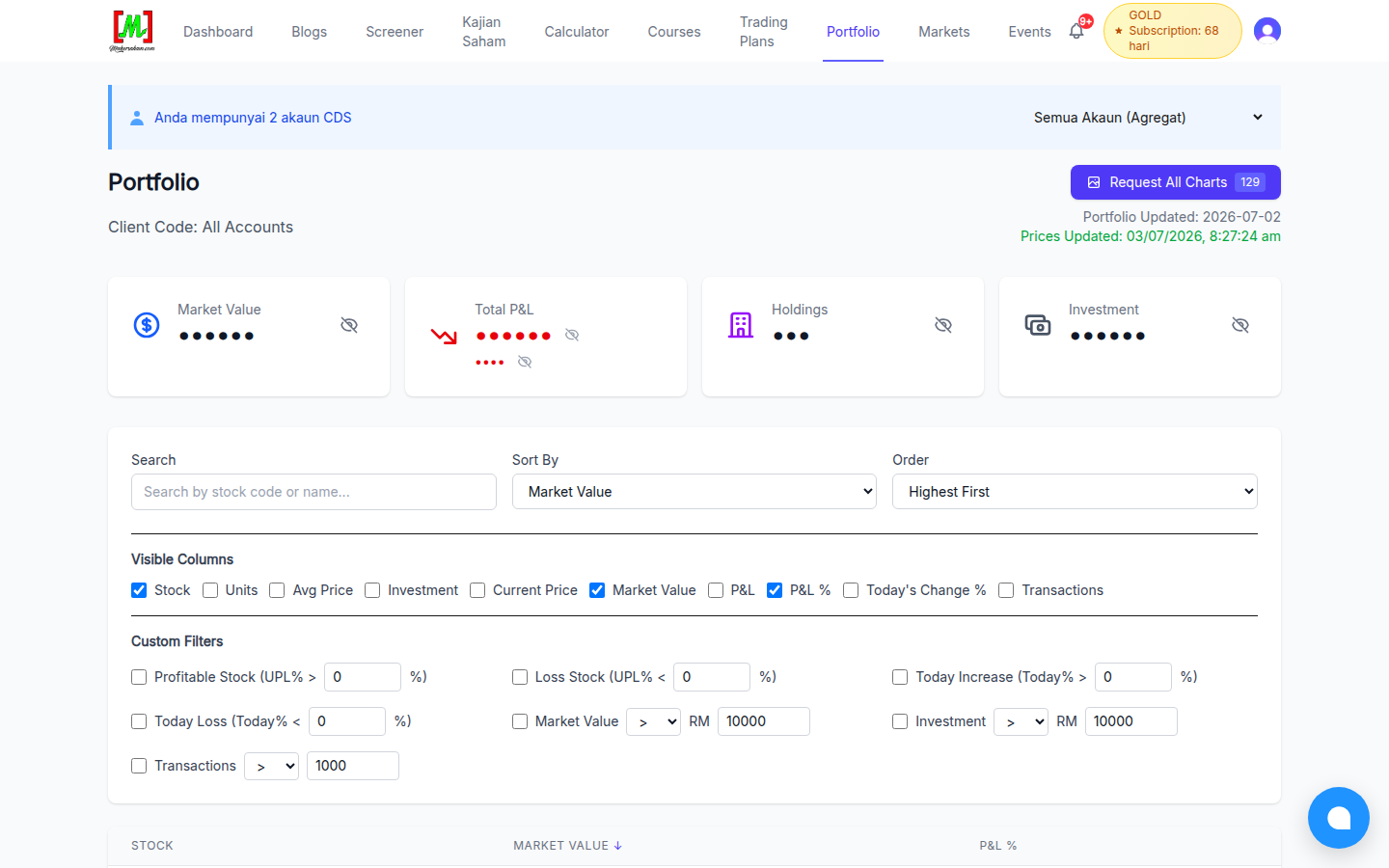
Portfolio shows your current market value, total profit and loss, number of holdings and total investment - updated with the latest prices. Custom filters help you find profitable stocks, losing stocks, or holdings above a certain value. The eye button on each card lets you hide sensitive numbers.
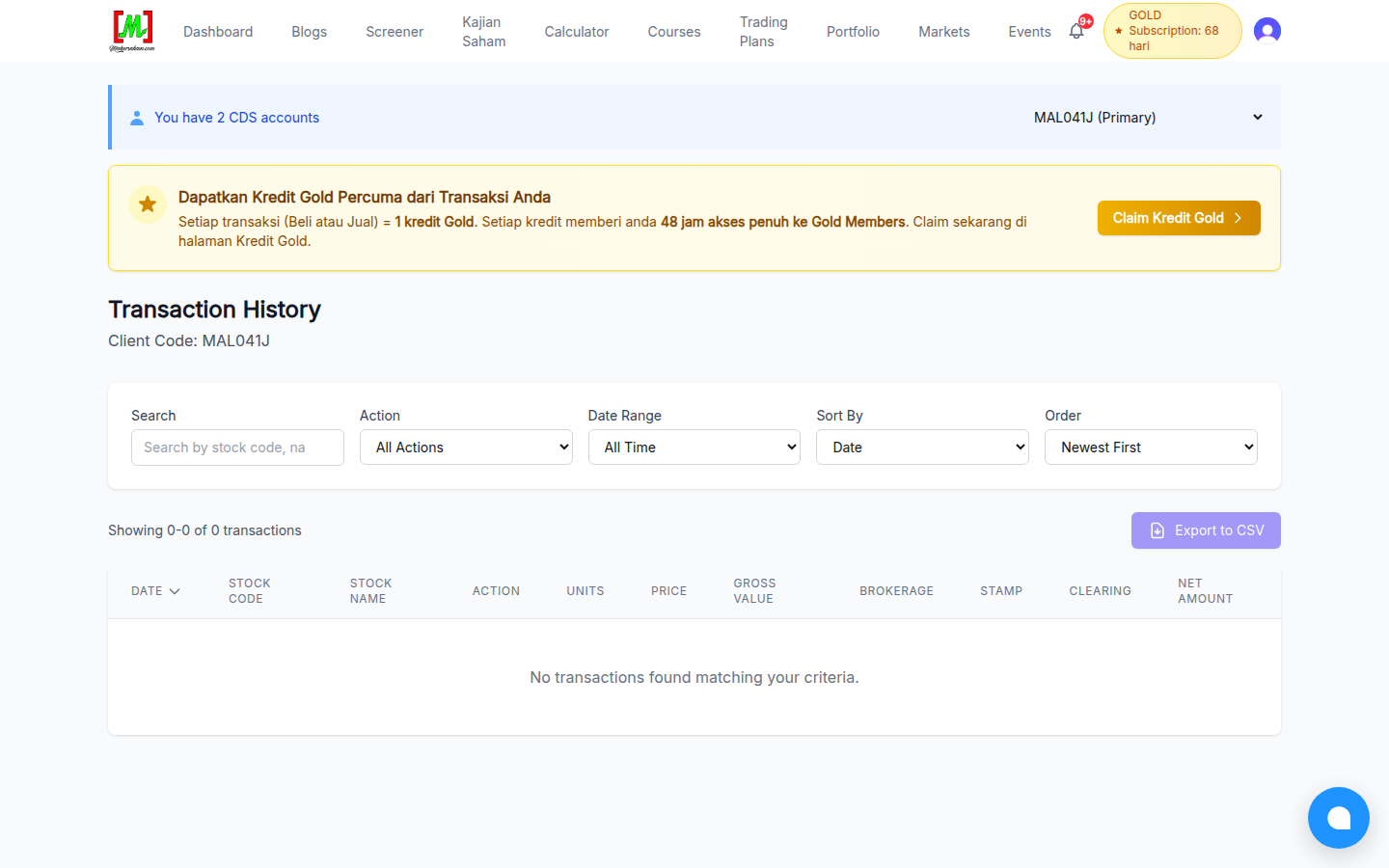
Transactions records every buy and sell you make - complete with price, brokerage, stamp duty and clearing fees. You can also export your full history to a CSV file.
Not a client yet? Read how to open a CDS Mplus account to get started.
Register & Manage Your Account From Your Phone
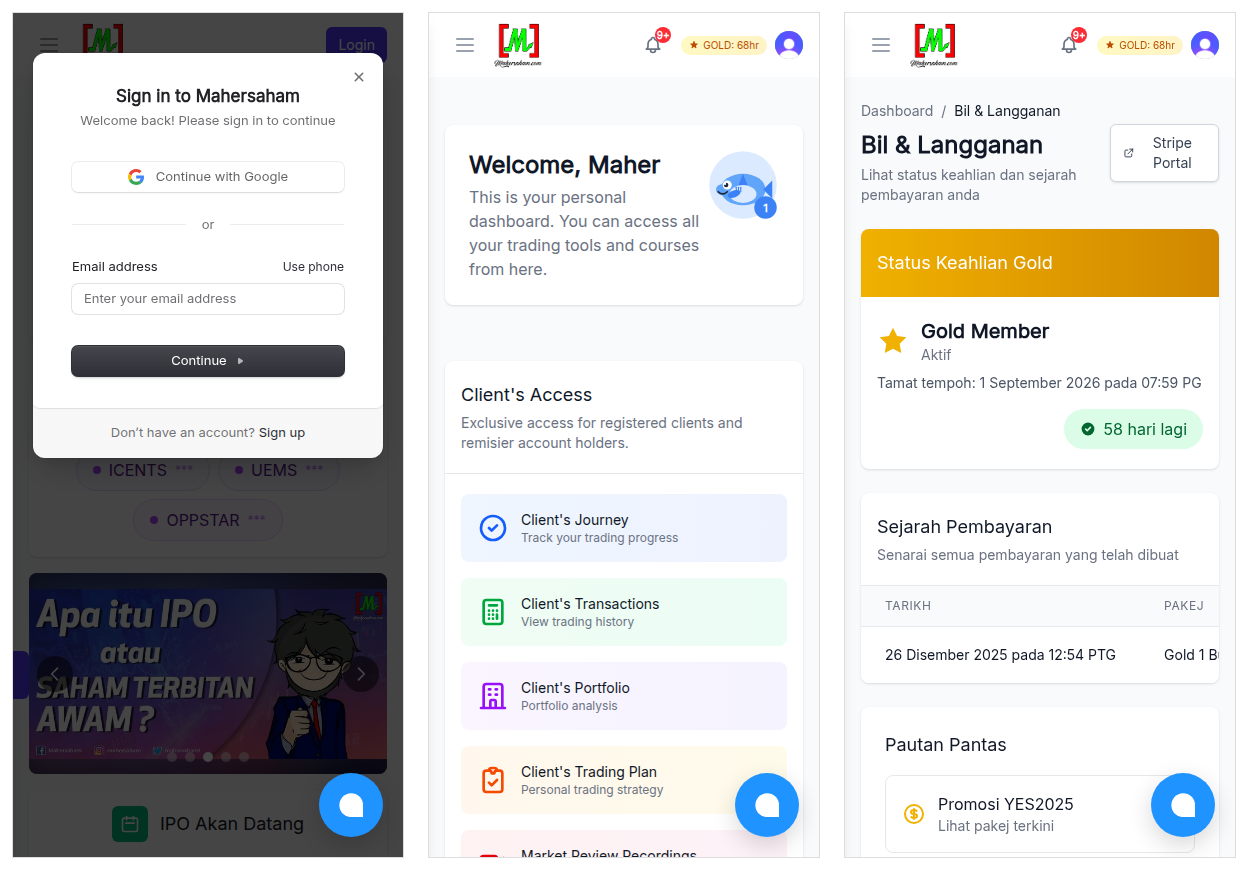
Everything in this tutorial can be done straight from your phone - registering, logging in, checking the dashboard and managing your subscription. The Login button stays at the top-right corner, and the dashboard stacks neatly for small screens.
Frequently Asked Questions (FAQ)
How much does it cost to register a Mahersaham account?
Nothing. Basic account registration is completely free. Only the Gold Member subscription and certain products are paid.
I registered with Google. Do I need to set a password?
No. Google sign-in works every time - just make sure you always use the same Google account.
How much is the Gold Member subscription?
The latest prices are always shown on the Gold Package page. Monthly plans are available, and special promotions run from time to time.
How do I cancel my Gold subscription?
Go to the Dashboard, click Billing History, then click Stripe Portal. From there you can manage or cancel your subscription at any time without having to contact anyone.
What is Gold Credit?
Every stock transaction (buy or sell) you make as a client earns 1 Gold credit. Each credit can be exchanged for 48 hours of full Gold Members access - free, with no subscription needed.
Is a Mahersaham account the same as a CDS account?
No. A Mahersaham account gives you access to the learning platform and analysis tools. A CDS account is the official account for buying shares on Bursa Malaysia, opened through a broker. They complement each other. Learn about the types of CDS accounts.
Is my portfolio data safe?
Portfolio and transaction data can only be accessed by your own account after logging in. You can also hide sensitive numbers with the privacy button on the Portfolio page.
Conclusion
Registering a Mahersaham account takes just 2 minutes - it is free, and it immediately unlocks a personal dashboard full of tools. When you are ready for premium content, upgrade to Gold Member or collect Gold Credits through your transactions.
Your platform account is ready. Now complete your actual investing setup.
Open a CDS trading account through Mahersaham to start investing in Bursa Malaysia as well as foreign stocks such as the US and Hong Kong markets.
While waiting for your account approval, download the free Stock Market Basics Ebook to master the essentials first.