How to Use Mahersaham: Every Menu Explained, From Dashboard to Events

Mahersaham.com is more than a stock blog - it is a complete Shariah-compliant stock screening platform with a screener, stock research, trading calculators, video courses and much more. Many new users only touch one or two menus and miss out on tools that could save them hours of analysis.
In this tutorial, we walk you through every main menu on mahersaham.com one by one, complete with real screenshots. By the end, you will know where to find each tool and when to use it.
This article is the first part of the Mahersaham tutorial series. To learn how to register an account, read the Mahersaham account registration tutorial.
Homepage: Your Daily Information Hub
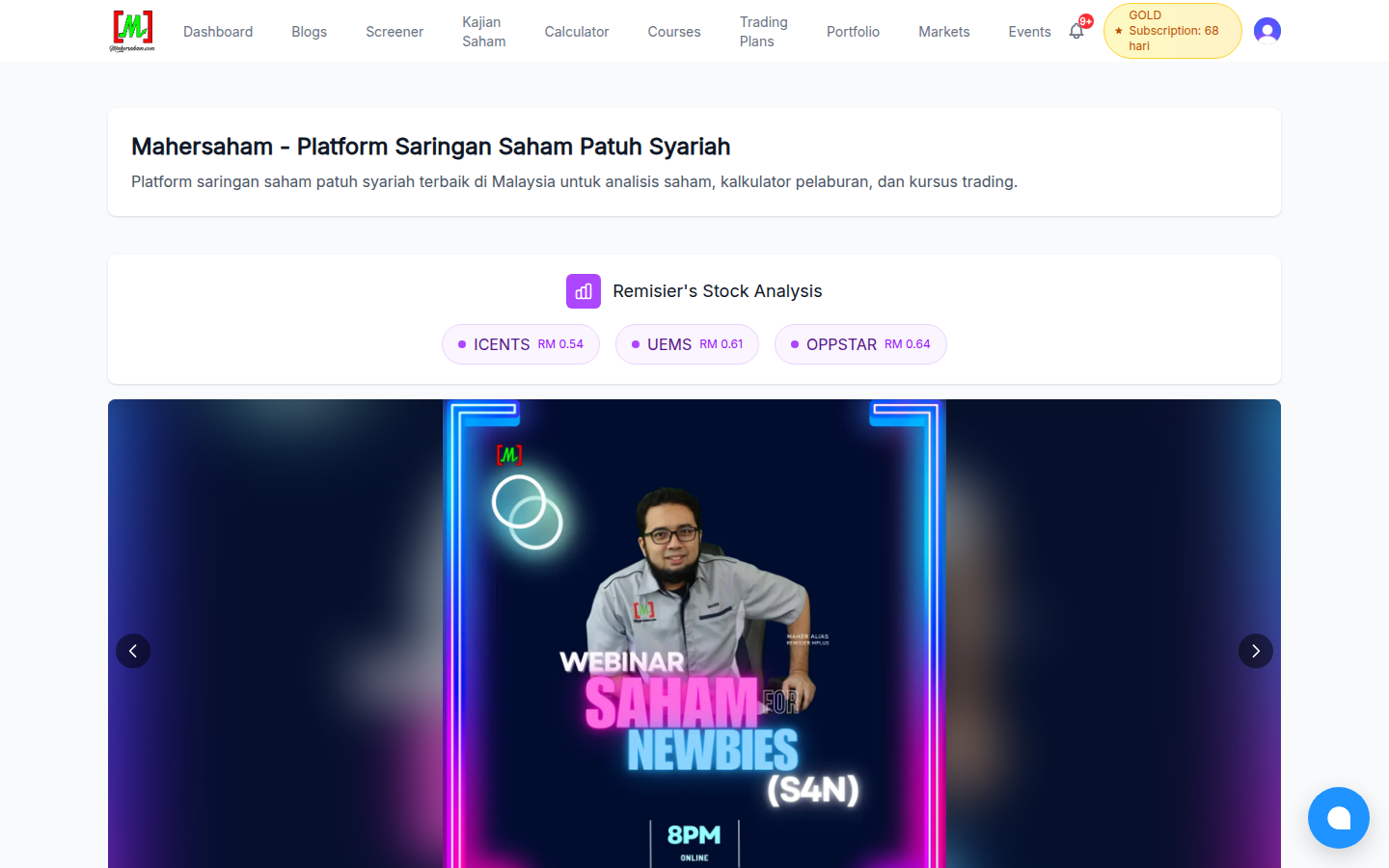
As soon as you open mahersaham.com, you will see several key sections:
- Top navigation menu - Dashboard, Blogs, Screener, Kajian Saham (Stock Research), Calculator, Courses, Trading Plans, Portfolio, Markets and Events
- Remisier's Stock Analysis - stocks currently on the remisier's watchlist, each linking directly to its trading plan
- Event banner - upcoming webinars and classes
- Upcoming IPOs - IPOs about to be listed on Bursa Malaysia with dates and prices
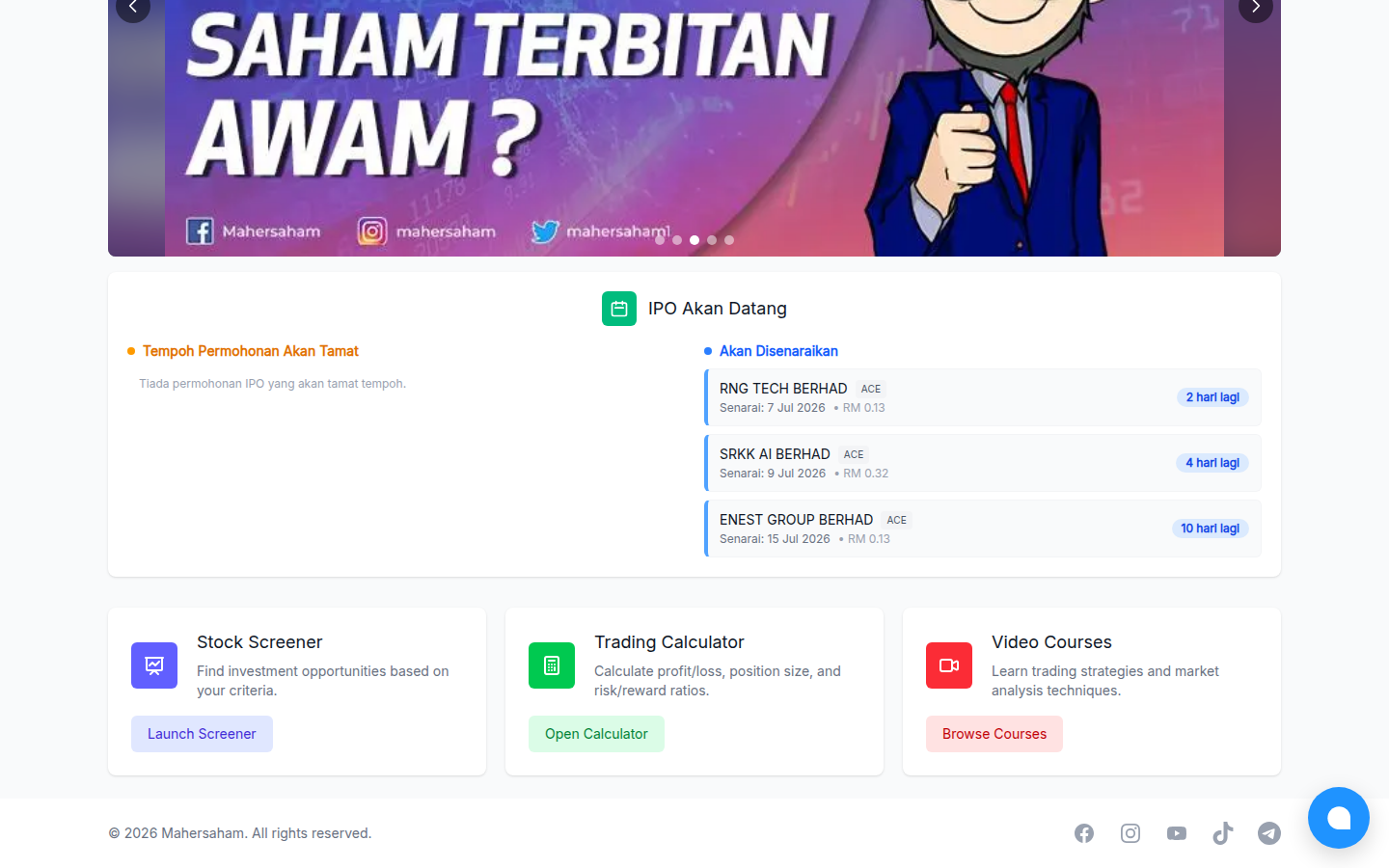
Tip: the Upcoming IPOs section is updated regularly. If you are interested in IPOs, make the homepage your daily checkpoint. To understand IPO basics, read the What is an IPO article.
Blogs: A Free Knowledge Library
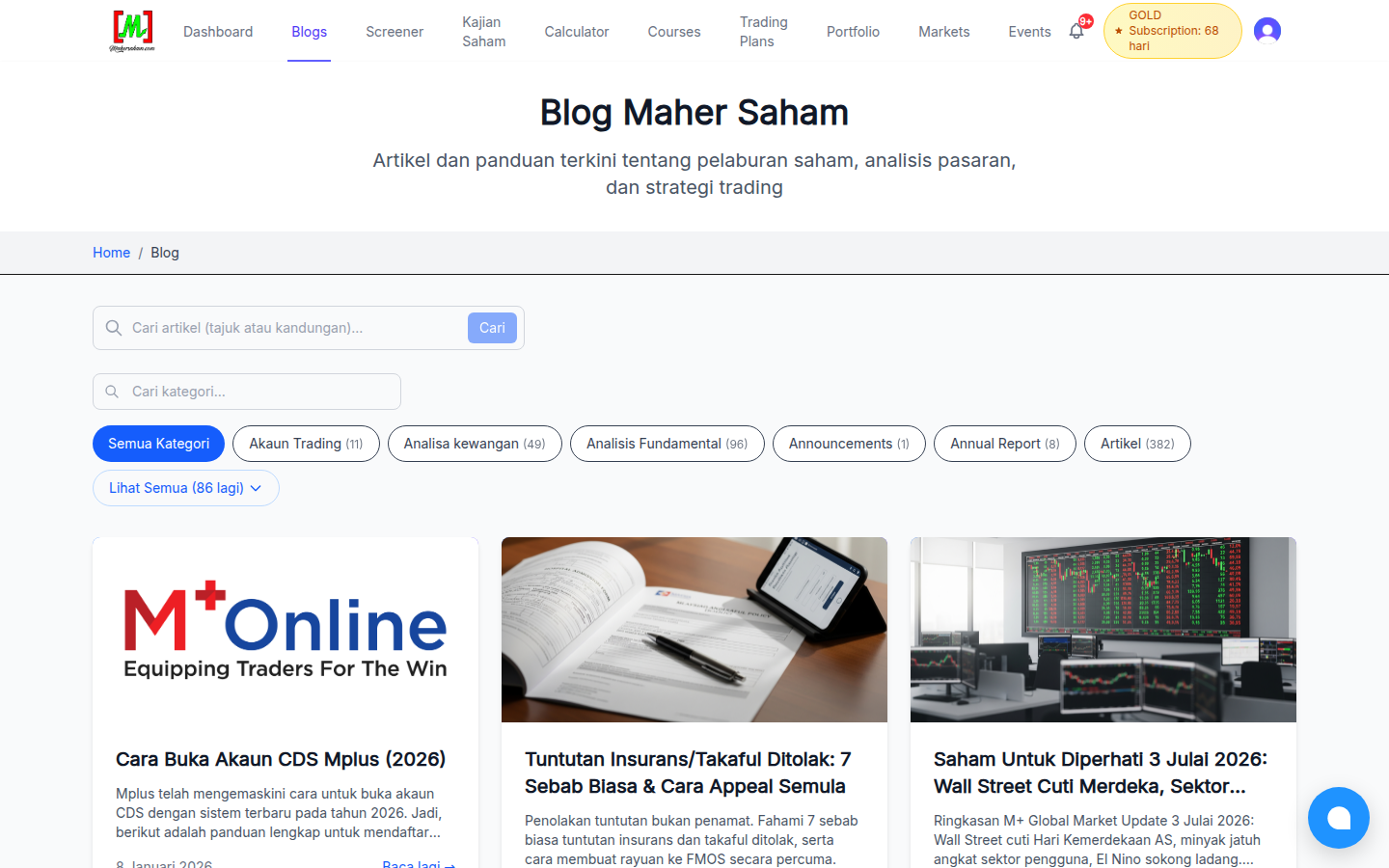
The Blogs menu holds hundreds of free articles on stock basics, fundamental and technical analysis, Shariah-compliant finance, taxes, EPF and much more. Most articles are written in Malay and also available in English - just click the language toggle inside any article.
Use the search function or categories to find specific topics. If you are just starting out, begin with What are shares? Why buy them?
Screener: Automated Stock Scanning
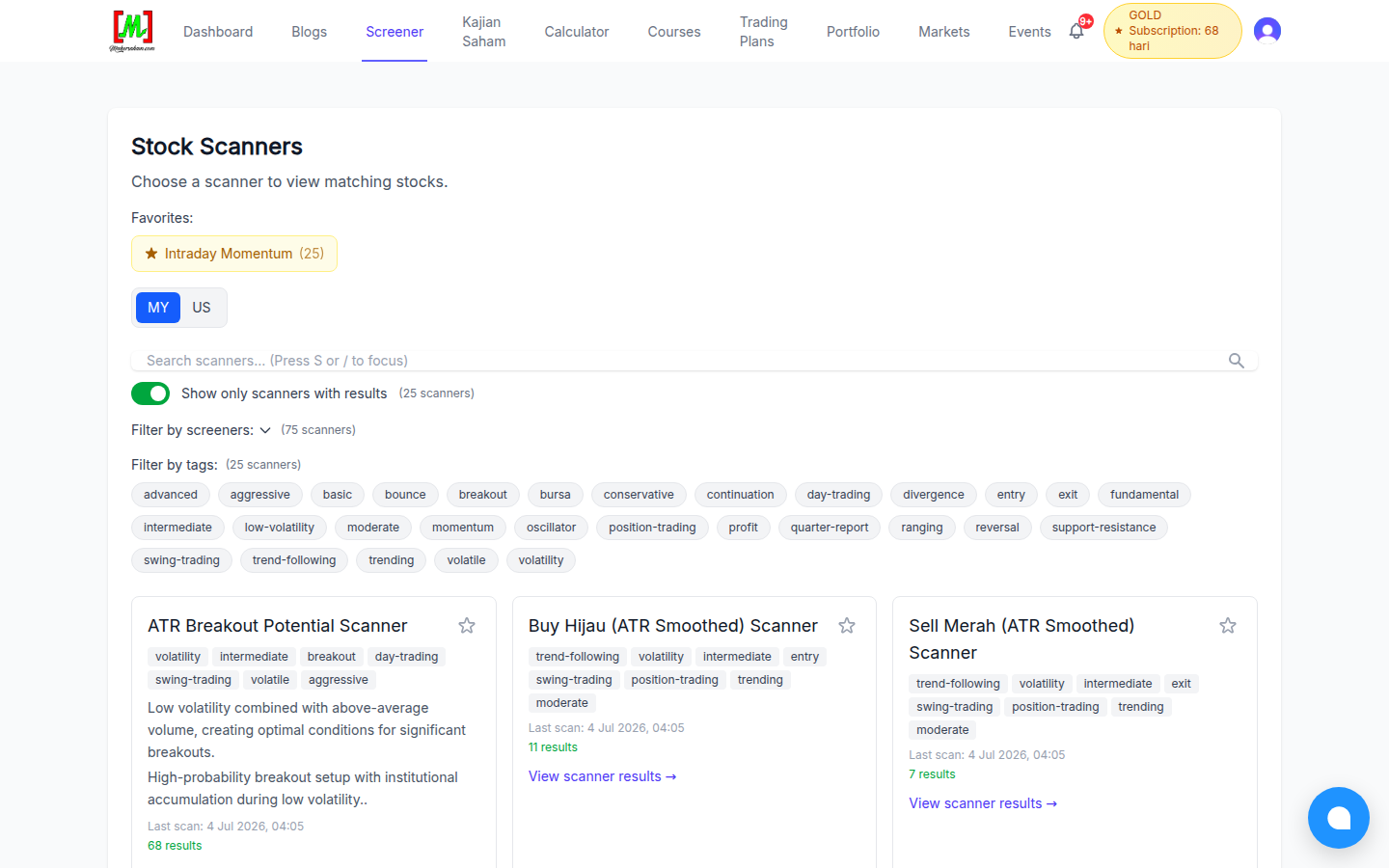
This is one of the most powerful tools on Mahersaham. The Screener menu provides more than 75 automated scanners that sweep the entire Bursa Malaysia and US markets every day. Some examples:
- ATR Breakout Potential - low-volatility stocks with above-average volume, ideal for catching early breakouts
- Buy Hijau / Sell Merah - trend-following signals based on smoothed ATR
- Intraday Momentum - stocks with strong daily momentum
Every scanner carries tags such as beginner, swing-trading, day-trading or conservative to help you choose according to your own trading style. Click "View scanner results" to see the stocks that passed the filter that day.
Stock Research: Deep Dives, One Company at a Time
The Kajian Saham (Stock Research) menu takes you to a collection of full research write-ups on Bursa Malaysia stocks - company profile, CANSLIM analysis, financial analysis, dividends, valuation, red flags and a scorecard. Some content is free, while the full analysis is reserved for Gold Members.
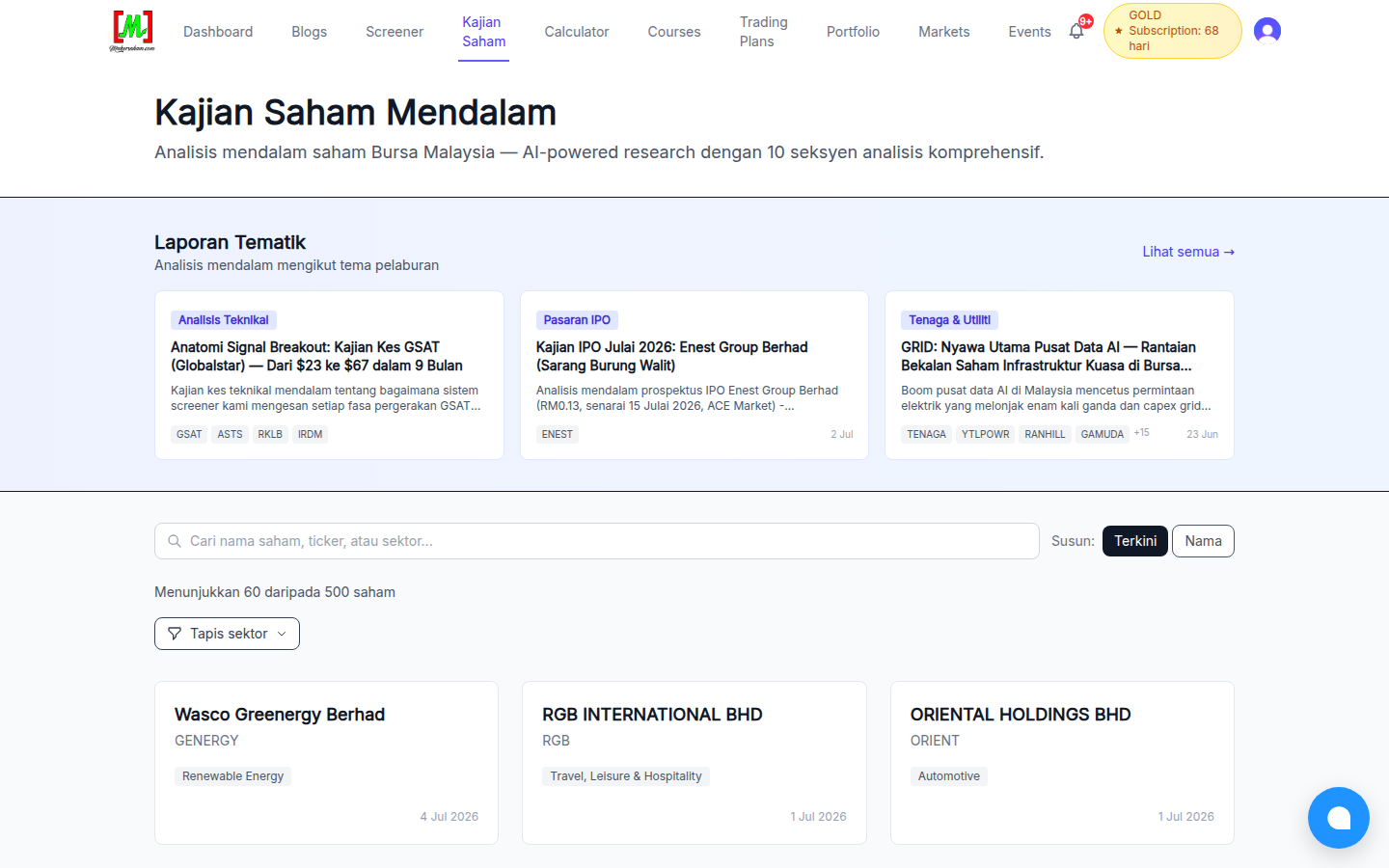
We cover this menu in much more detail in the stock research and thematic reports tutorial.
Calculator: 10 Trading Calculators in One Place
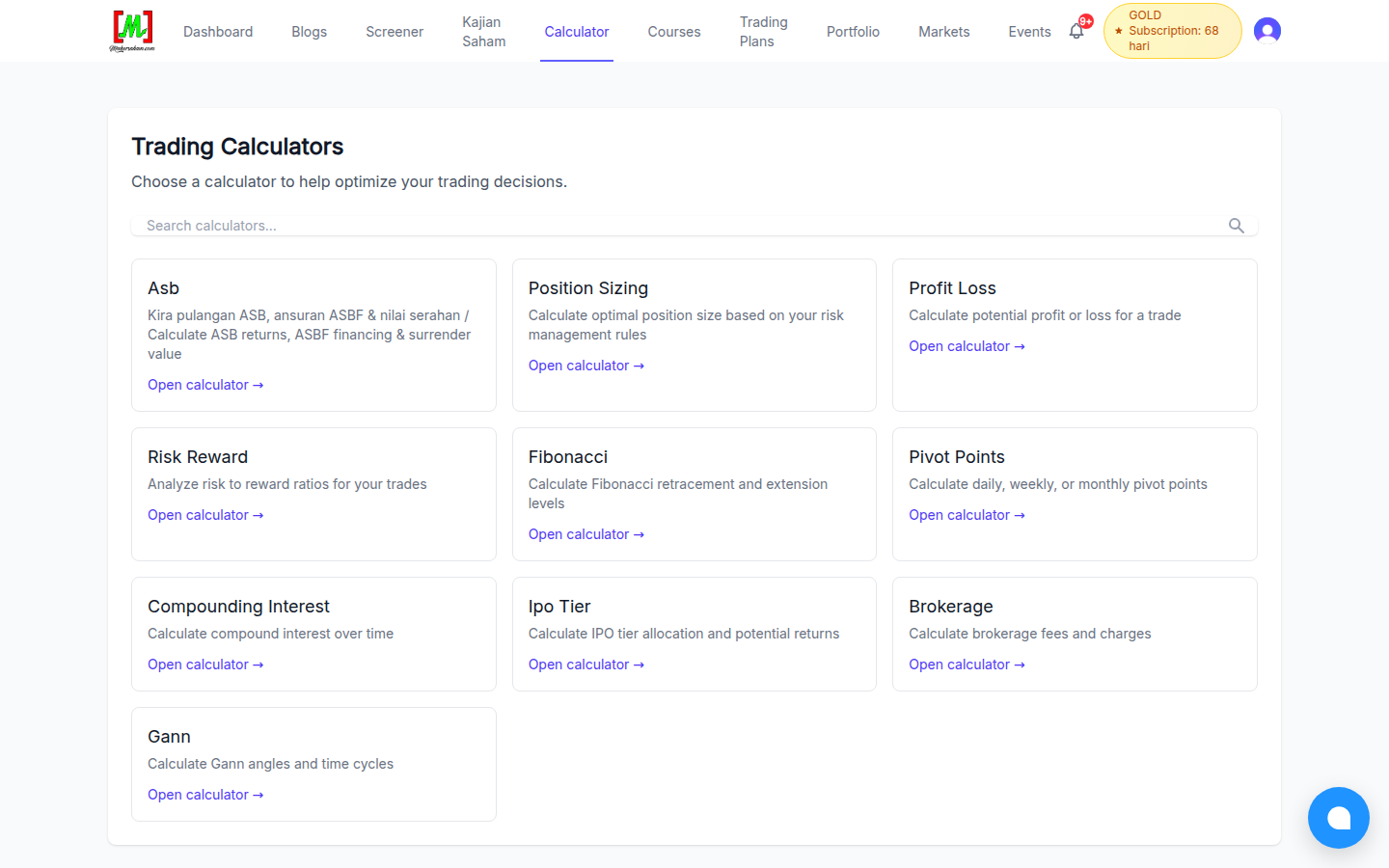
The Calculator menu gathers the calculators traders and investors reach for most:
- Position Sizing - size your positions according to your risk management rules
- Profit Loss - estimate the profit or loss of a trade before entering
- Risk Reward - analyse your risk-to-reward ratios
- Brokerage - calculate brokerage fees, stamp duty and clearing fees
- Compounding Interest - see the long-term effect of compounding
- ASB, Fibonacci, Pivot Points, IPO Tier and Gann - for more specific needs
The Position Sizing calculator is highly recommended for every new trader - it helps you avoid taking excessive risk on any single trade.
Markets: Track Indices & Generate Charts
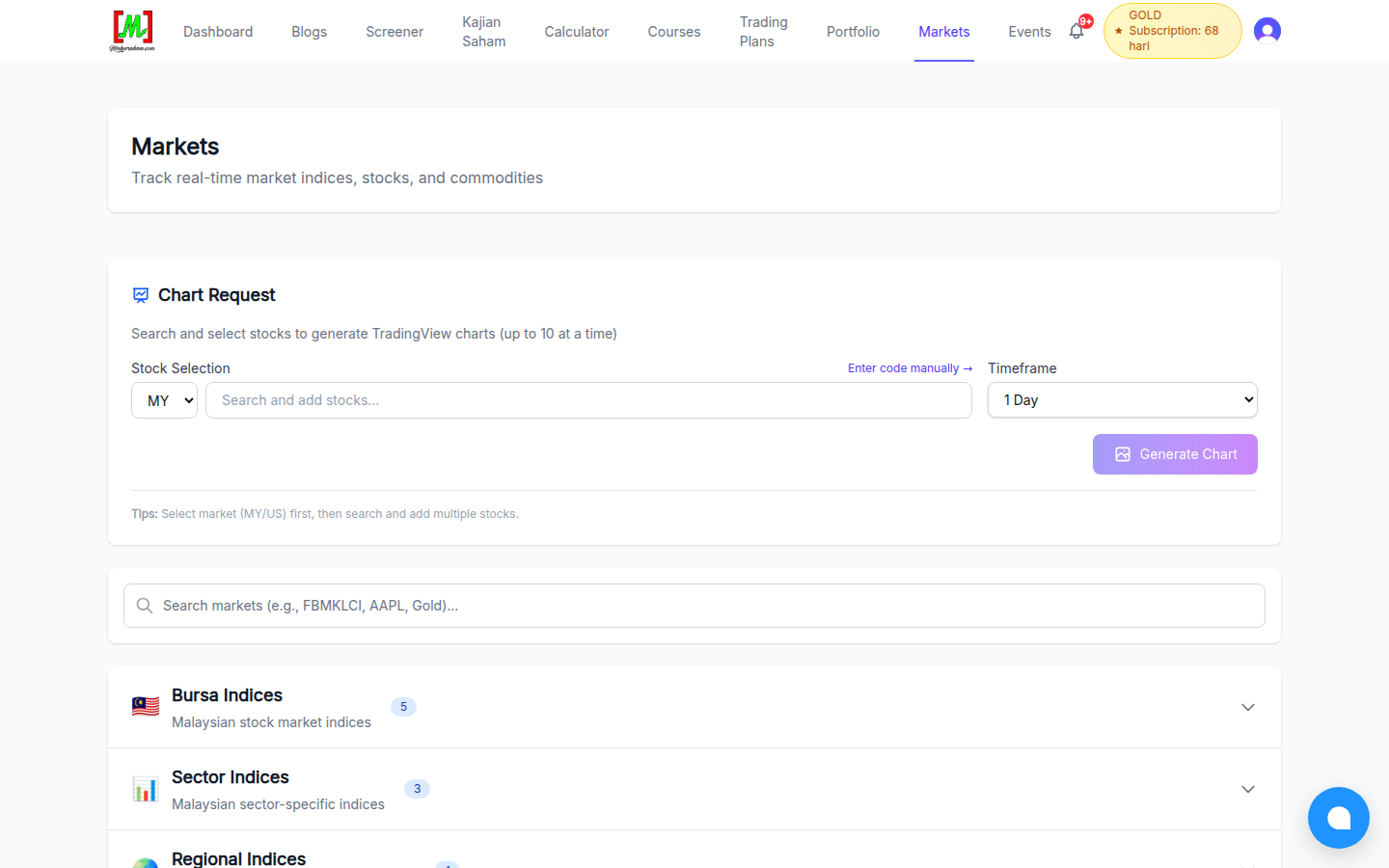
The Markets menu lets you:
- Track Bursa Malaysia indices, sector indices and regional indices on one screen
- Use Chart Request - select up to 10 stocks (MY or US) and automatically generate TradingView charts on your chosen timeframe
Events: Live Market Review & Classes
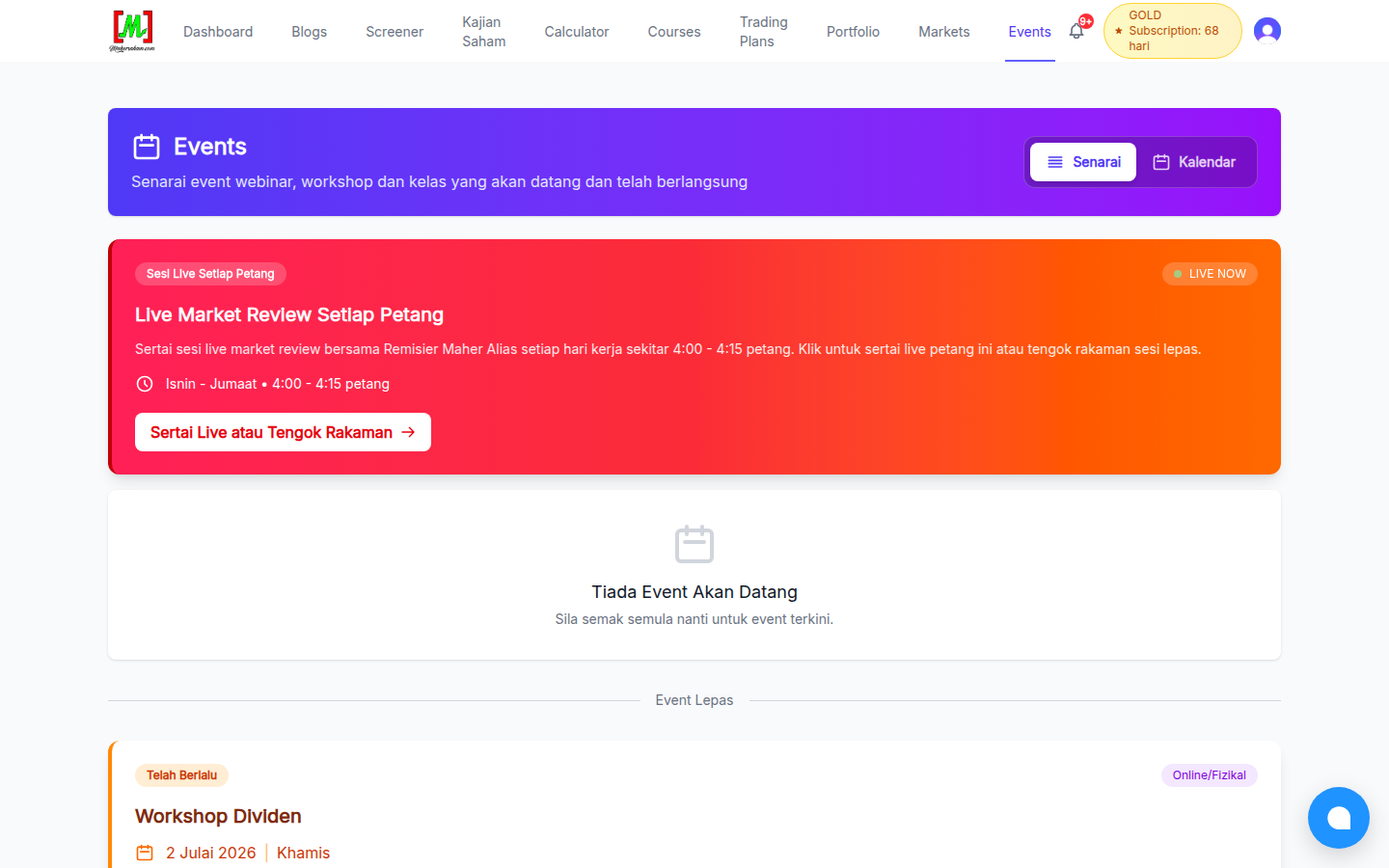
The Events menu lists every webinar, workshop and class - upcoming and past. The highlight: the Live Market Review with Remisier Maher Alias every weekday around 4:00 to 4:15 pm. You can join live or watch recordings of previous sessions.
Member-Only Menus: Dashboard, Portfolio & Trading Plans
Three more menus - Dashboard, Portfolio and Trading Plans - require you to log in first. The Dashboard is your personal control centre, Portfolio tracks your actual stock holdings (for remisier clients), and Trading Plans lets you plan and track every trade with discipline.
We explain all three step by step in the account registration and member area tutorial.
The Chat Button: Direct Help From the Mahersaham Team
Notice the blue circle at the bottom-right corner of every page? That is the live chat widget. If you have any question about the platform, CDS accounts or investing in general, just type it there - the Mahersaham team will reply as soon as possible.
Using Mahersaham on Your Phone
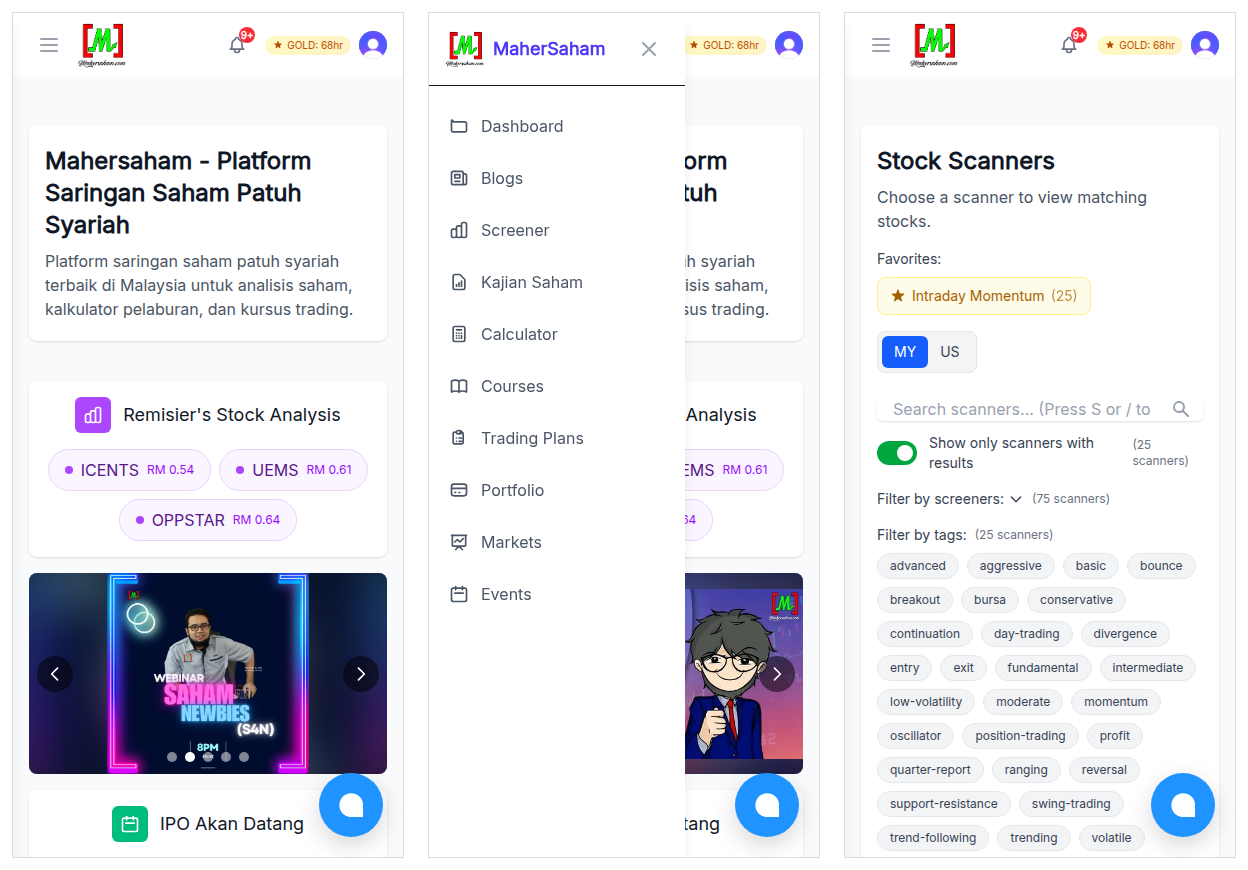
No separate app is needed - mahersaham.com is fully responsive. On a phone, the navigation menu becomes a hamburger icon at the top-left corner; tap it once to access all the same menus as on desktop. The screener, calculators and stock research all work fully on a small screen, so you can check the market anywhere.
Detailed Feature Tutorials
Beyond the brief overview above, we have prepared detailed tutorials for every major feature on mahersaham.com. Click any tutorial below for step-by-step guidance with screenshots.
Screening & Analysis Tools
- Custom Screener - Build Your Own Stock Filter
- Watchlist - Monitor Your Favourite Stocks
- Markets - Track Indices & Global Markets
- Dividend Calendar - Ex-Dates & Payment Schedules
- 10 Stock Calculators - Position Sizing, P&L, Fibonacci & More
Portfolio & Trading Management
- Trading Plans - Plan & Track Every Trade
- Portfolio - Monitor Your Real Stock Holdings
- Transaction Analysis - Analyse Your Trading Patterns
Research & Reports
Account & Services
- M+ Self-Service Forms - 6 Digital Account Change Forms
- CDS Service Request - Market Depth & IPO Applications
- Referral Programme - Invite Friends & Track Status
Gamification & Learning
Frequently Asked Questions (FAQ)
Is all content on mahersaham.com free?
Not all. The blog, calculators, markets and part of the stock research are free. Premium content such as full stock research analysis, thematic reports and advanced courses requires a Gold Member subscription.
Do I need to register an account to use the screener?
You can view the scanner list without an account, but for the full experience and access to all member tools, we recommend registering a free account first.
Are the stocks listed on this platform Shariah-compliant?
Mahersaham focuses on Shariah-compliant stock screening based on the Shariah Advisory Council (SAC) list from the Securities Commission Malaysia. Every stock research write-up also states the stock's Shariah status. See also how to check whether a stock is Shariah-compliant.
Can I access mahersaham.com on my phone?
Yes. The website is responsive and works well on phones, tablets and computers. No separate app is required.
What is the difference between the Screener and Stock Research?
The Screener is an automated daily filter based on technical criteria - its output is a list of stocks. Stock Research is an in-depth, manually written and reviewed study of a single company - its output is a full report.
Who is behind mahersaham.com?
The platform was founded by Maher Alias, a licensed Remisier at Malacca Securities. All content is educational in nature and is not a recommendation to buy or sell any stock.
How often is the content updated?
Scanners run every trading day. Blog articles, stock research and thematic reports are published weekly on a rolling basis. The Live Market Review runs every weekday.
Conclusion
Mahersaham.com brings almost everything a Malaysian stock investor needs into one platform - automated screening, in-depth research, calculators, courses and daily live sessions. The best way to get familiar is to explore one menu a day, starting with Blogs and the Screener.
Now that you know every menu, the next step is to equip yourself with the right accounts.
If you do not have a CDS account yet, open a CDS trading account through Mahersaham to start investing in Bursa Malaysia as well as foreign stocks such as the US and Hong Kong markets.
To strengthen your foundations first, download the free Stock Market Basics Ebook, which explains the first steps of the stock market in simple terms.