How to Register an Mplus Global Account

Malacca Securities Sdn Bhd (Mplus) has begun expanding its platform to enable trading in overseas markets. This gives investors the opportunity to participate in international stock markets.
However, to invest via Mplus Global, investors are required to register again even if they already have an Mplus CDS account for Bursa Malaysia.
So, I will explain step by step how to fill in the Mplus Global account registration, specifically for existing Mplus users.
You can also open an Mplus Global account even if you are not an existing Mahersaham client.
Steps to Register an Mplus Global Account
- Click this link to open an account: Open Mplus Global Account
You will be brought to the Mplus Global page.
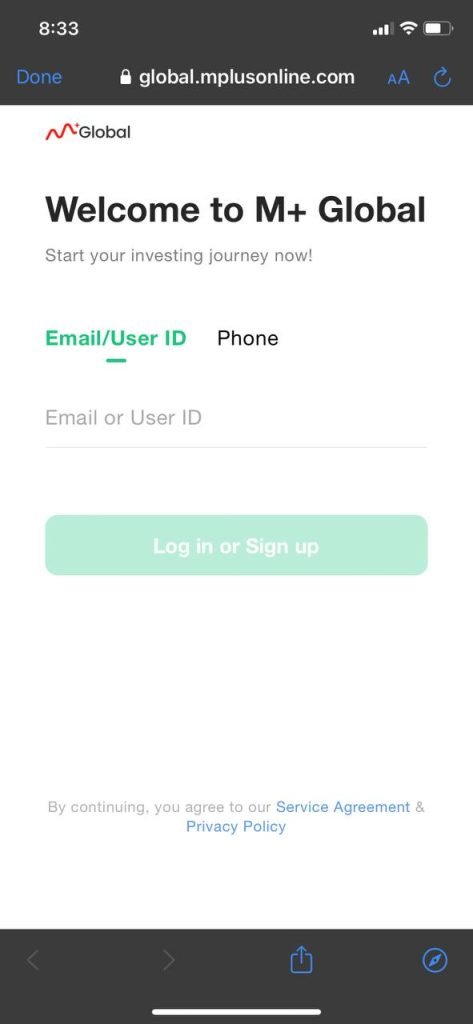
2. Enter your email or phone number.
IMPORTANT -----> For existing clients, please tap the Phone section. Make sure your phone number is the one registered with Mplus. To check, you can go to HOW TO CHECK YOUR CDS NUMBER.
Tap 'Log in or Sign up'
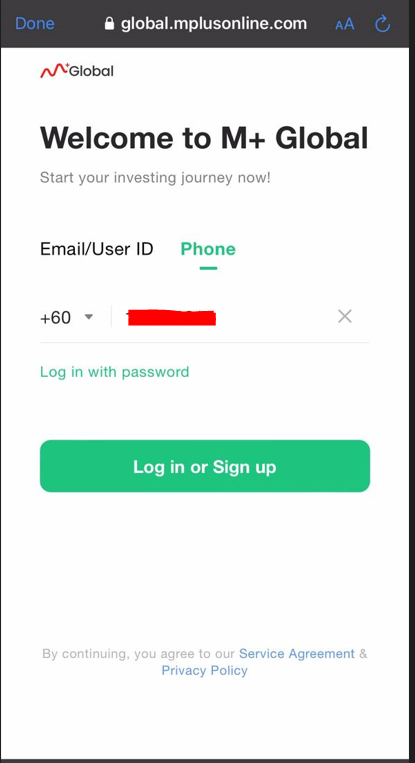
3. Since you are an Mplus client, your database is already saved. You will be asked to choose whether you want to receive the confirmation code via email or phone number.
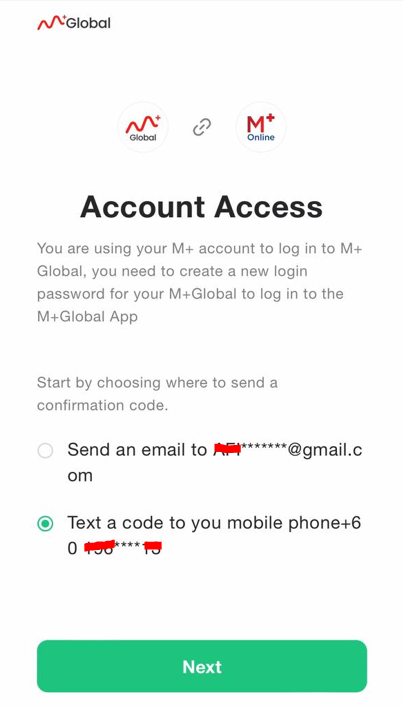
4. Enter the verification code that you will receive through the platform you selected earlier.
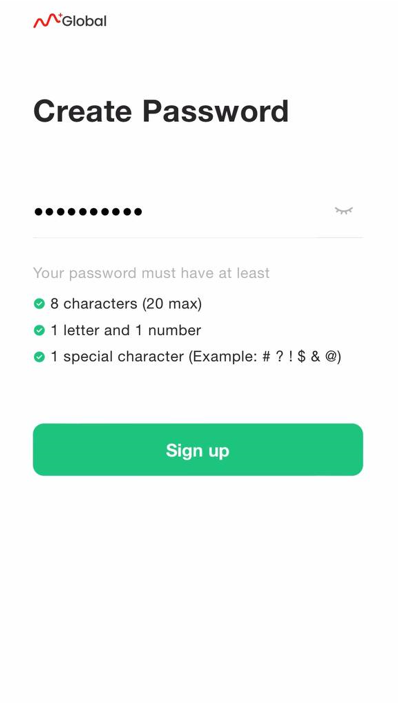
5. Create a new password following the requirements provided. Ensure all three requirements are fulfilled and marked with a tick, then tap 'Sign up'.
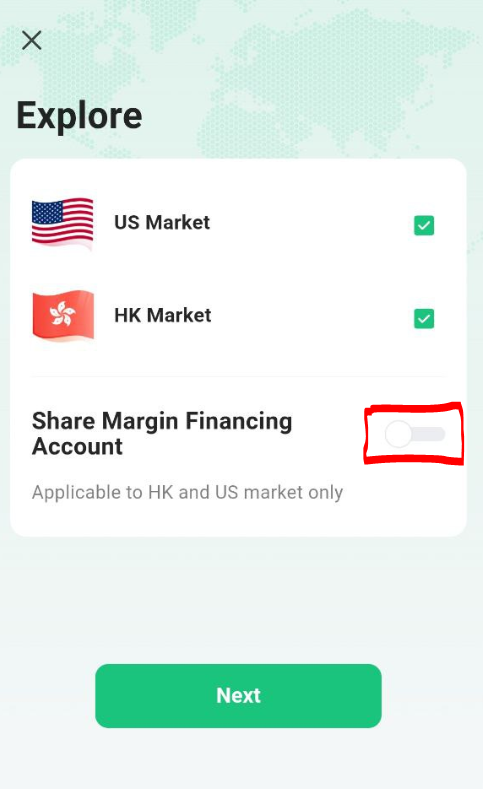
6. Untick the 'Share Margin Financing Account' section.
For those who are not aware, a share margin financing account is a margin service provided by Mplus. If you have purchased shares, the shares you bought have a value that can be 'pledged' to Mplus, and you will receive additional funds to buy other shares even when your trust account has no money left.
However, if your share price drops, a 'Margin Call' will occur where Mplus will sell your shares to cover the loss — because the additional funds are essentially a loan from Mplus to you.
Regarding margin, there are usually additional charges when using margin. To learn more, you can visit What Is Margin Call and Forced Selling by Majalahlabur.
There may be Shariah-compliant margin services using the Tawarruq concept, but honestly, I am not comfortable with that approach. For Mplus, it is unlikely that the margin service uses the Tawarruq concept.
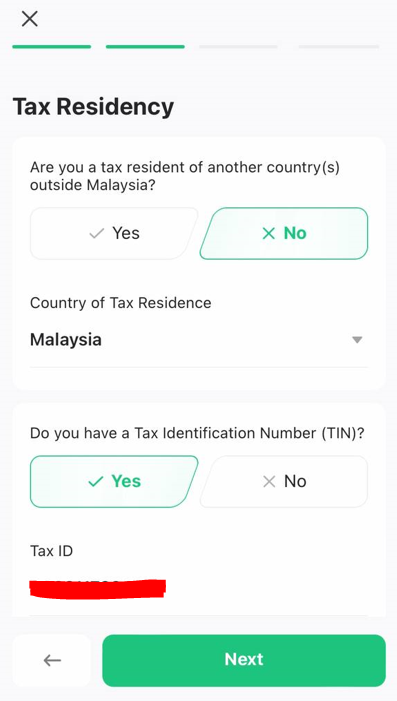
7. If you do not have tax obligations in another country, tap 'No' on 'Are you a tax resident of another country(s) outside Malaysia?'. Select 'Malaysia' as your 'Country of Tax Residence'. Select 'Yes' on 'Do you have a Tax Identification Number (TIN)' if you have a tax number and fill in that number in the 'Tax ID' section. Then tap 'Next'.
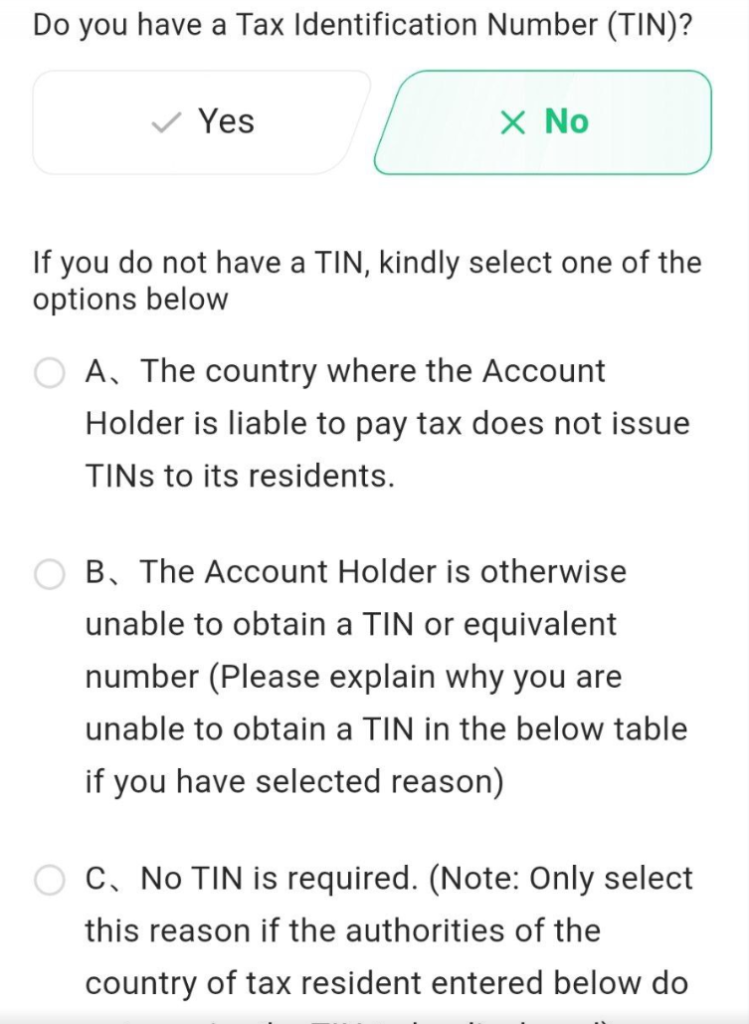
If you do not have a tax number, select 'No' on 'Do you have a Tax Identification Number (TIN)', choose 'B' and state the reason you do not have a tax number.
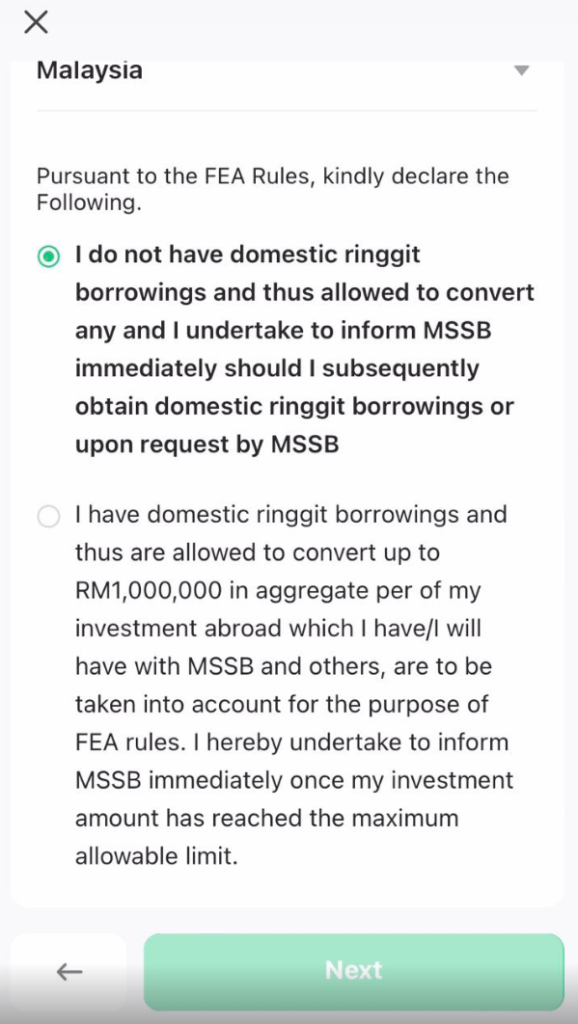
8. If you are not in the category of people with domestic ringgit borrowings, click 'I do not have domestic ringgit borrowings...'. What are FEA Rules? You can read the explanation below in the 'FAQ – Frequently Asked Questions About Mplus Global Registration' section.
9. This is the most important part. Make sure you enter one of these codes — it is usually filled in automatically if you click the link from this article — 'DADY or B754 or OT89' in the 'Invitation Code' if you want to enjoy the benefits of being a Mahersaham client. If you are not a Mahersaham client for the CDS account on Bursa Malaysia, you can still enter this code. However, there may also be a different code entered that is still accepted, namely DADY, B754, OT89.
Enter the code: any of the codes stated above.
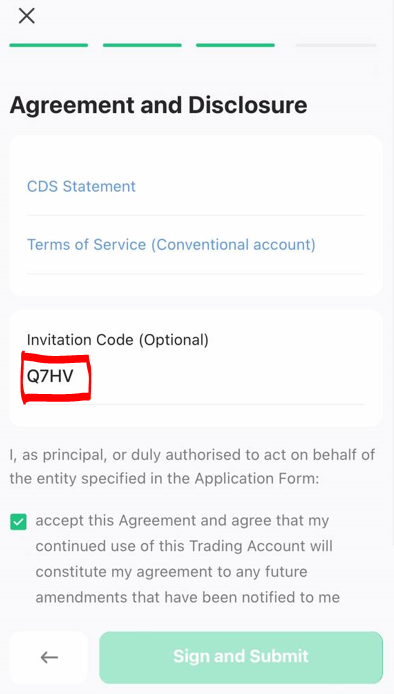
Review the CDS Statement and Terms of Service (if needed).
10. It is also possible that a different code is entered and still accepted, namely Q7HV, DADY, B754, OT89 if you are opening an account using the link provided.
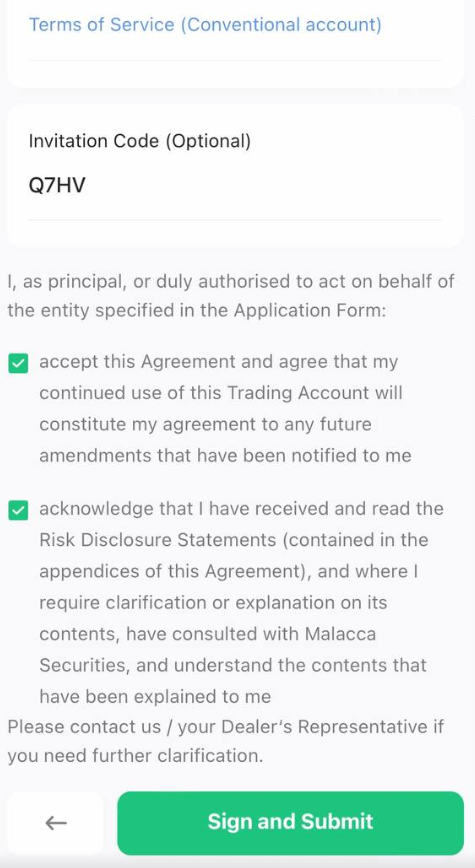
11. Tick 'accept this Agreement' and 'acknowledgement'. Then tap 'Sign and Submit'. You will be asked to sign and tap the 'Confirm' button.
12. The process will take approximately 1 to 3 working days.
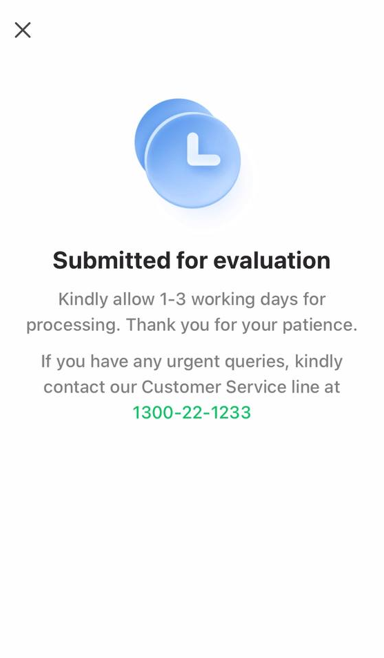
13. You will receive a message once your account has been activated.
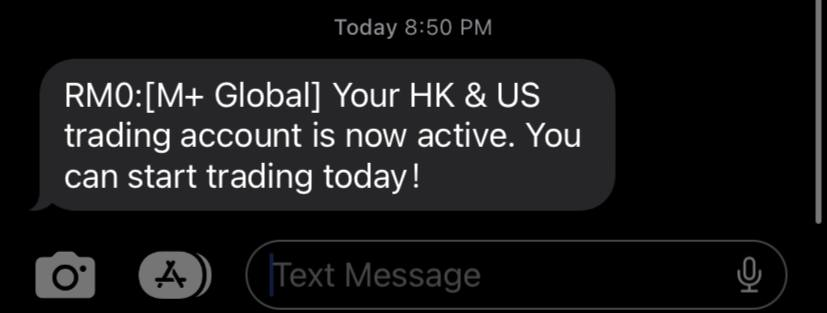
Done. If you forgot or did not enter the code, you can try contacting fb.com/mplusonline. Let them know you would like to make a new application for the global account because you forgot to enter the code.
Have any issues or questions? You can ask in the dedicated Support Group for Mahersaham clients or contact https://t.me/mahersahamplatform directly.
Want to know more? You can also read the article /blogs/mplus-dah-mula-tawarkan-akaun-untuk-trade-global/
FAQ – Frequently Asked Questions About Mplus Global Registration
If you click Yes, please obtain your LHDN tax number and write it in the field provided. If you do not have a tax number, tap No, choose option B and state the reason why you do not have a tax number.
FEA stands for Foreign Exchange Administration rules. You need to check whether you fall under the category of individuals with domestic ringgit borrowings. If you do, when your deposit or investment value reaches RM1 million, you are required to notify Mplus. For more information, you can refer to this video:
You can buy a minimum of just one share. In Malaysia, you need to buy at least 100 units (1 lot).
As a client who already has an Mplus account, you need to Sign In, not Sign Up or create a new account. Mplus Global already knows whether you are an existing Mplus user or not.
You can purchase regular stocks, ETFs, warrants, and CBBC (Callable Bull/Bear Contracts).
You can also participate in their IPOs; this feature will be introduced in phase two.
This account is neutral — there is no interest or hibah if you make a deposit. (Update 2023-05-30: Money that you leave in this account that is not used to buy shares will earn interest. You need to cleanse that money. To avoid interest, here are some methods: only deposit the amount you want to use to buy shares immediately, or transfer it straight to your Mplus Bursa account via the Inter Transfer Fund option.)
This account also allows you to buy both Shariah-compliant stocks and non-compliant stocks. However, there is a Shariah Compliant Stocks section that allows you to buy only halal stocks, and the list is provided by IdealRatings.
As of now, the website version is still being developed. It is only available as a mobile app — Huawei Gallery, Apple App Store, Google Play Store.
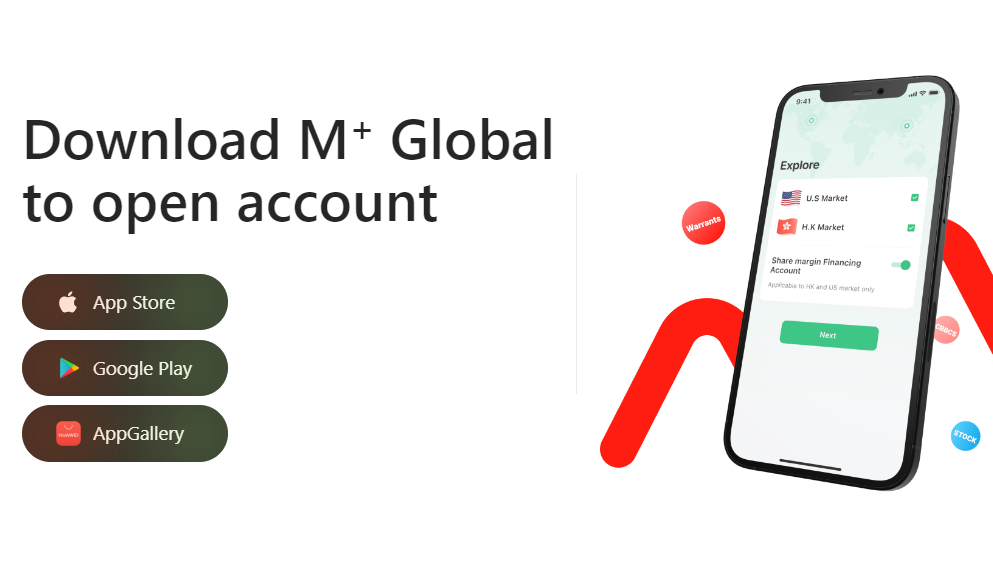
REMINDER: You must sign up following the guide above first before installing the app.
Links are as follows:
– Mplus Global on Apple App Store
– Mplus Global on Google Play Store
Telegram Support Group for Clients
We have a dedicated Telegram support group for clients who register under me. In the group, I will provide daily commentary on the global stock market every working day.
Mahersaham Global Telegram Bot
As many may already know, clients who have registered with me for the CDS Bursa Malaysia account get access to the Mahersaham Telegram Bot that provides charts with Buy and Sell signals.
You do not need a laptop or PC to view powerful chart displays. Your phone is all you need. For clients who register for the global account, I will create a Telegram bot for the global stock market.
Alternative Ways to Get Much Lower Transaction Costs
You may feel that the global brokerage costs are still quite expensive. However, there are ways to get them cheaper, and I will share these with my clients.
In detail, I cannot share the exact costs based on actual trades yet. However, the brokerage fees listed are:
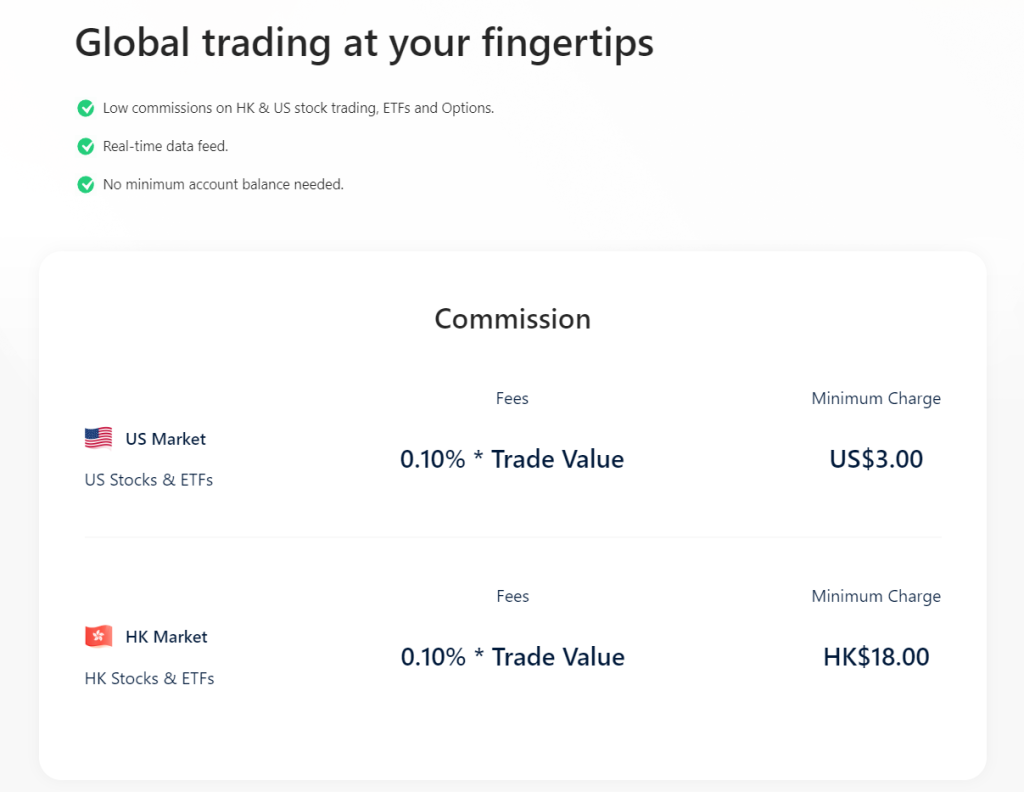
** Updated on 11/4/2023: The Wangsa Maju Remisier Group has discussed with Mplus HQ where remisiers will follow the same rate as Mplus HQ. I will also follow that rate. However, not all remisiers may choose the same rate as HQ.
I will teach you how to trade with costs as low as USD1 if that is what you want — exclusively for my clients.
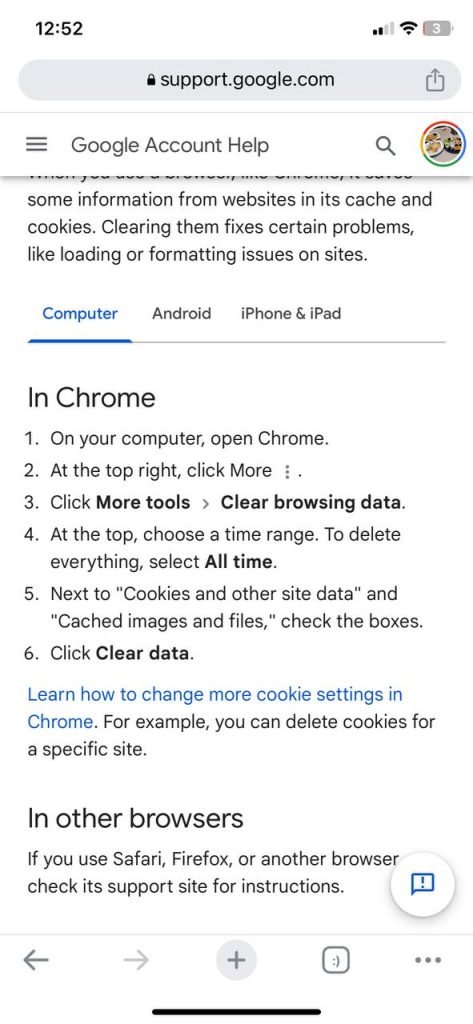
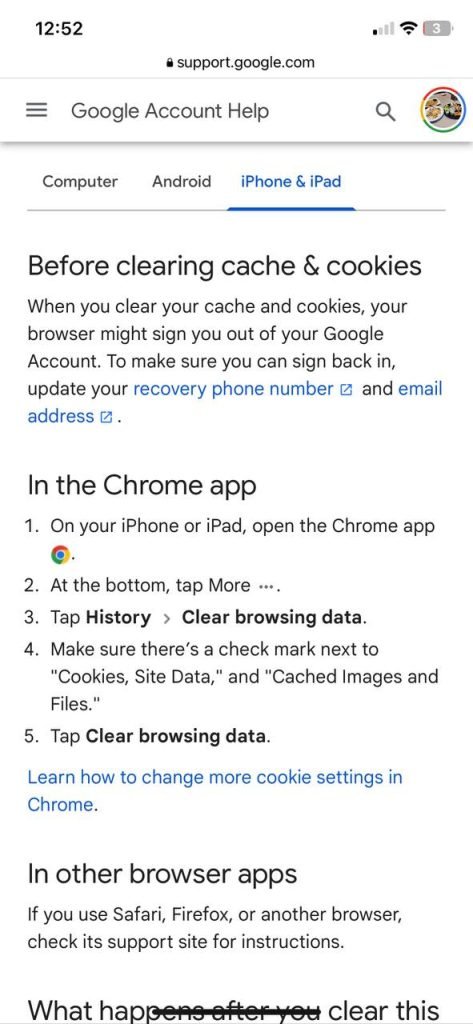
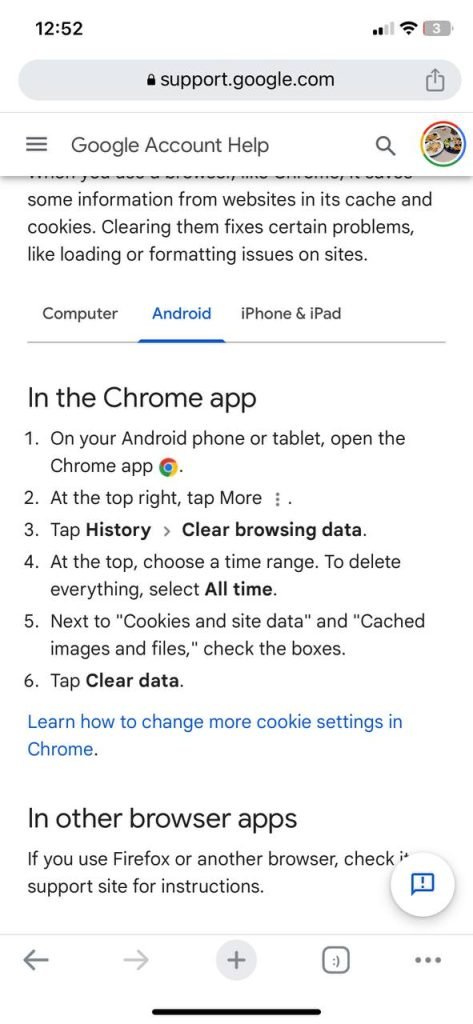
The suggestion is to try clearing your cache. The method differs depending on whether you are using a PC or phone.
Below are the instructions:
Deposits use FPX, with a minimum of RM1,000 and a maximum of RM30,000 per transfer. The total maximum is RM200,000 per day.
The cost to open a global account is FREE if you already have a CDS account with Mplus. If you do not have an account yet, the cost to open one is RM11.
If you already have an Mplus CDS account but are still charged RM11, do not worry — Mplus will refund that amount.
Yes, you can. The condition is to enter the code Q7HV when registering the Global account.
To join the support group after your account is ready, here are the steps:
1. Chat with the official Telegram bot @mahersaham_support_bot
2. Tap /start and follow the bot's instructions to verify you are a client
3. Once verified, the bot will grant you access to the client group
If you did not receive access, it could be because:
- Your details do not match our client records: Tap /start again and correct the information requested
- You are not yet a client: Open a global Mplus account at akaunglobal
Tutorial: How to Use the Mplus Global App
After successfully opening an account and downloading the Mplus Global app, it is time for you to start investing in overseas stocks. For that, I have prepared a guide: Full Tutorial on How to Use the Mplus Global App.
FAQ – Mplus Global Account
What are the advantages of opening an Mplus Global account?
Mplus Global allows Malaysian investors to invest in overseas stock markets including the US, Hong Kong, and others. It provides the opportunity to diversify your investment portfolio internationally.
How do I register for an Mplus Global account?
Registration can be done online through the official Mplus Global link. You need to prepare your identification documents, bank information, and follow the registration steps provided.
What documents are required to open an account?
You will need your identity card or passport, a recent bank statement, and personal details such as your address and phone number. All documents must be uploaded during the online registration process.
How do I join the client support group after opening an account?
Use the official @mahersaham_support_bot on Telegram. Tap /start and complete the client verification. Once verified, the bot will grant you access to the client group.
Conclusion
Opening an Mplus Global account is the first step for Malaysian investors to enter the international stock market. With a straightforward registration process and support from Mahersaham, you can start investing with confidence.
To get started, open a CDS account today. Also download our free investment basics ebook to build your foundational knowledge before investing in global markets.