Order Types in M+ Global: Limit, Odd Lot & Stop Limit Explained

When you tap the Buy or Sell button in M+ Global, an order ticket opens. On it there is one option that many new users overlook but which is actually important — the Order Type. Choosing the right order type determines the price at which your order is executed, and whether it is executed immediately or waits for a certain condition.
This article explains each order type in M+ Global — Limit, Odd Lot and Stop Limit — along with how to read the order ticket and the order book, so that you can trade with greater confidence.
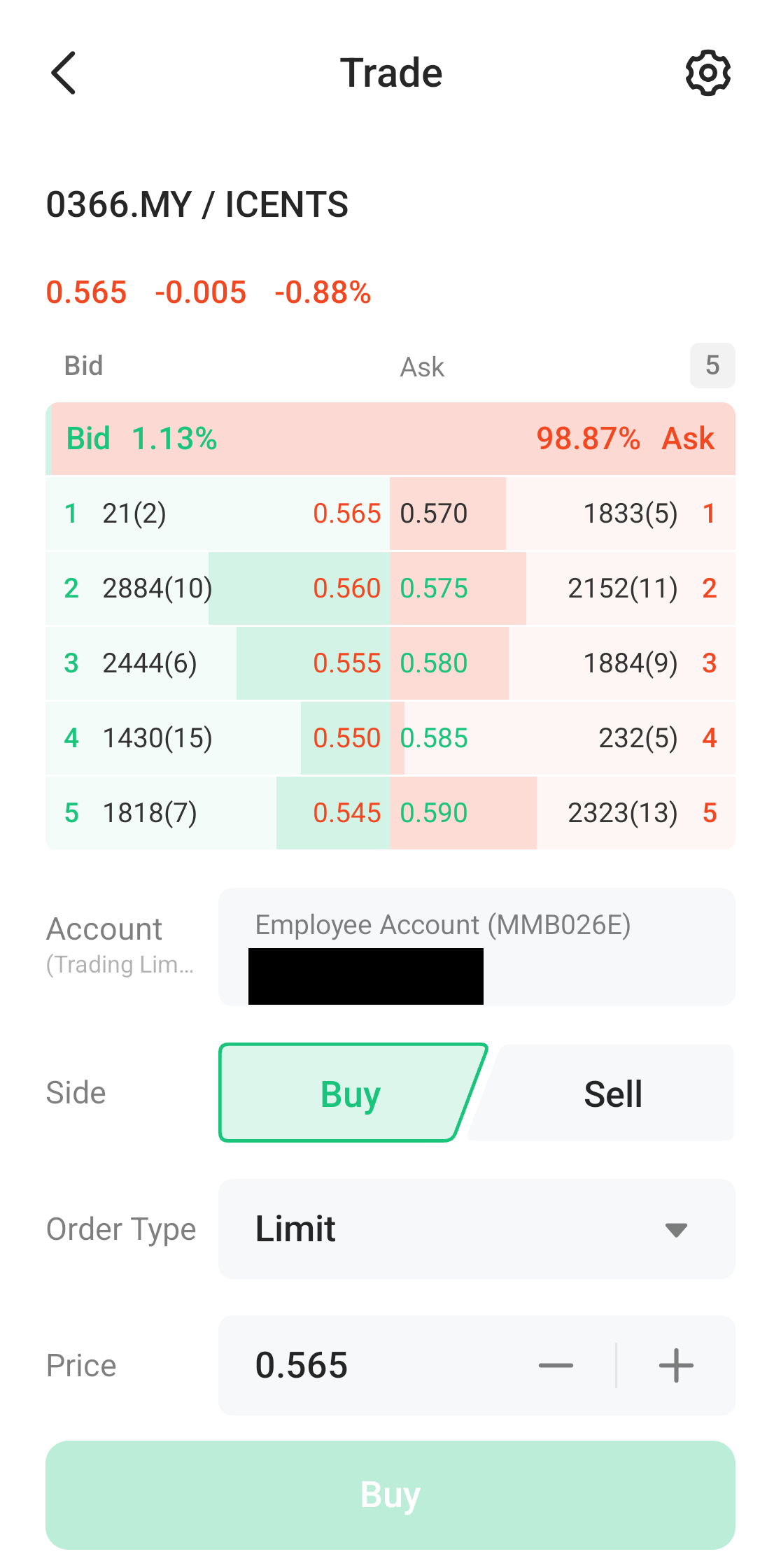
How to Read the Order Ticket
Before choosing an order type, get to know the main parts of the ticket:
- Order Book (5 levels) — at the top, showing the 5 best Bid levels (buy demand) on the left and Ask levels (sell offers) on the right, together with quantity and percentage. This reflects the current supply and demand.
- Account & Trading Limit — the account being used and your Trading Limit (remaining buying power).
- Side — choose Buy or Sell.
- Order Type — the type of order (explained below).
- Price — the price you set, which can be adjusted up or down with the + and − buttons.
- Quantity — the quantity in units. For Bursa shares, one standard lot is 100 units (Min Unit).
- Est. Amount — the estimated total cost, calculated automatically.
1. Limit Order (LMT)
The Limit Order is the most common and most basic order type. You set the exact price at which you are willing to buy or sell. The order is only executed at that price or better.
- Buying with a Limit — the order is executed at your set price or lower.
- Selling with a Limit — the order is executed at your set price or higher.
Advantage: you have full control over the price — no surprises. Risk: if the market price does not reach your set price, the order may not be executed (not "matched"). A Limit Order suits most investors because it prevents you from buying too dear or selling too cheap.
2. Odd Lot (OLL)
On Bursa Malaysia, shares are usually traded in lots — 1 lot = 100 units. An Odd Lot is a quantity that is not a multiple of 100, for example 30 units or 150 units (where the 50 units is the odd lot).
An Odd Lot order lets you buy or sell these small quantities. It is useful for:
- High-priced shares that are expensive to buy in a full lot.
- Clearing off odd-lot balances arising from a bonus issue or corporate exercise.
Do bear in mind that the odd lot market is usually less liquid (fewer buyers/sellers), so the price spread may be wider.
3. Stop Limit (STL) — Conditional Order
A Stop Limit is a conditional order. It is only activated when the share price reaches a "trigger" level (stop price) that you set. Once triggered, it becomes a Limit Order at the limit price you have chosen.
Examples of use:
- Protecting profits / limiting losses — set a stop to sell automatically if the price falls to a certain level (a kind of "stop loss").
- Entering on a breakout — set a buy order that only activates when the price breaks through a certain level.
In M+ Global, Limit and Odd Lot are categorised as Basic orders, while Stop Limit sits under the Conditional category. You select it via the Order Type dropdown on the order ticket.
Steps to Place an Order
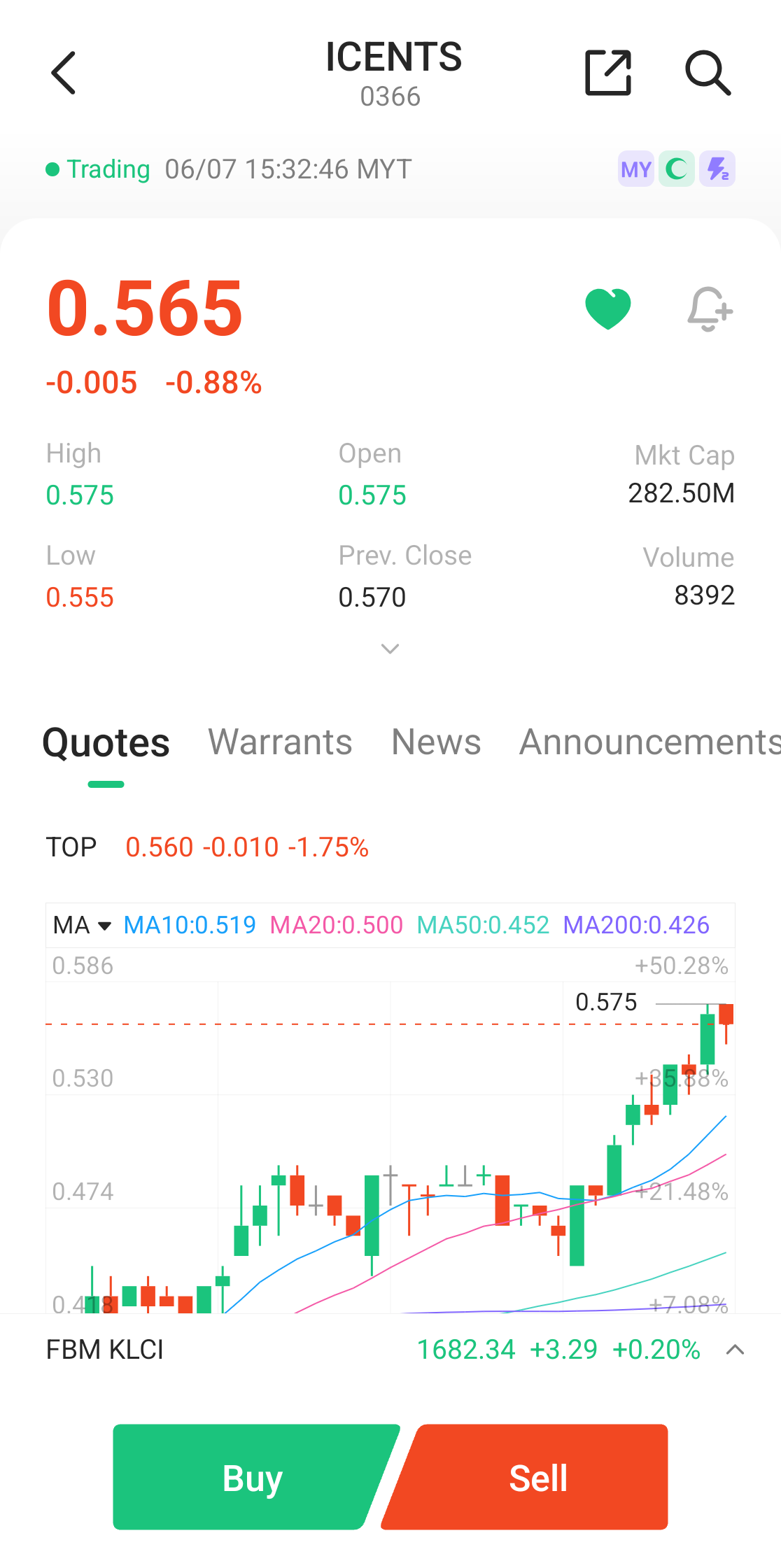
- Open the stock detail page and tap Buy or Sell.
- On the order ticket, choose the Order Type (Limit / Odd Lot / Stop Limit).
- Set the Price and Quantity. Check the Est. Amount.
- Confirm and submit the order. Orders that have not yet been filled can be checked in the Orders tab.
For a full guide to the buying and selling process, see How to Buy Shares on Bursa Malaysia and How to Sell Shares on Bursa Malaysia.
Frequently Asked Questions (FAQ)
What is the difference between a Limit Order and a Market Order?
A Limit Order is executed only at the price you set or better. A Market Order, on the other hand, is executed immediately at the best available market price — fast, but you have less control over the price. M+ Global emphasises the Limit Order for better price control.
When should I use an Odd Lot?
Use an Odd Lot when you want to trade a quantity that is not a multiple of 100 units — for example a high-priced share or clearing off an odd-lot balance. Be aware that its liquidity is usually lower.
Is a Stop Limit the same as a Stop Loss?
The concepts are related. A Stop Limit uses a trigger mechanism that you can use as a stop loss (selling automatically when the price falls to a certain level), but it is executed as a Limit Order, so there is a risk of it not being matched if the price moves too quickly past your limit price.
Why was my order not matched?
For a Limit Order, if the market price does not reach your set price, the order will wait and may not be executed. Check the Orders tab for the status, and adjust the price if necessary.
Conclusion
Choosing the right order type is a fundamental skill for an investor. Limit gives you price control, Odd Lot is for quantities that are not multiples of 100, and Stop Limit is for conditional strategies such as a stop loss or a breakout. Understand the order book and each field on the ticket, and you will trade with greater confidence and discipline.
Do not have an account to get started yet? Open a CDS trading account through Mahersaham to invest in Bursa Malaysia shares as well as overseas markets such as the US and Hong Kong.
New to shares? Download the free Share Investing Basics Ebook to master the fundamentals before you start trading.
Note: This article is for educational purposes only and is not investment advice or a recommendation to buy or sell any share. Please do your own research and seek licensed professional advice before making any investment decision.