Stock Screener: How to Find Potential Stocks on Bursa Malaysia

On Bursa Malaysia, there are over 1,800 stock counters and more than 900 of them are Shariah-compliant counters.
The Problem Is — Which Stock Should You Buy?
It is nearly impossible to check every single counter one by one unless you are a full-time trader with ample time to conduct stock research.
The best solution is to use a market screener — a stock screening tool that helps you find and filter counters that are suitable for purchase.
Screener Options — Free or Paid?
There are several screeners available in the market, both paid and free. Since Malaysians appreciate free tools, we will first share a market screener that you can use without any charges. One such option is using Microsoft Excel.
To use this screener, you will need a trading platform first.
So if you do not have a CDS account yet, you need to open one first.
It is very easy — simply register for a CDS account online with Mahersaham and you can join exclusive classes for Mahersaham clients.
To help you learn about stock screening using Microsoft Excel, we have prepared a 19-minute video for your reference.
https://www.youtube.com/watch?v=BrsRyHDmPQ0
Real-Time Stock Screener That Saves Time
If you have no skills in Microsoft Excel, the tutorial video above will probably give you a headache.
Even if you do manage to master the technique we showed above, the reality is you will face ONE MORE PROBLEM — how do you screen counters in real time?
Surely you cannot copy, paste, and run Excel for every page one by one?
You would also have noticed in the video that we have already transitioned to an open-source programme where the Mahersaham team can scan potential stock counters much faster and more easily.
That Is Why We Have Released Our Stock Screener —
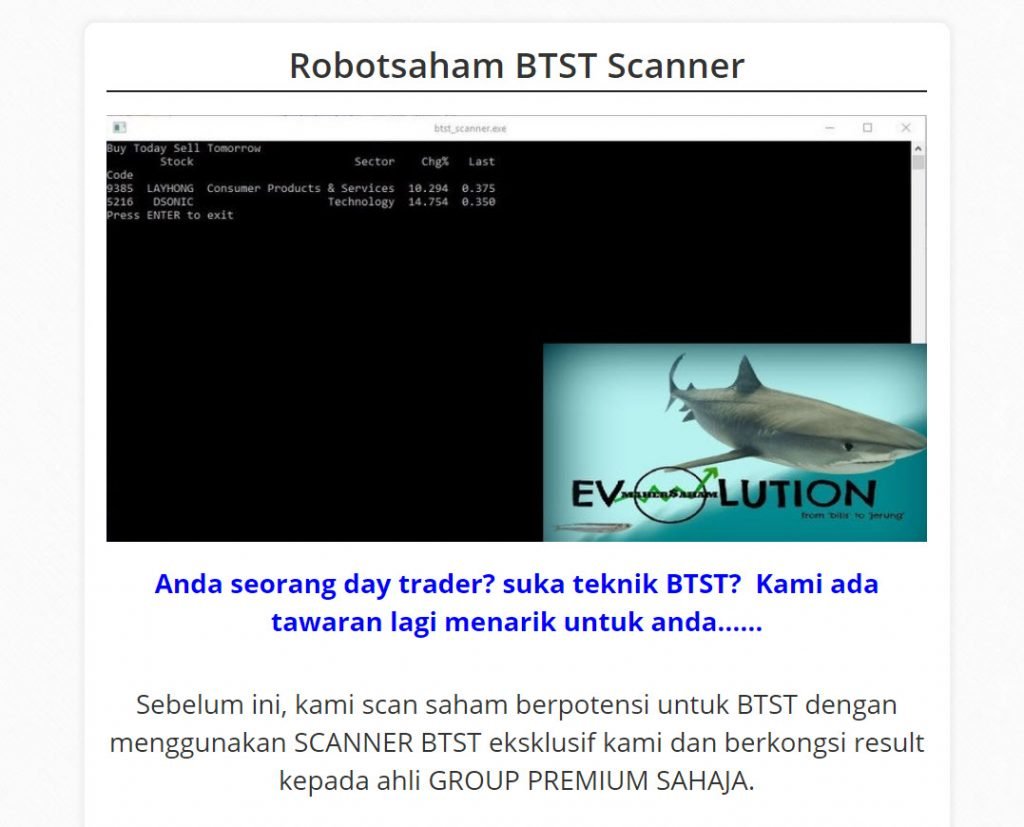
So you can find Intraday or BTST (Buy Today Sell Tomorrow) counters MUCH MORE EASILY.
If You Are Truly Interested, Visit Robotsaham — Intraday/BTST Scanner
3 Other Tips to Screen Potential Stock Counters
-
Volume
The first criterion is Transaction Volume. It shows the stocks that are being traded the most at that time, indicating active stocks.
Also learn about the Relationship Between Volume & Price and How to Use Volume in Stock Analysis.
With this most active volume list, you get a list of hot stocks in the market.
You can select a few from this volume list, do some background research on the company and its activities, and if satisfied, add them to your watchlist.
2. Top Gainer (%)
The second criterion is Top Gainer % (Percentage). It shows stocks that have risen significantly in price on that particular day.
It is also important to know the percentage increase on that day to indicate that something is happening with that stock and it may be worth adding to your watchlist.
You can see daily gains reaching up to 150% for warrants and 20-30% for ordinary shares.
Typically, stocks in the Top Volume and Top Gainers % (Percentage) categories are cheap stocks that may carry higher risk. If you want to view blue-chip and stable counters, you need to switch to Top Gainers (by sen).
Here we can see the increase in sen. Even though the percentage increase is small, even a small increase in sen is considered significant. These stocks are expensive because the companies are strong and well-established.
3. Buying On Weakness
The third criterion we can use is Buying On Weakness. This function is available on Excelforce platforms such as BIMB Online and Malacca Securities.
The Buying on Weakness function identifies stocks that are experiencing a decline but have positive buying demand, i.e., positive money flow. The stock price is falling but money inflow is high, indicating significant buying activity despite the price drop.
This can serve as a good indicator that a stock may rise again. Refer to the diagram below.
Usually, stocks in this category are those in an uptrend that are experiencing a temporary dip, possibly due to market sentiment or short-term profit-taking. We can take advantage of this opportunity to select these potential stocks for our watchlist.
Bonus Tip: How to Find Stable Stocks
To reduce the risk of losses, choose counters with the following characteristics:
- The company operates a recession-proof business. For example, the food & beverages and utilities industries always have demand because they serve essential needs.
- The company records consistent profits.
- The company is able to provide regular dividends to investors.
Credit: TSI
Conclusion
It is important to remember that a stock screener is a powerful tool to help you filter counters and suggest potential picks based on predetermined criteria. However, it is still not sufficient on its own. You still need to conduct your own stock analysis to determine which counters are the best to buy.
Besides choosing Shariah-compliant stocks, you should also select an Islamic CDS account. There are several notable differences between Conventional and Islamic CDS accounts. To learn more, read Types of CDS Accounts.
Frequently Asked Questions (FAQ)
What is a stock screener and why do I need one?
A stock screener is a tool that filters and scans stocks based on specific criteria such as volume, price movement, and financial ratios. With over 1,800 counters on Bursa Malaysia, it is impractical to analyse each one manually. A screener saves you time by narrowing down potential stocks that match your investment criteria.
Are free stock screeners good enough for Bursa Malaysia?
Free screeners like Microsoft Excel-based tools can be useful for beginners. However, they lack real-time data capabilities. For more serious trading, especially intraday and BTST strategies, a dedicated real-time screener provides significant advantages in speed and accuracy.
What criteria should I use when screening stocks?
The three most common screening criteria are: (1) Transaction Volume — to find actively traded stocks, (2) Top Gainers — to identify stocks with strong price momentum, and (3) Buying on Weakness — to spot stocks with positive money inflow despite price declines. Combine these with fundamental checks for the best results.
How do I start using a stock screener if I am a complete beginner?
Start by opening a CDS account with a broker. Most brokers provide basic screening tools within their trading platforms. Watch tutorial videos, practise with free tools first, and gradually move to more advanced screeners as your skills improve.
Upgrade Your Investment Knowledge
Successful investing starts with solid knowledge.
Investment Basics:
Download our free ebook for a complete guide to getting started.
Open a CDS Account:
Ready to begin? Open a CDS account now to start trading on Bursa Malaysia.