MAE by Maybank: Complete E-Wallet Guide for Malaysians

Nowadays, there are many payment systems using e-wallets, also known as cashless payments.
Among the e-wallets available and commonly heard of include Touch n Go, Bigpay, Setel (only at Petronas), Boost, ShopeePay, and many more.
Recently, Malayan Banking Berhad introduced the MAE Referral Campaign for its MAE application.
MAE stands for 'Maybank Anywhere Everyone', which provides the latest digital e-wallet services to the public.
Why Use MAE By Maybank E-Wallet?
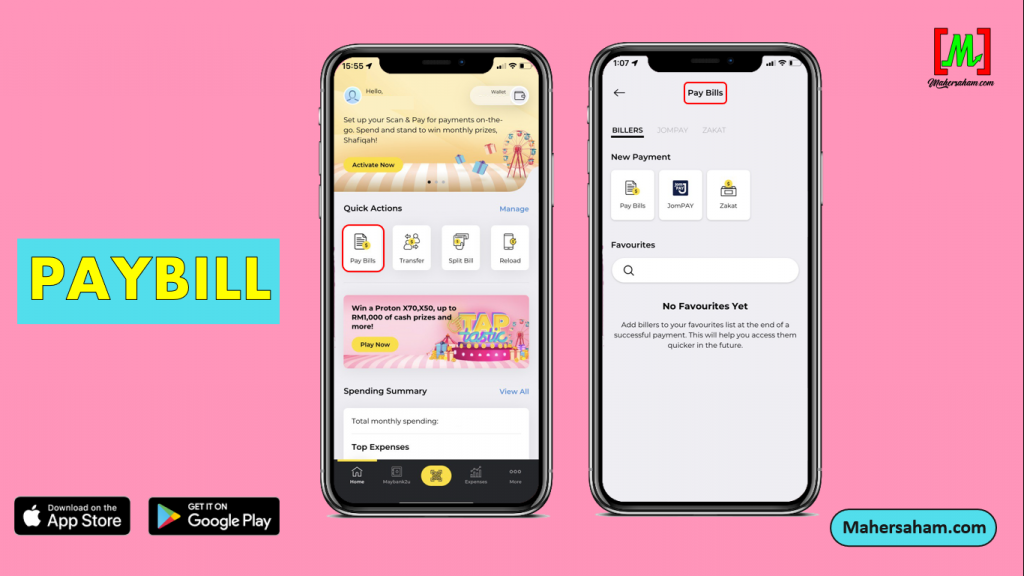
1. Paybill
Similar to Maybank2u, the MAE application provides the same function where you can make online bill payments, Jompay, and online zakat payments.
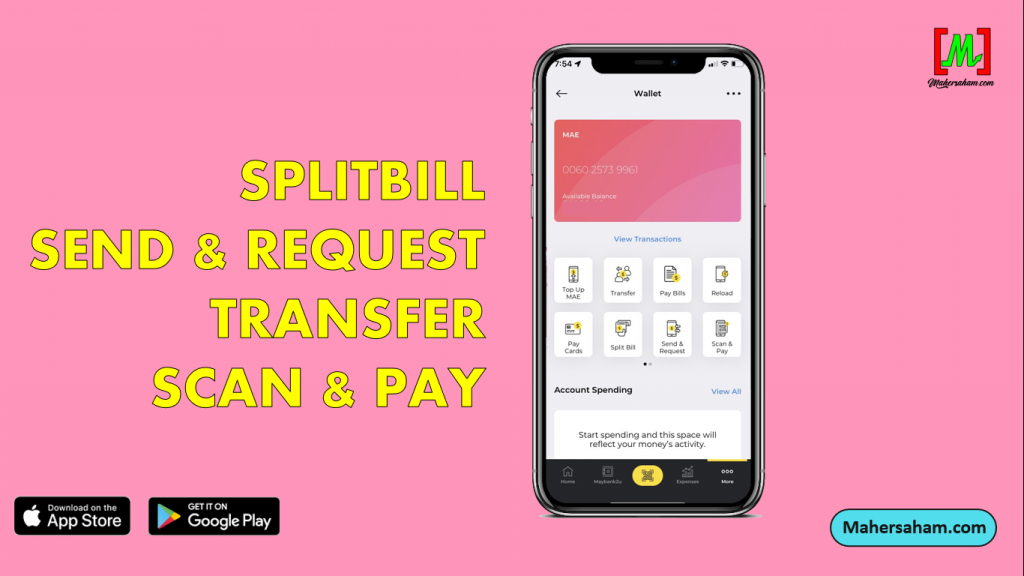
2. Split Bill, Send & Request Money, Money Transfer, Scan & Pay
Like other e-wallets, MAE also has the same function where you can split bills among friends for up to 30 people. Additionally, you can send or request money through MAE.
All payments can be made in the single MAE application through various methods.
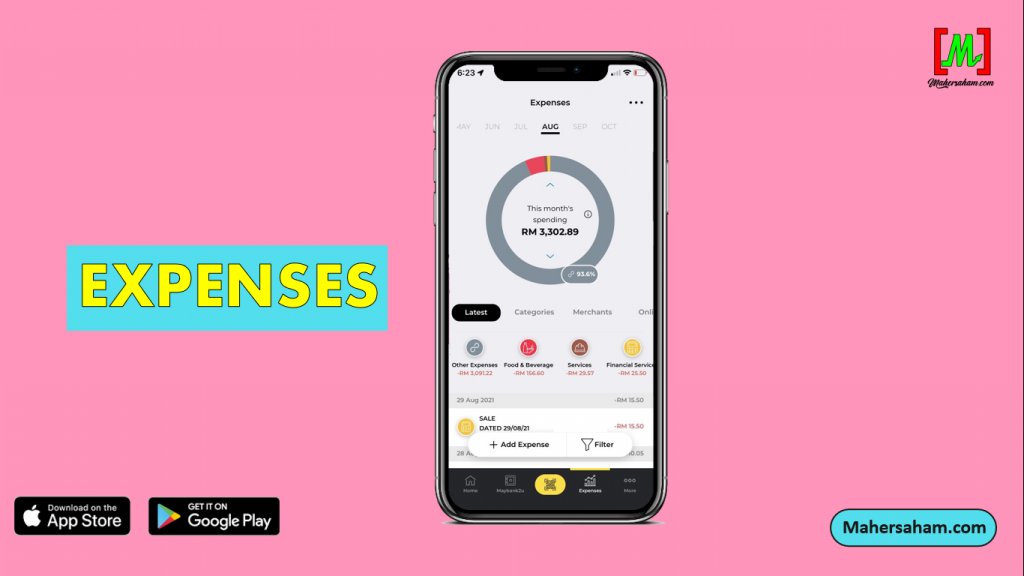
3. Spending Records
Every expense you make will be recorded each month.
So no need to worry anymore if your money runs out fast. You can check all incoming and outgoing transactions in MAE.
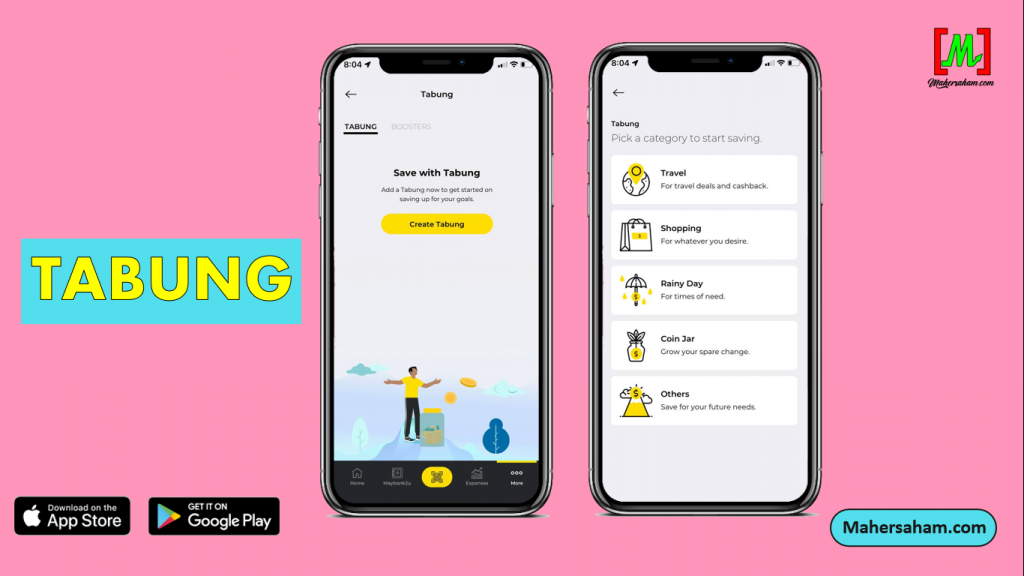
4. Savings Pot (Tabung)
The Tabung feature allows you to create a digital savings pot.
For example, if you plan to go on holiday at the end of the year or want to buy a gift for your family.
This savings pot function helps you allocate monthly savings to reach a target amount you desire.
It will automatically deduct from your account and distribute it into this digital savings pot to achieve your goal within the timeframe you set.
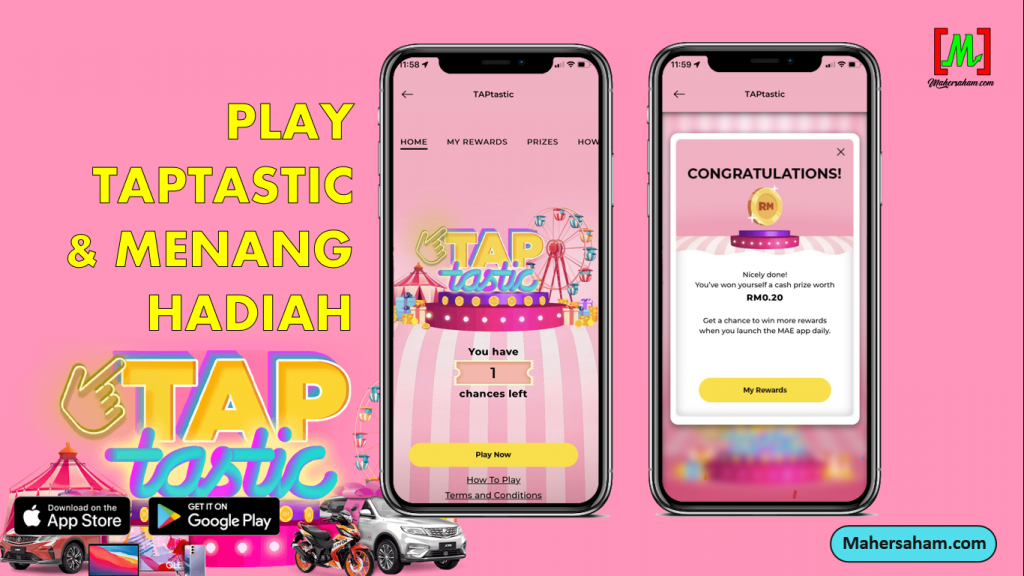
5. TAPtastic & Win Prizes
Start transacting with MAE and stand a chance to win a Proton X70, Proton X50, Honda RS150R, gadgets, and many more. You can also play the TAPtastic game and win cash prizes of up to RM1,000.
All you need to do is activate the MAE application and start making transactions.
This campaign ran from 18 October 2021 to 1 January 2022.
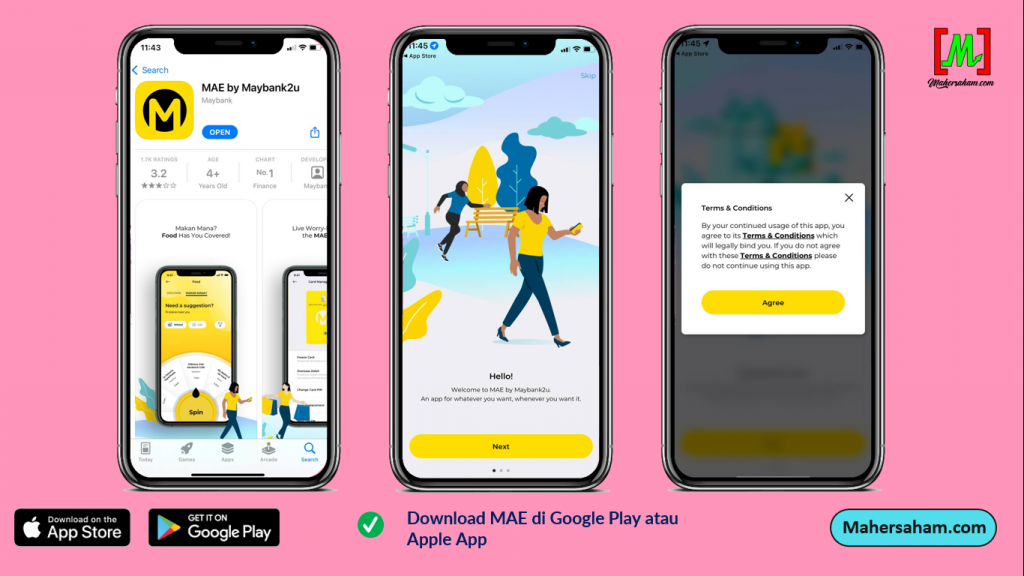
How to Activate MAE By Maybank
Step 1: Download the MAE app from Google Play or Apple App Store.
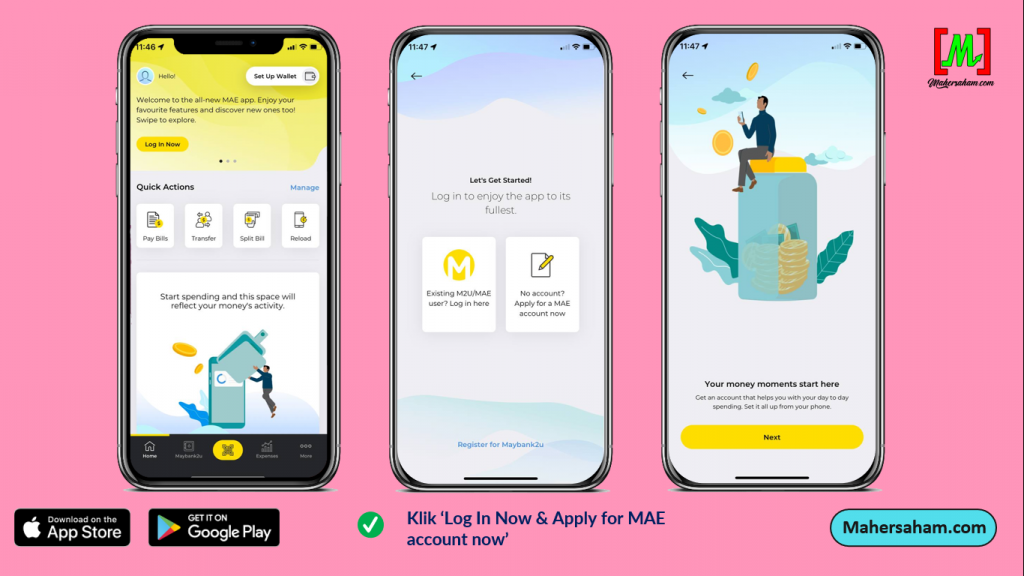
Step 2: Click 'Log In Now'.
Step 3: Click the second box 'Apply for MAE'.
Step 4: Enter your full name, phone number, and IC number.
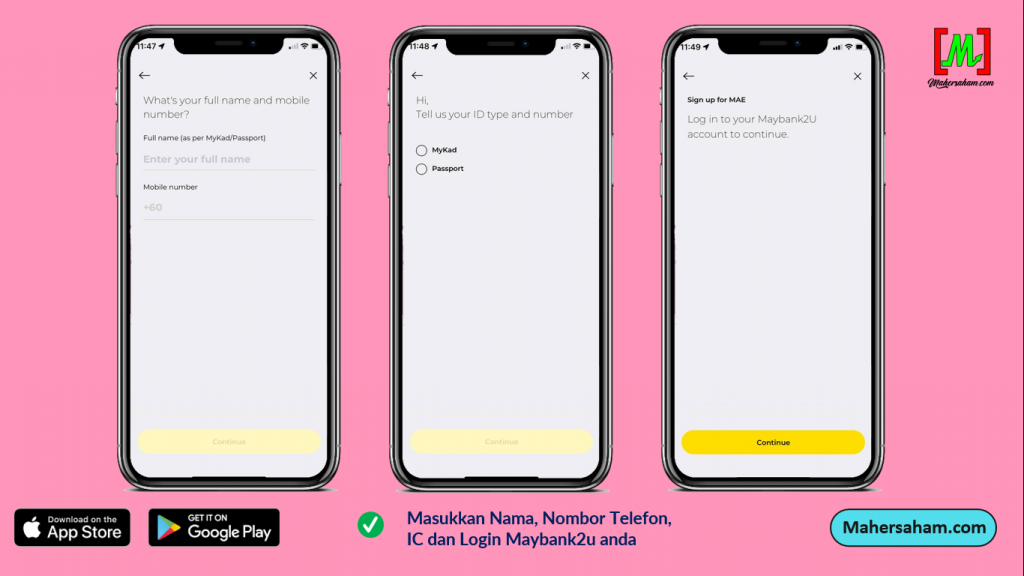
Step 5: Log in to your Maybank2u account to link it with your MAE application. Enter your Username and Password.
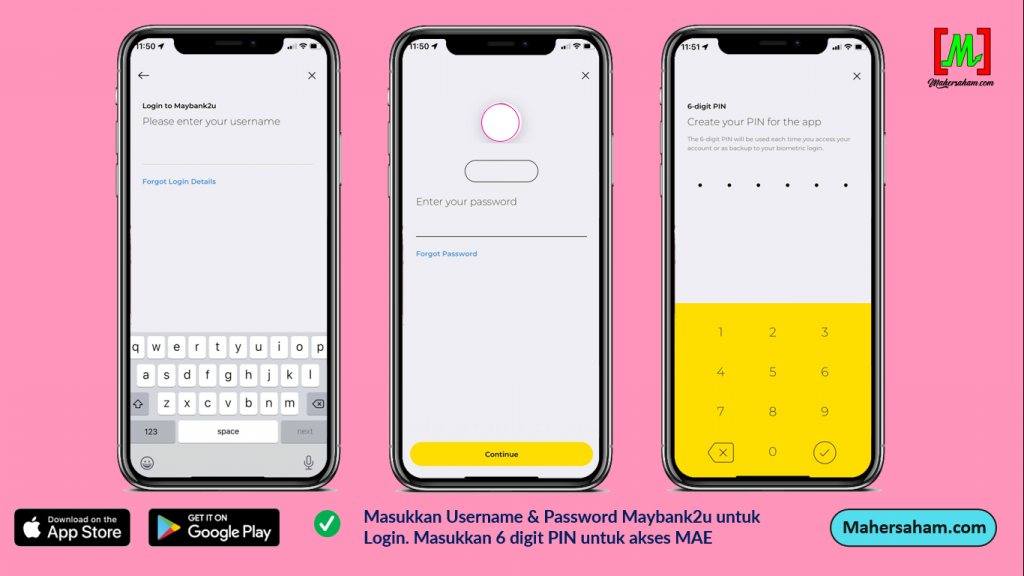
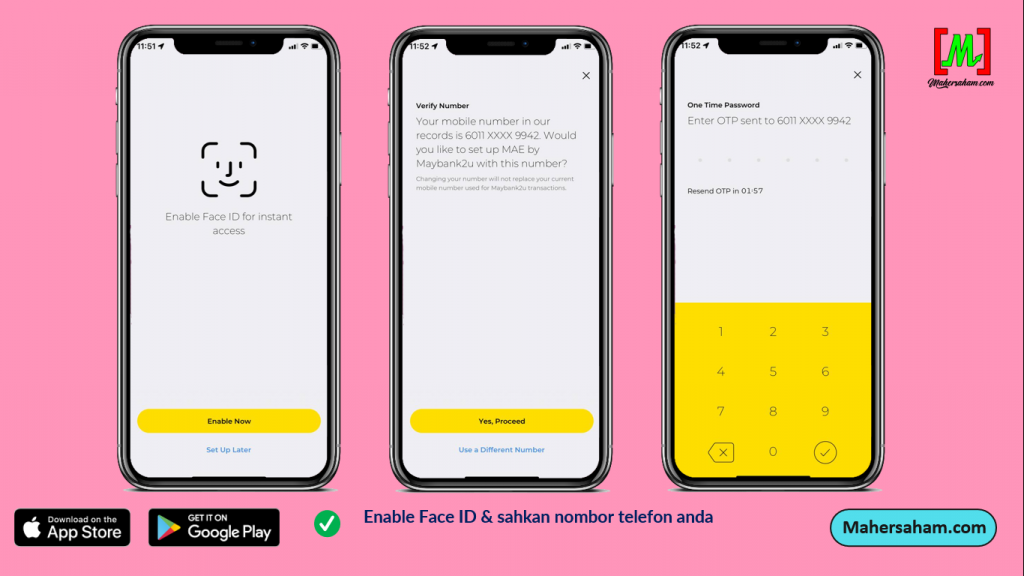
Step 6: Enter a 6-digit PIN for your MAE account and confirm it. You can scan Face ID for instant access.
Step 7: Verify your phone number and enter the OTP.
Step 8: Enter your name and click 'Activate Now' to activate your MAE account.
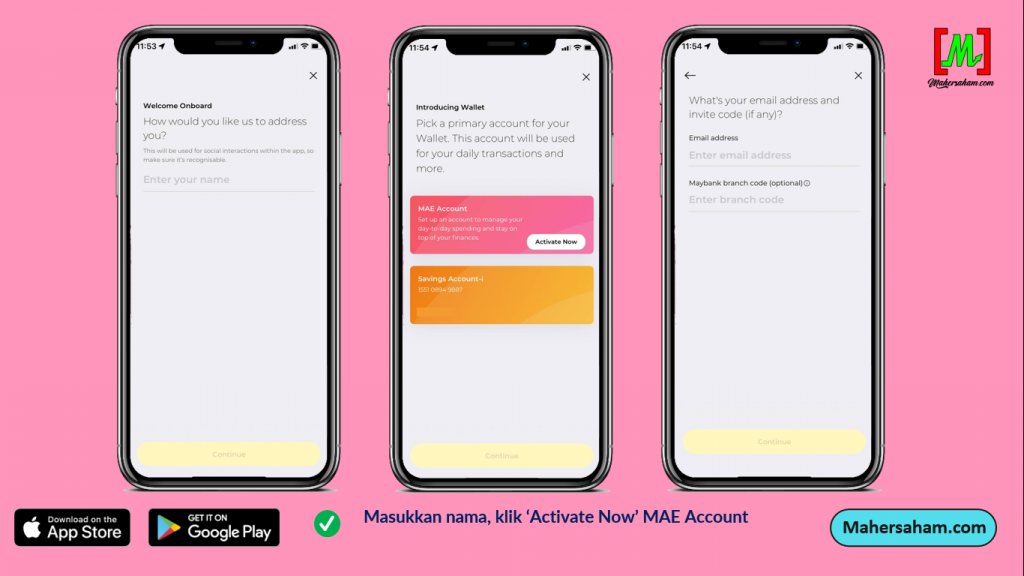
Step 9: Enter your email, click 'Yes' if you want to receive promotional information from Maybank. Tick the Terms & Conditions box and click 'Continue'.
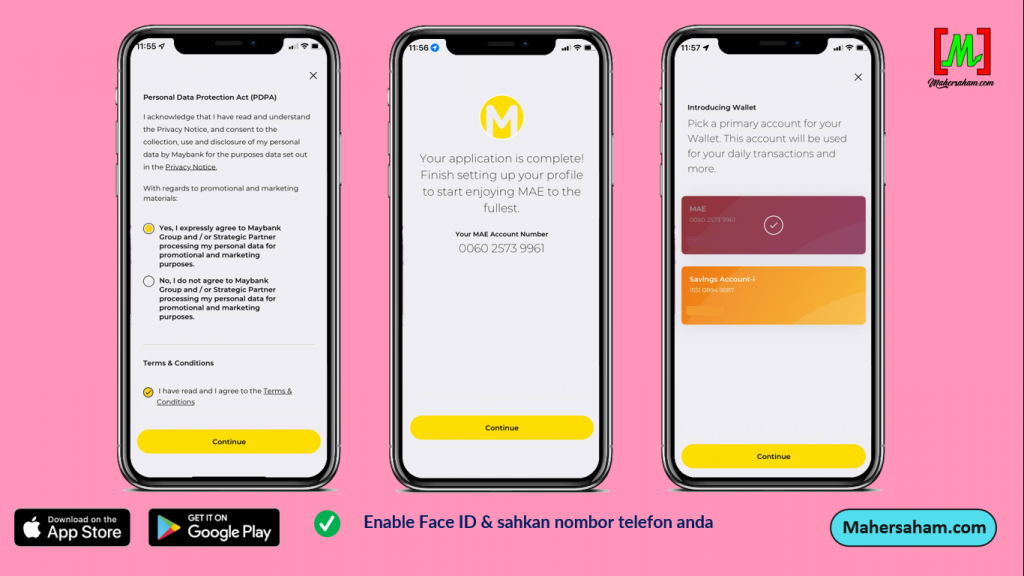
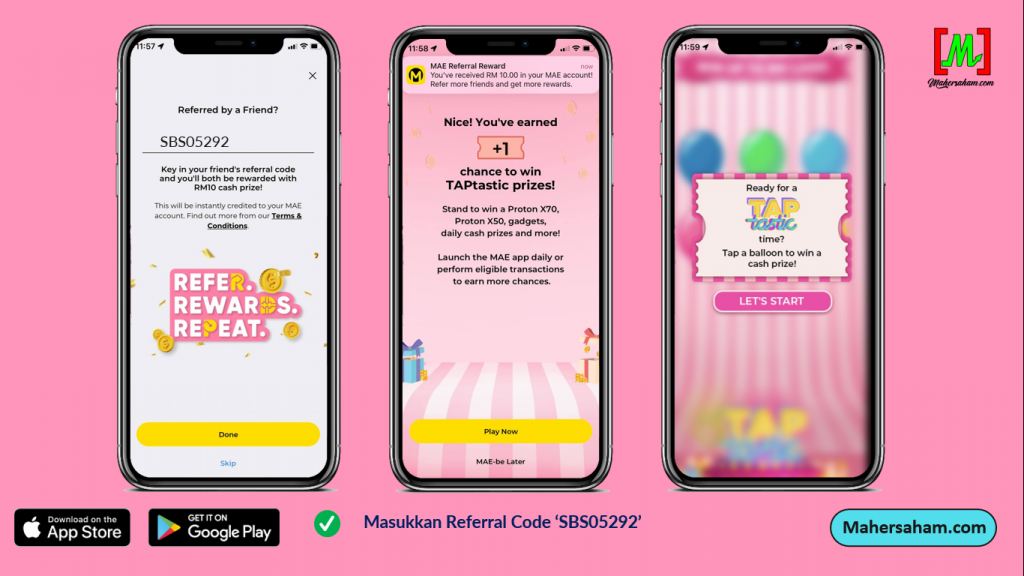
Step 10: Enter the Referral code SBS05292 and get RM10 free. Done!
Conclusion
MAE By Maybank is an extremely useful e-wallet for daily expenses. With various functions including QR payments, money transfers, and savings, it simplifies your financial management.
Frequently Asked Questions (FAQ)
1. What is MAE by Maybank?
MAE (Maybank Anytime Everyone) is an e-wallet application by Maybank that allows you to make cashless payments, transfer money, and manage your finances easily through your smartphone.
2. Is MAE by Maybank free to use?
Yes, downloading and registering for MAE is free. You only need an active Malaysian phone number to register for an MAE account.
3. What are the advantages of MAE compared to other e-wallets?
MAE has the advantage of being directly connected to the Maybank ecosystem. You can access your bank accounts, make bill payments, transfer money, and purchase insurance all in one application.
4. Can MAE be used to buy stocks?
MAE itself is not a platform for buying stocks. To invest in stocks, you need a CDS account and a trading platform such as Mplus. However, MAE can be used to manage your daily finances.
Start Your Investment Journey
Besides being smart with spending using e-wallets, be smart with your investments too. Take your first step in stock investing today.
Open a CDS Account: Open a CDS account with Mplus and start investing in Bursa Malaysia stocks.
Download Free Ebook: Get the free stock basics ebook from Mahersaham for a complete investment guide.